How do I close the month?
The month-end checklist — finish the paperwork, reconcile the bank, chase what's overdue, run the period-end entries, review the reports and lock the month.
Closing the month means making sure everything that happened in it is in the books, correctly, and then locking it so it stays that way. Work through these steps in order, a few days after the month ends.
1. Get every document in
- Invoice everything delivered in the month and post the invoices.
- Enter and post the month's vendor bills and expenses. Filter Draft invoices and bills dated in the month and post or delete each one.
- Post any manual journal entries for the month, such as accruals. See Post a manual journal entry.
2. Reconcile the bank
Bring in the month's bank statement — imported or through a bank feed — and match every line. Mark the statement Reconciled once its Computed Balance and Bank Ledger Balance both equal the bank's Closing Balance.
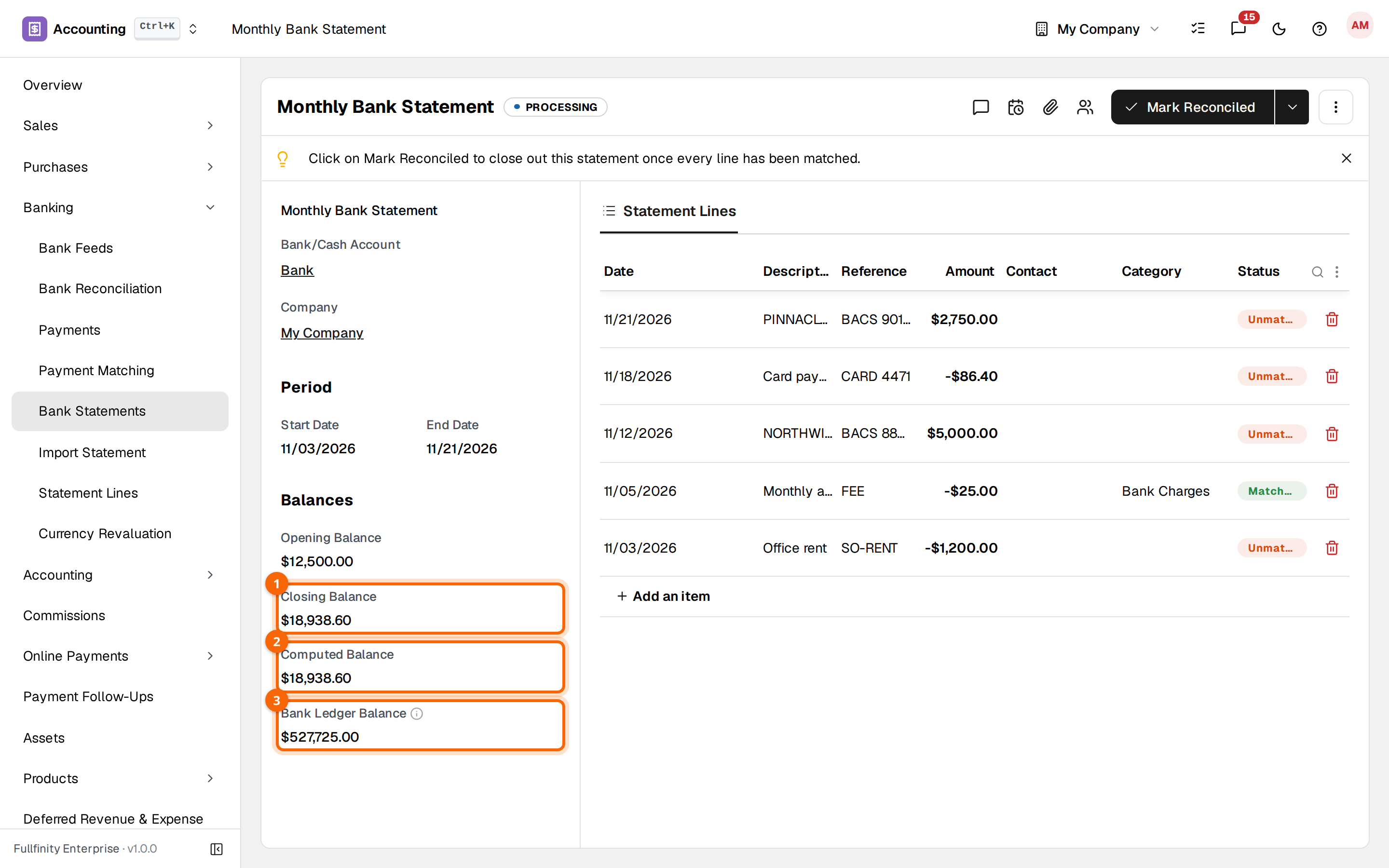
See Reconcile your bank account and Why doesn't my bank balance match?
3. Settle what's open
- Match payments on account and credit notes to the invoices they pay. See Match payments to invoices.
- Check Payment Follow-Ups and send the reminders that are due. See Send payment follow-ups.
4. Run the period-end entries
- Depreciation and deferrals — posted every day on their own. Check that nothing is waiting: assets and deferrals.
- Foreign currencies — revalue on the last day of the month. See Revalue foreign-currency balances.
- Commissions — confirm the month's commissions and mark the ones you paid. See Track and pay sales commissions.
5. Review the reports
Run the Trial Balance, Profit & Loss and Balance Sheet for the month under Reports. Compare with last month using Previous Period and look into anything that moved unexpectedly — click a figure to see the entries behind it. Check Aged Receivables and Aged Payables against what you know is owed.
If it's the end of a tax period, run the Tax Return and file it. See Prepare your tax return.
6. Lock the month
Set the Lock Date to the month's last day — and the Tax Lock Date to the end of the tax period you filed. Nothing more can be posted into the month.
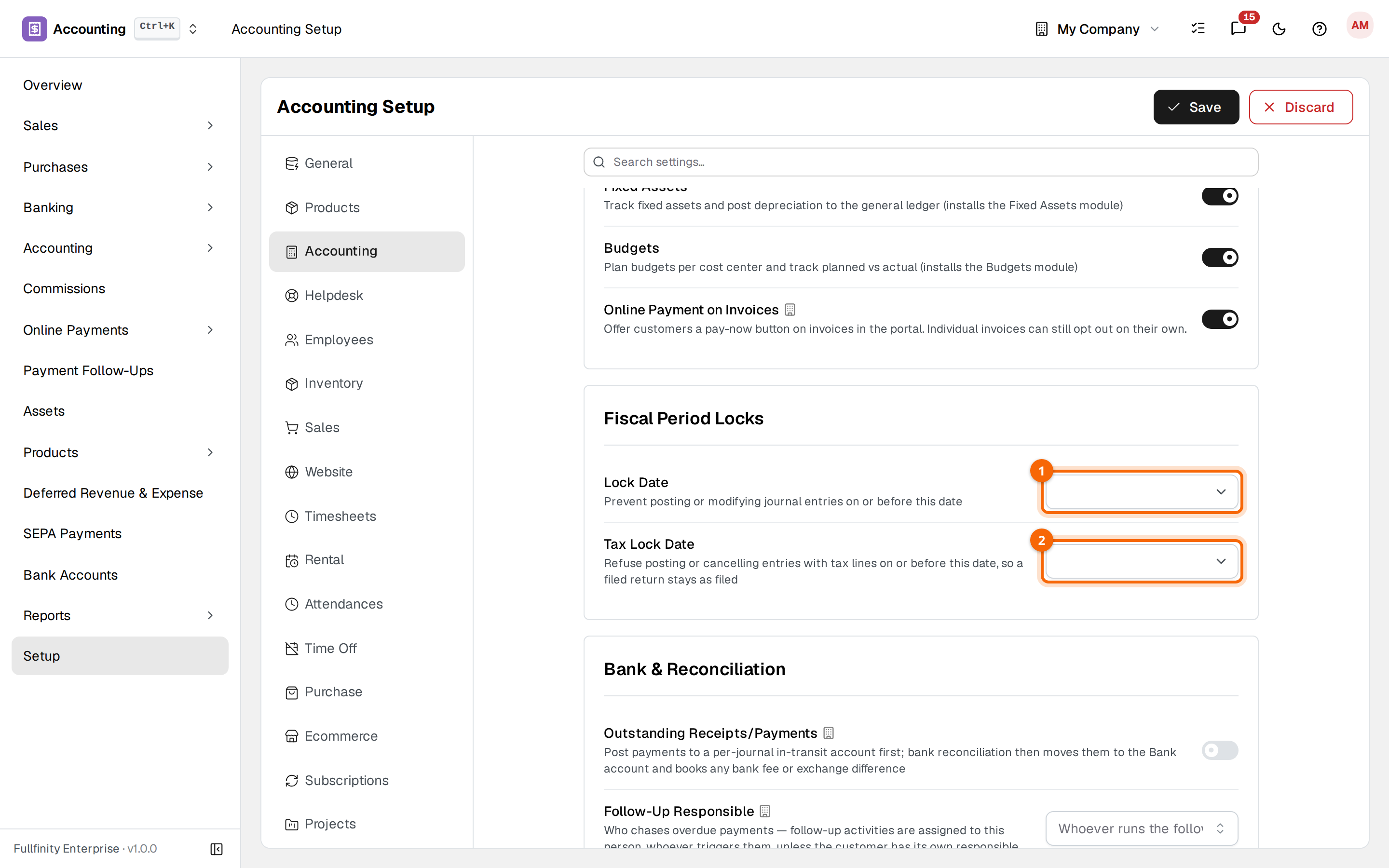
See Lock a period.