How do I connect my bank so statements arrive automatically?
Connect a bank account through a bank-feed provider once, map it to its bank journal, and new transactions arrive as statement lines ready to reconcile.
A bank feed pulls your bank's booked transactions into Fullfinity on its own, so you don't download and import a file every month. You sign in at your bank once through a bank-feed provider; after that, new transactions arrive as lines on a monthly bank statement, ready to reconcile.
1. Add the connection
- Go to Banking → Bank Feeds and click New.
- Type a name you'll recognize, such as First National — Operating.
- Bank Feed Provider — the provider you connect through.
- Country (ISO code) — your bank's two-letter country code, such as US or GB.
- Some providers need you to pick the bank first. For those, click Find Banks to load the banks of that country, then choose it under Bank.
- Save, then click Connect Bank.
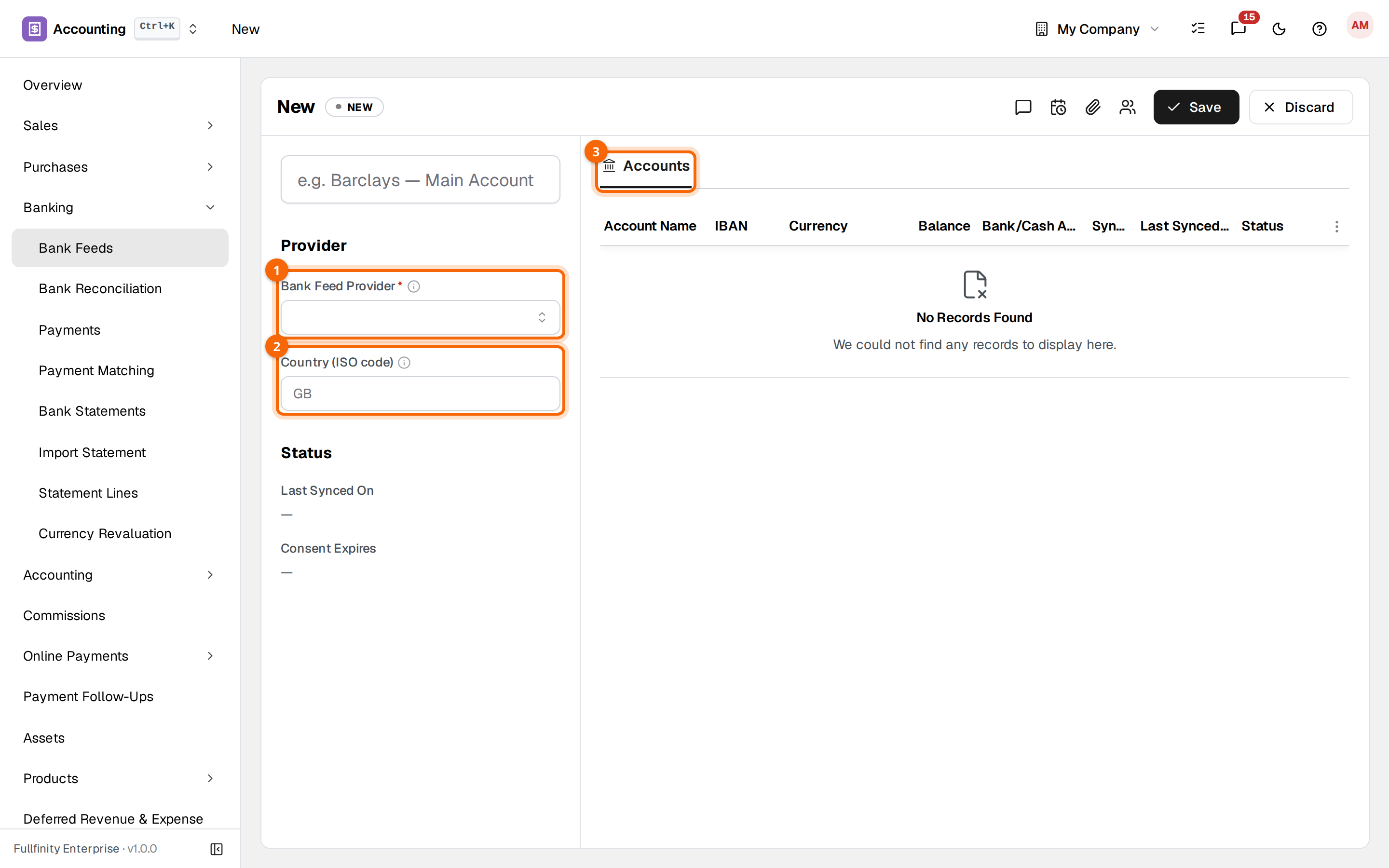
Your browser goes to the provider's secure page, where you sign in at your bank and allow access. When you come back, the connection shows Connected and its bank accounts are listed on the Accounts tab.
2. Map each account to a journal
On the Accounts tab, set Bank/Cash Account for each account you want to follow — the bank journal its transactions belong to. Leave it blank for an account you don't want in Fullfinity. Switch off Sync Enabled to pause one account.
3. What happens next
- Every few minutes, each mapped account is checked for new booked transactions. The first pull reaches back 90 days.
- New transactions are added to that month's bank statement for the journal, so they show up in Banking → Bank Statements and in Banking → Bank Reconciliation. A transaction is never added twice.
- Last Synced On shows when the account last updated, and Last Sync Problem what went wrong if it couldn't.
- Unreconciled Difference on the account compares the bank's own balance with your statements. Anything other than zero means a transaction is missing, booked twice or booked at the wrong amount.
- Bank Changes to Review lists transactions the bank changed or withdrew after you reconciled them. The feed leaves reconciled lines alone: correct each one yourself, then clear the note.
When the connection lapses
Banks only allow access for a limited time. Consent Expires shows when. When it lapses the connection shows Reauth Required or Expired; click Reconnect and sign in at your bank again. Disconnect stops syncing and withdraws access at the provider; the statements already brought in stay.
Related: Reconcile your bank account · Import a bank statement instead