How do I prepare my tax return?
Run the Tax Return for the period, check the tax you collected and paid, download it, and lock the period once it's filed.
The Tax Return adds up the tax on everything you posted in a period: the tax you charged customers (output tax), the tax you paid suppliers (input tax), and what you owe — or are owed — as a result.
1. Run the report
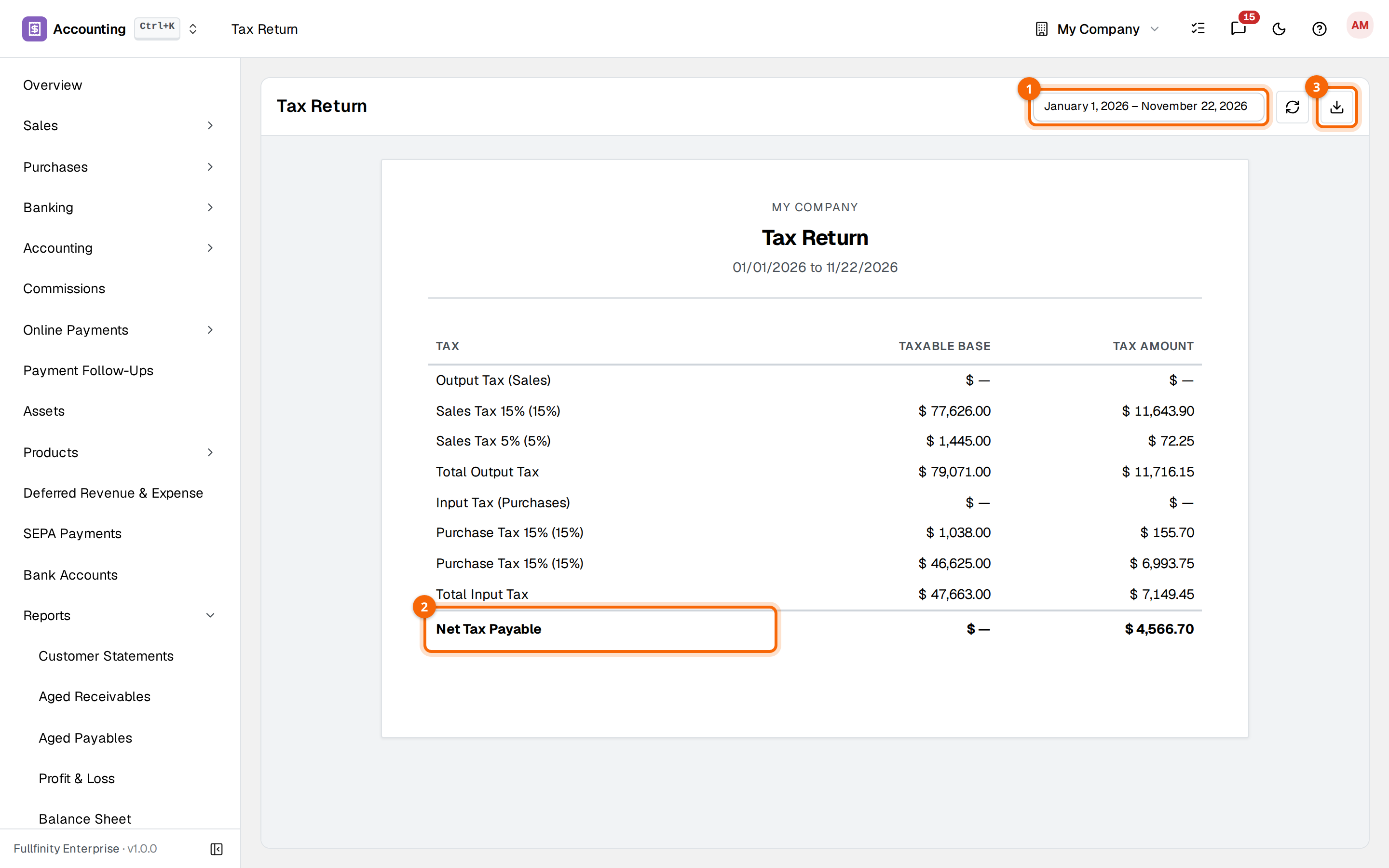
- Go to Reports → Tax Return.
- Choose the period in the date box — the quarter or month you're filing.
- Read Net Tax Payable: the tax you owe for the period. A negative figure is a refund due to you.
- Click the download button to get the return as a PDF.
2. What's on it
- Output Tax (Sales) — each tax charged on invoices and credit notes, with its Taxable Base and Tax Amount, then Total Output Tax.
- Input Tax (Purchases) — the same for bills, debit notes and reclaimable tax on expenses, then Total Input Tax.
- Other Adjustments — tax posted by hand in other journals, shown rather than left out.
- When your country's tax package includes the boxes of its official return (such as the UK VAT return), a Statutory Return section lists each box with its value, ready to copy into the tax office's form.
Only posted documents and entries count, at their posting date, in your company's currency. Drafts and cancelled documents are left out.
3. Lock the period once it's filed
After you file, set the Tax Lock Date to the last day of the period so nothing more can be posted into it and change the figures you filed. The return's title then reads Tax Return — period locked for that period. See Lock a period.
Related: Set up taxes
Was this article helpful?