Close the loop from dispatch to invoice.
Send the tech, capture the work on site, and bill it the moment it’s signed off — no worksheet typed up days later, no billable hour lost.
Jobs get done, but the details fall out between the van and the office.
Dispatch lives in one tool, the technician’s notes on paper, parts in a spreadsheet, and invoices are typed up days later from memory. Work slips through unbilled, stock counts drift, and customers wait for a bill that should have gone out the day the job finished. The office and the field are never looking at the same job.
The apps you'll run — and they all stay in step.
No exports, no nightly sync, no two tools disagreeing. In field service, these apps read the same data, so the work flows straight through.
Built to run how field service actually works.
Dispatch from one board
Create a Field Service order on the dispatch board and assign it to a technician on the calendar or map. The office sees status update live as jobs move from scheduled to en route, on site and done — no calling around to find out where anyone is.
Capture the job on site
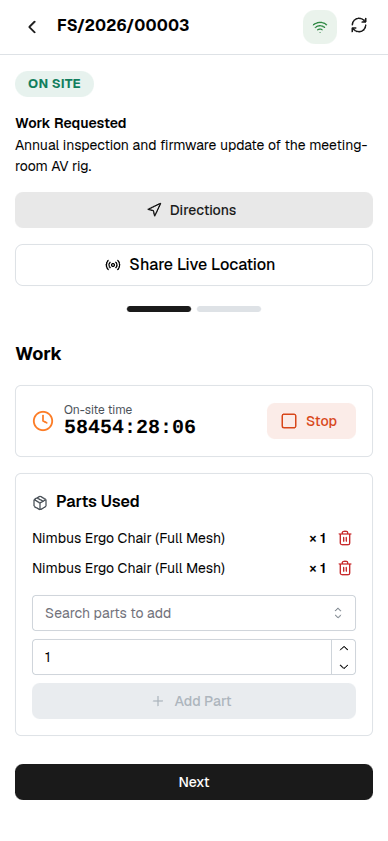
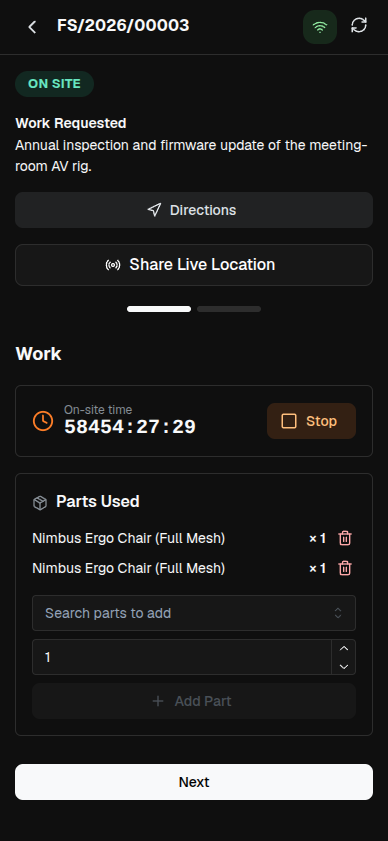
Technicians work the job from a mobile Field Service view, even offline: log time, add photos and notes, and record which spare parts they used. Because Field Service and Inventory share one database, every part consumed decrements van and warehouse stock automatically, so counts stay honest and reorders trigger themselves.
Bill it before the van’s back
Once the work is signed off on site, one click drafts the invoice — labour and parts already itemised from the order, nothing re-typed — so every billable hour actually gets billed.
Enterprise-grade, whatever you run.
The foundation every app is built on, in every industry.
Multi-company
Run several entities in one system, books kept cleanly apart — on self-hosted plans.
Multi-currency
Buy, sell and report in any currency — automatic daily rates with Cloud & Enterprise.
Roles & permissions
Everyone sees exactly what they should — and nothing else.
Change history
Business documents log who changed what, and when.
Real-time
Live updates across your team, no refresh button in sight.
Free upgrades
New versions carry your data forward automatically — a single upgrade step.
Your questions about field service, answered.
Can technicians work without a signal?
Yes. The mobile Field Service view works offline — technicians capture time, parts, photos and customer sign-off in the van or a basement, and everything syncs to the office record automatically once they’re back in coverage.
How do parts used on a job affect my stock?
Field Service and Inventory run on the same database, so a part logged against a job is consumed from that technician’s van or the warehouse in real time. Stock stays accurate without a separate reconciliation, and low levels trigger reorders on their own.
Can I plan preventive work as well as one-off jobs?
Yes. Customer jobs are scheduled as Field Service orders on the dispatch board, and the Maintenance app's preventive plans raise maintenance requests for your own equipment on a calendar or meter schedule. Both draw on the same stock and the same books.
Can I self-host it?
Yes — the Free edition runs on your own server, free, with your whole team on it. Prefer not to run servers? We host a managed cloud. Field Service itself is a licensed app, included with Cloud & Enterprise.
Fullfinity fits your line of work
Run your whole field service business in one place.
Start with the Free edition on your own server, or let us run it for you.