How do I revalue foreign-currency balances?
At period end, bring what customers and suppliers owe in other currencies, and foreign bank balances, up to the current exchange rate.
An invoice in euros is booked at the exchange rate of its date. If the euro moves before it's paid, the amount it's worth in your currency moves too. A revaluation at period end books that change as an unrealized gain or loss, so your balance sheet shows today's value.
Run a revaluation
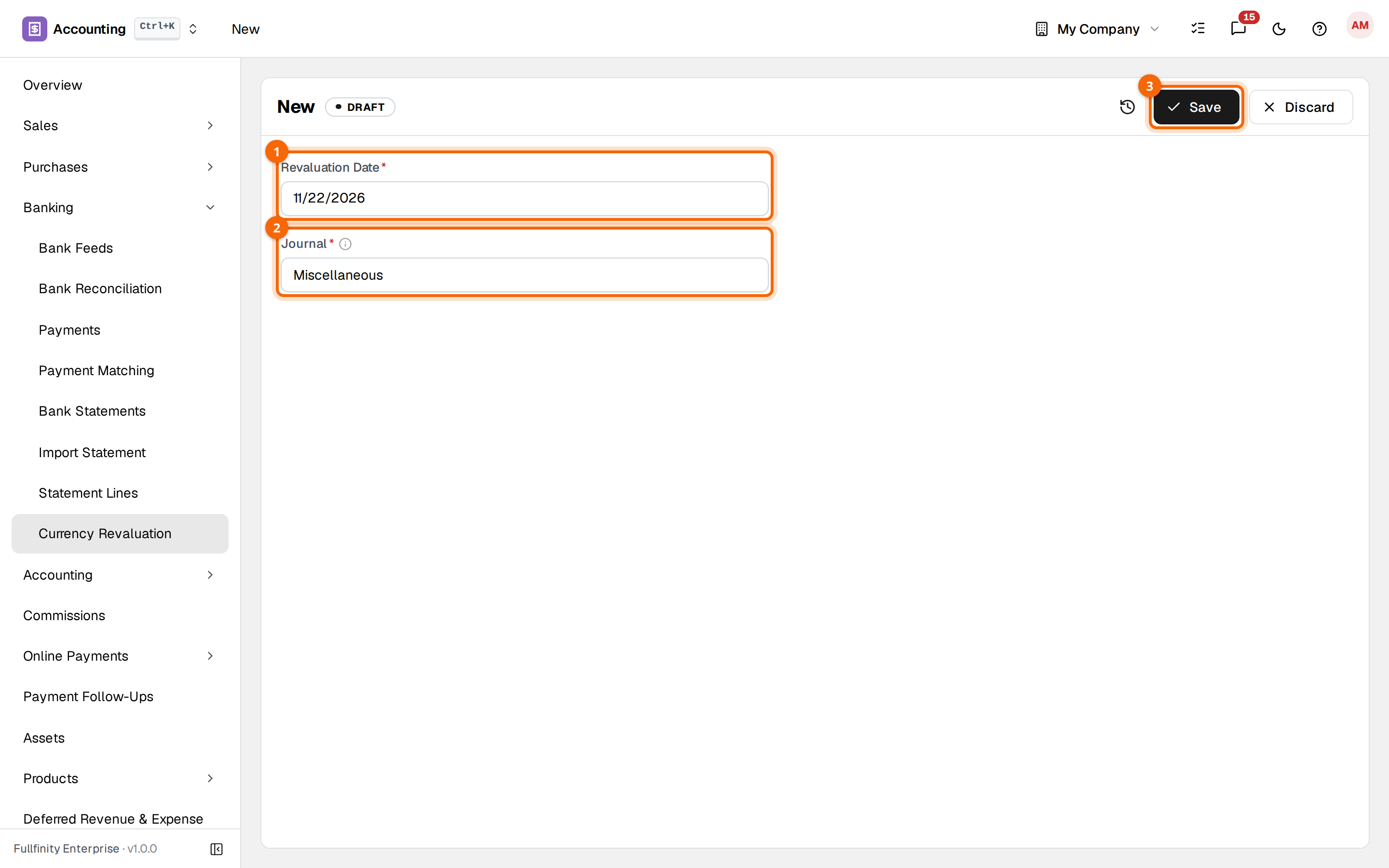
- Go to Banking → Currency Revaluation and click New.
- Revaluation Date — the last day of the period, such as the month end.
- Journal — where the entries are posted; it starts as your Miscellaneous journal.
- Click Save, then Revalue.
What it does
- It looks at every foreign-currency balance on your receivable, payable, bank and cash and credit card accounts as of the date — per customer or supplier for receivables and payables.
- Each is valued at the rate of the revaluation date. The difference from what's on the books goes to your exchange gain or exchange loss account (set in Key Accounts).
- It posts a Revaluation Entry on the date, and a Reversal Entry the day after, which undoes it. So the next revaluation starts from the original rates again and nothing is counted twice; the real gain or loss is booked when the invoice is paid.
The revaluation becomes Posted and Result says how many balances were revalued. If everything was already at the current rate, it says so and posts nothing. Income and expense accounts are never revalued.
Related: Close the month
Was this article helpful?