How do I spread revenue or expenses over several months?
Spread an invoice for a year of service, or a prepaid bill, over the months it covers, with the income or expense recognized period by period.
When a customer pays upfront for a year of support, you haven't earned it all on the invoice date — you earn a twelfth each month. The same goes for a year of insurance you prepay. A deferral moves the amount onto the balance sheet and brings it back into income or expense period by period.
1. Defer a posted invoice or bill
- Open the posted invoice or bill and click Defer.
- A deferral is drafted for each income or expense account the document posted to, already filled with its amount, date and accounts: Revenue for a customer document, Expense for a vendor one.
- Set the Number of Periods and the Period Length, and check the Start Date.
- Click Confirm.
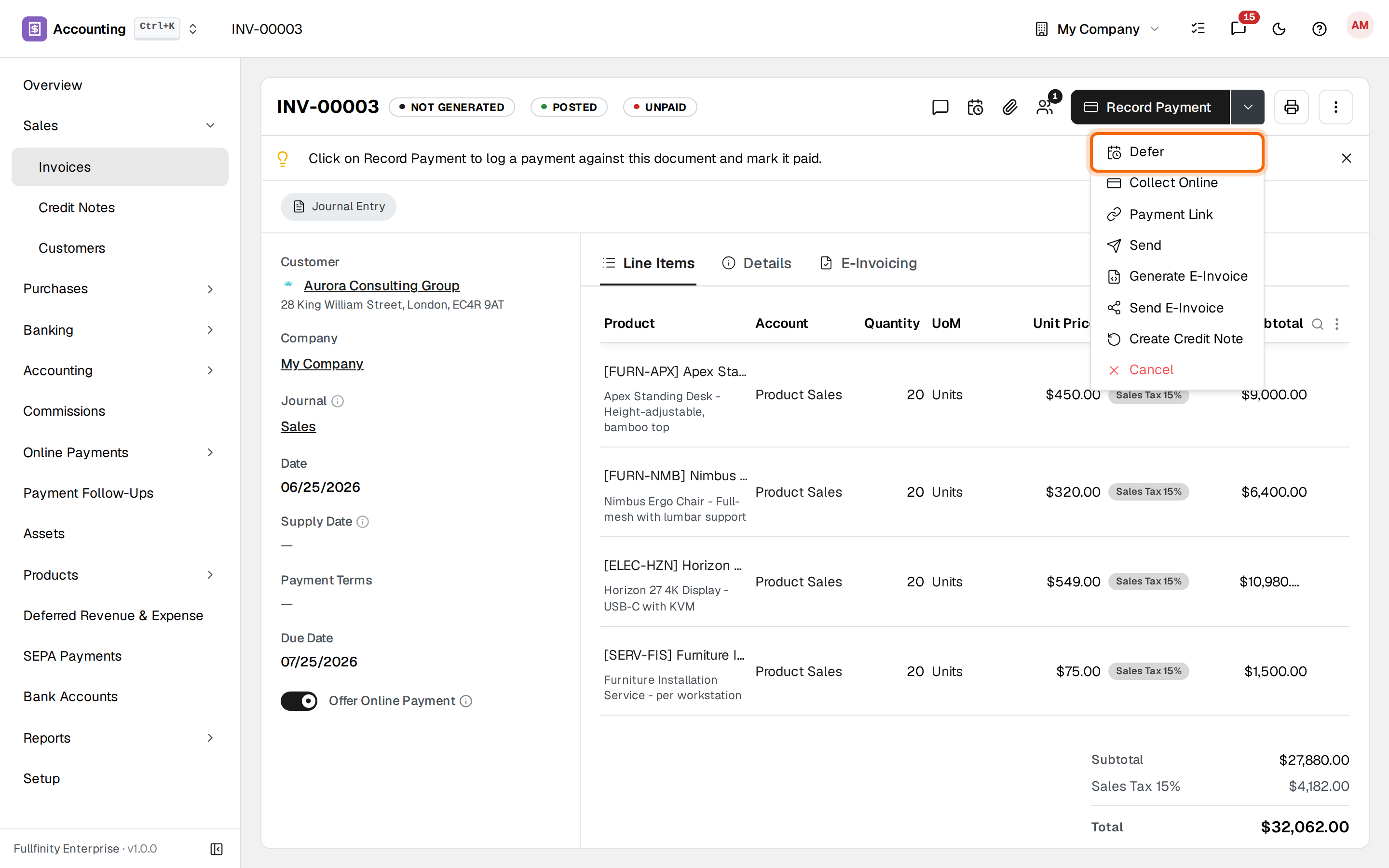
Confirming moves the amount out of income (or expense) into the deferral account on the document's date, builds the Recognition Schedule and sets the deferral to Running. A document can be deferred once.
2. Or create one by hand
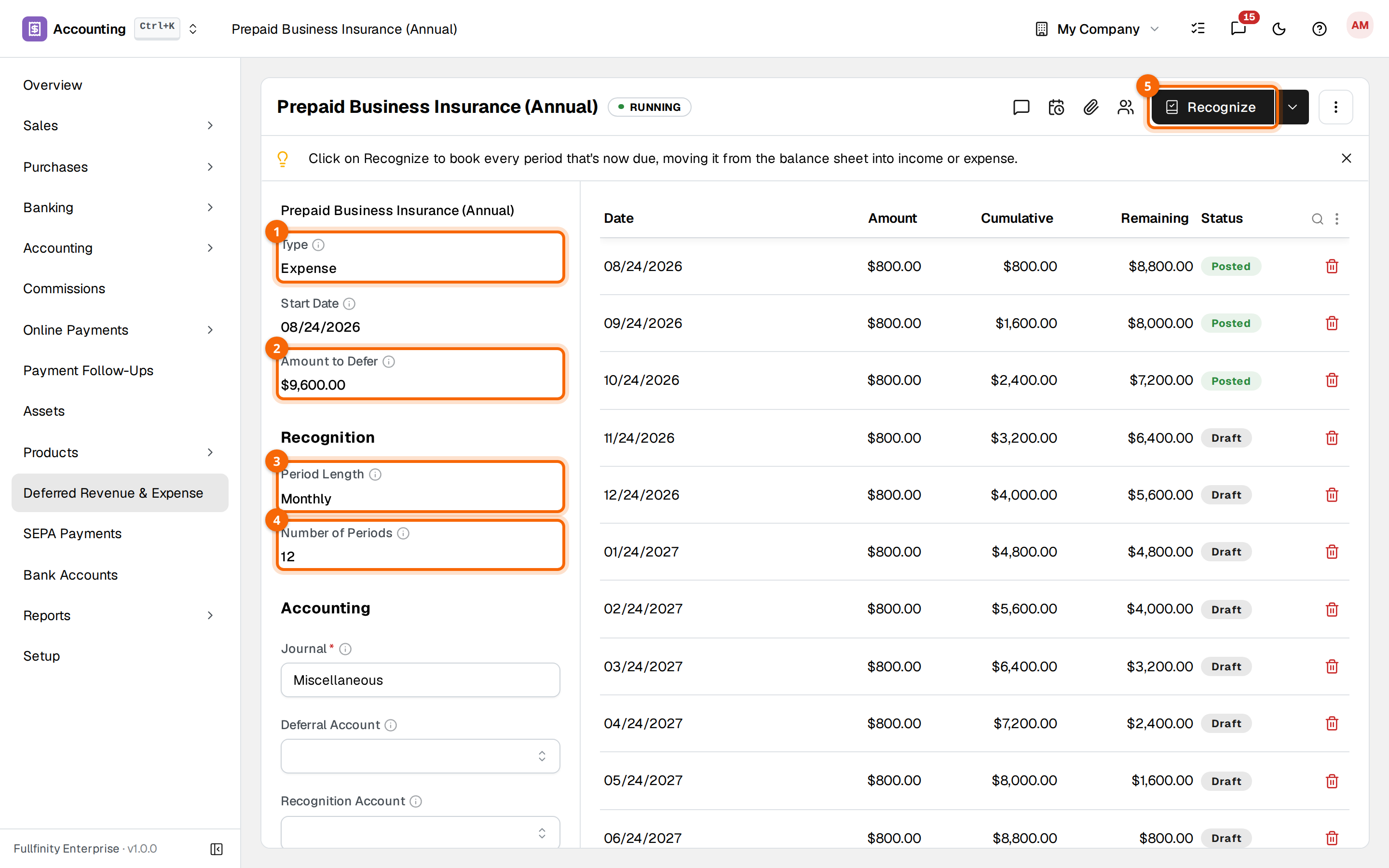
Go to Deferred Revenue & Expense and click New. Choose the Type, the Amount to Defer, the Start Date and the schedule. Deferral Account and Recognition Account can be left blank to use your chart's deferred-revenue or prepaid-expense account and your default income or expense account. Click Compute Schedule to preview, then Confirm.
| Period Length | How the amount is spread |
|---|---|
| Monthly / Yearly | Evenly over the Number of Periods, the first on the start date. |
| By Day | Over the days from the Start Date to the End Date, each month taking its share of days at the month end. |
3. Recognition
Every day, Fullfinity posts each period whose date has come, moving that slice into income or expense. Click Recognize to post what's due now. Recognized and Remaining Deferred show where it stands; once every period is posted the deferral is Closed. Close stops a deferral early.
Cancelling the invoice or bill cancels its deferral too.