How do I import a bank statement?
Upload the CSV, OFX/QFX or CAMT.053 file your bank gives you, check the preview, and Fullfinity creates the statement and its lines.
Your bank lets you download your transactions as a file. Importing it creates a bank statement in Fullfinity with one line per transaction, ready to match against your payments. Use this when your bank isn't connected through a bank feed.
1. Upload the file
- Go to Banking → Import Statement.
- Bank Account — the bank or cash journal the statement belongs to. It starts on your bank journal; choose another if needed.
- Statement Name — optional. Left blank, it's named after the account and the statement's dates.
- File Format — leave it at Auto-detect, or choose CSV, OFX (also for .qfx files) or CAMT.053 (the ISO 20022 .xml statement).
- Statement File — click Select File and choose the file.
- Check the Preview, then click Import Statement.
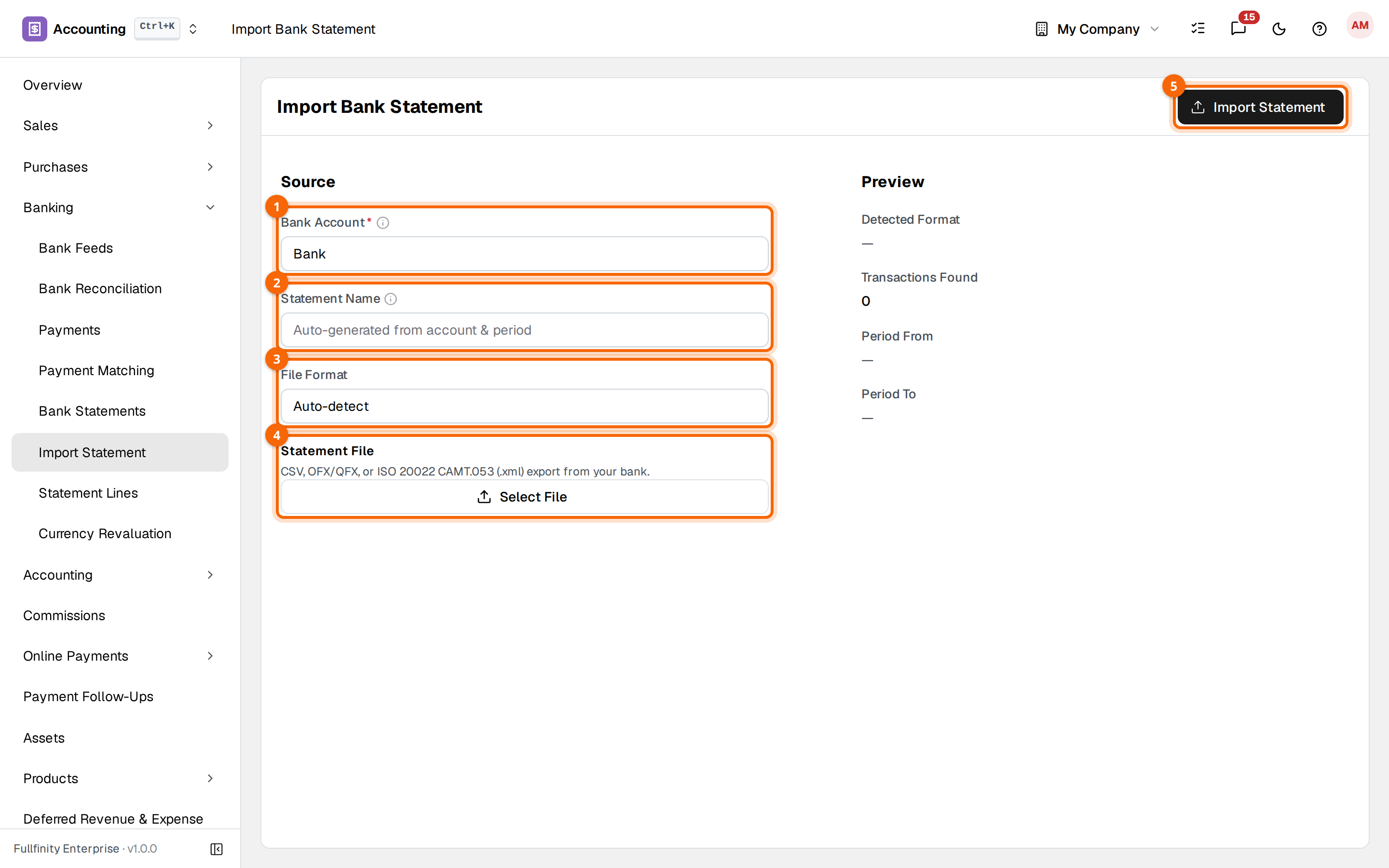
As soon as the file is chosen, Preview shows the Detected Format, the number of Transactions Found and the dates the file covers (Period From and Period To). If the file can't be read, Problem says why.
2. If a CSV isn't recognized
Fullfinity recognizes the usual column names (Date, Description, Amount, Debit/Credit, Reference). For an unusual export, set File Format to CSV: the CSV Columns and CSV Options fields appear, where you type the exact column headings from your file.
- Amount Column for a file with one signed amount column, or Debit Column and Credit Column when money in and out are in separate columns.
- Date Format when dates aren't recognized — for example %d/%m/%Y for 31/01/2026.
3. Check the statement
The new statement opens in Draft. In the Balances section, enter the Opening Balance and Closing Balance printed on your bank statement if the file didn't carry them (OFX and CAMT.053 files usually do; CSV files don't). The transactions are on the Statement Lines tab — deposits are positive, withdrawals negative.
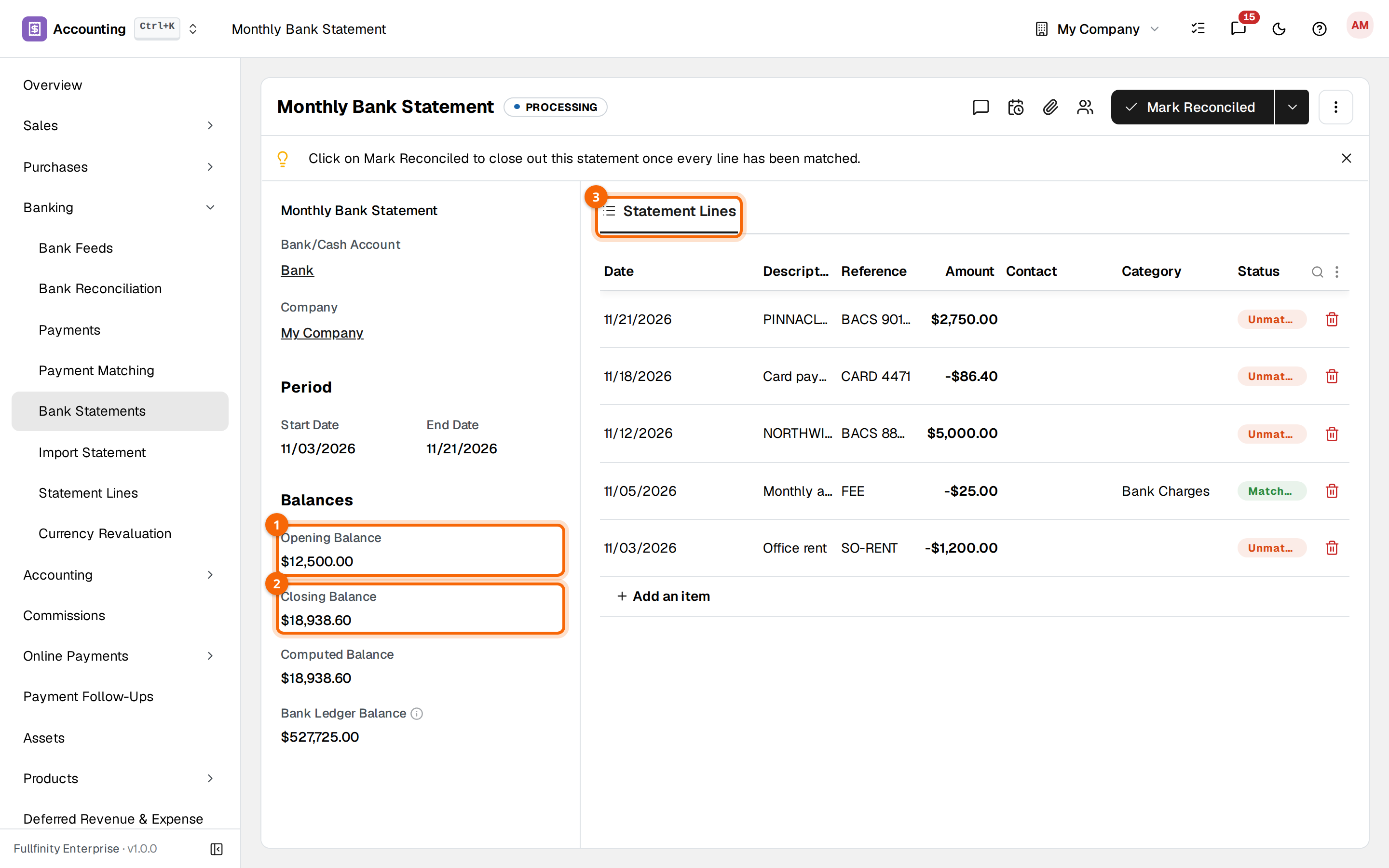
Click Start Processing when you begin reconciling it; the statement moves to Processing.
Related: Reconcile your bank account · Connect your bank instead