How do I set up Helpdesk teams and stages?
Create the support teams that work your tickets, shape the stages a ticket moves through, and add ticket types and tags.
Helpdesk works out of the box with one team called Support and four stages. Before your team starts answering tickets, take a few minutes to set up the queues you actually run, who is in each one, and the stages a ticket moves through.
Open Helpdesk → Setup. The Helpdesk tab holds every Helpdesk setting.
Where tickets go and when they reopen
Under Tickets:
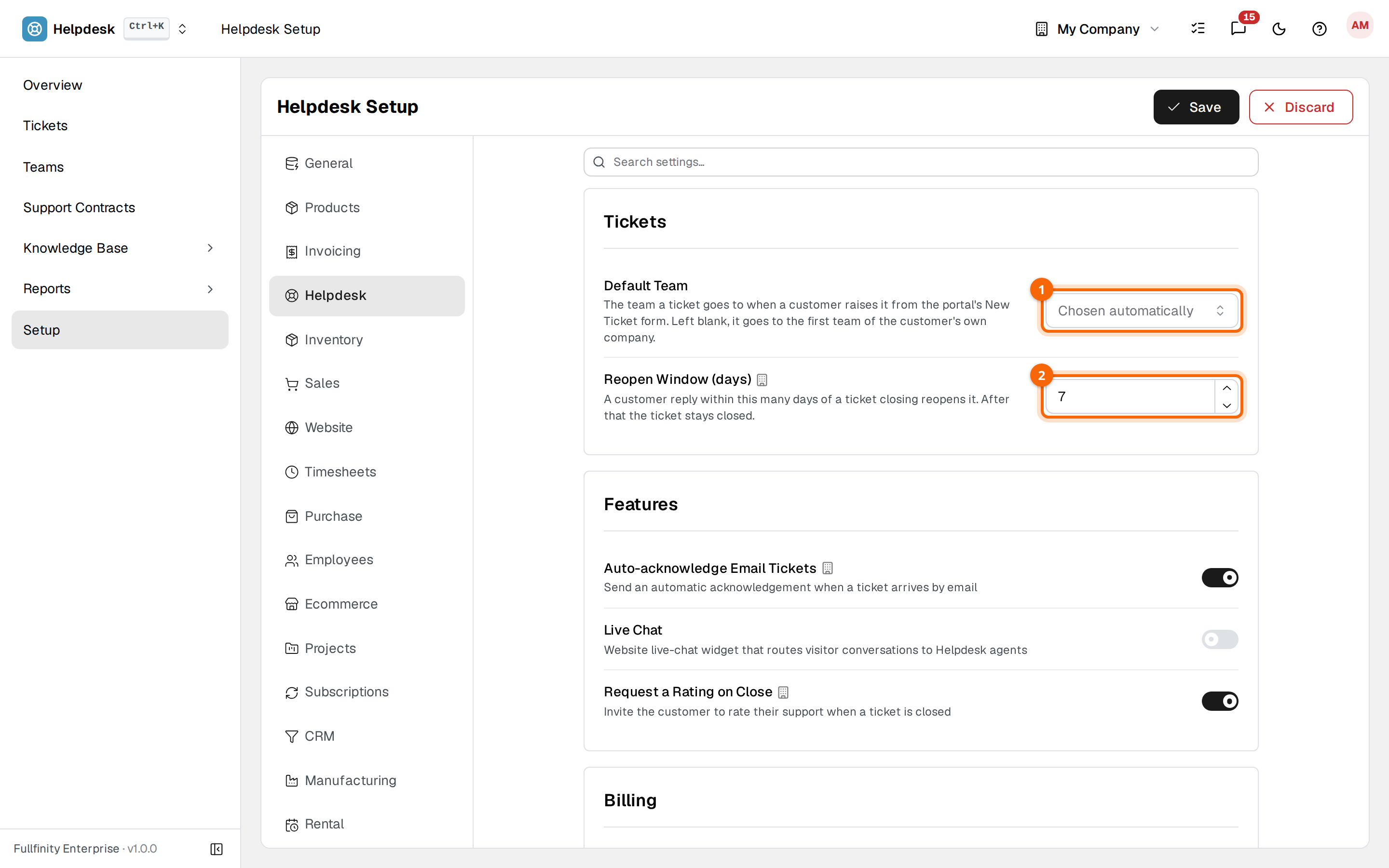
- Default Team — the team a ticket goes to when a customer raises it from the portal, where they don't pick a team. Leave it blank and the ticket goes to the first team of the customer's own company.
- Reopen Window (days) — when a customer replies — from the portal or by answering the ticket's email — to a ticket closed less than this many days ago, the ticket reopens by itself. After that, the reply is added to the closed ticket and it stays closed. The default is 7.
Click Save when you have changed a setting.
The lists Helpdesk is built from
Scroll to the Setup panel at the bottom of the tab:
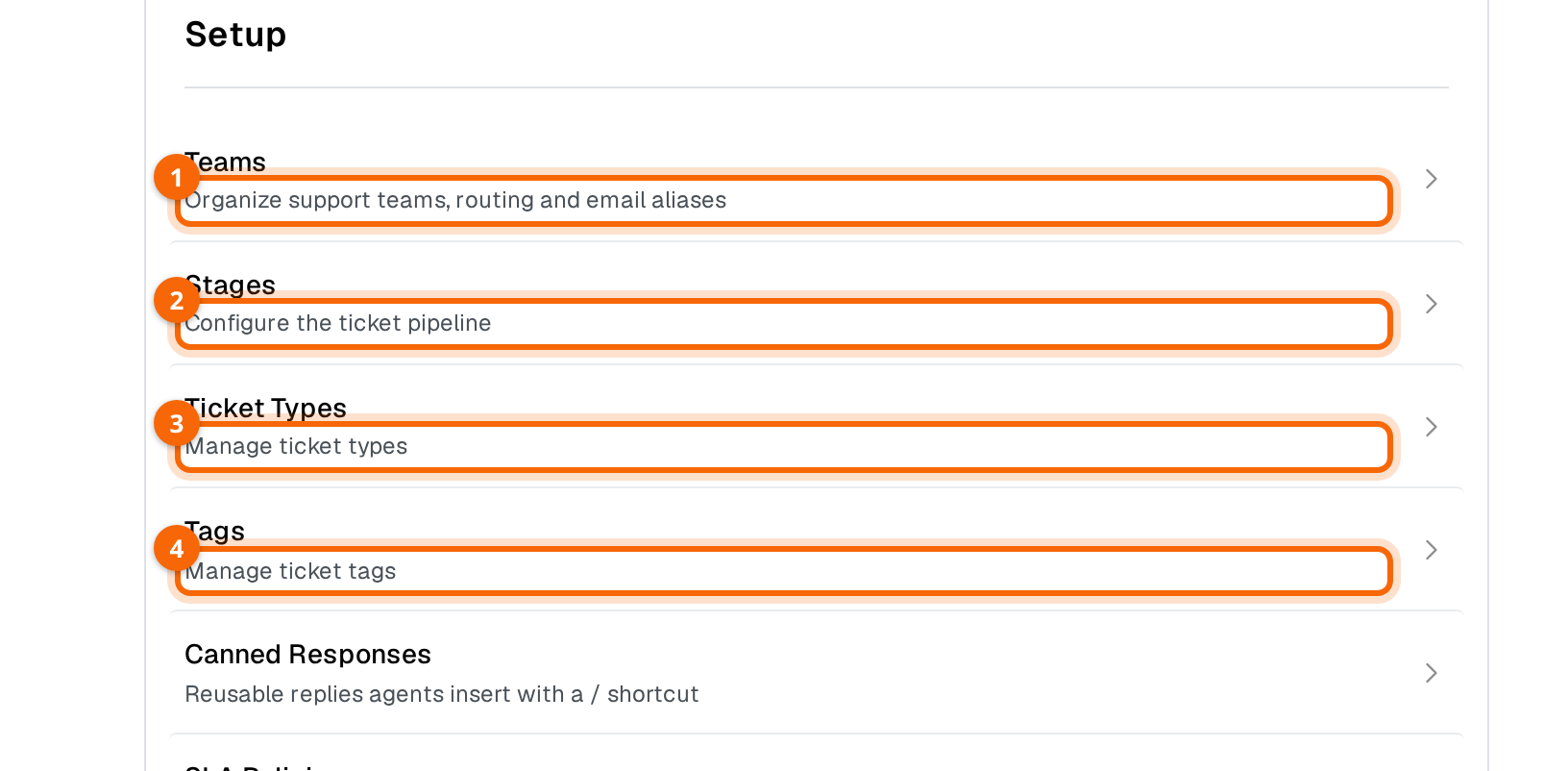
- Teams — your support queues (below).
- Stages — the columns of the ticket board.
- Ticket Types — what kind of request a ticket is. Fullfinity ships Question and Issue; add your own, such as Feature Request.
- Tags — labels with a colour, such as Bug or VIP, shown at the top of each ticket card.
The same panel links to Canned Responses (see How do I reply with canned responses?) and SLA Policies (see How do service level targets work?).
Stages
Click Stages. Each stage is a column on the ticket board, in the order of the list — drag a row by its handle to reorder.
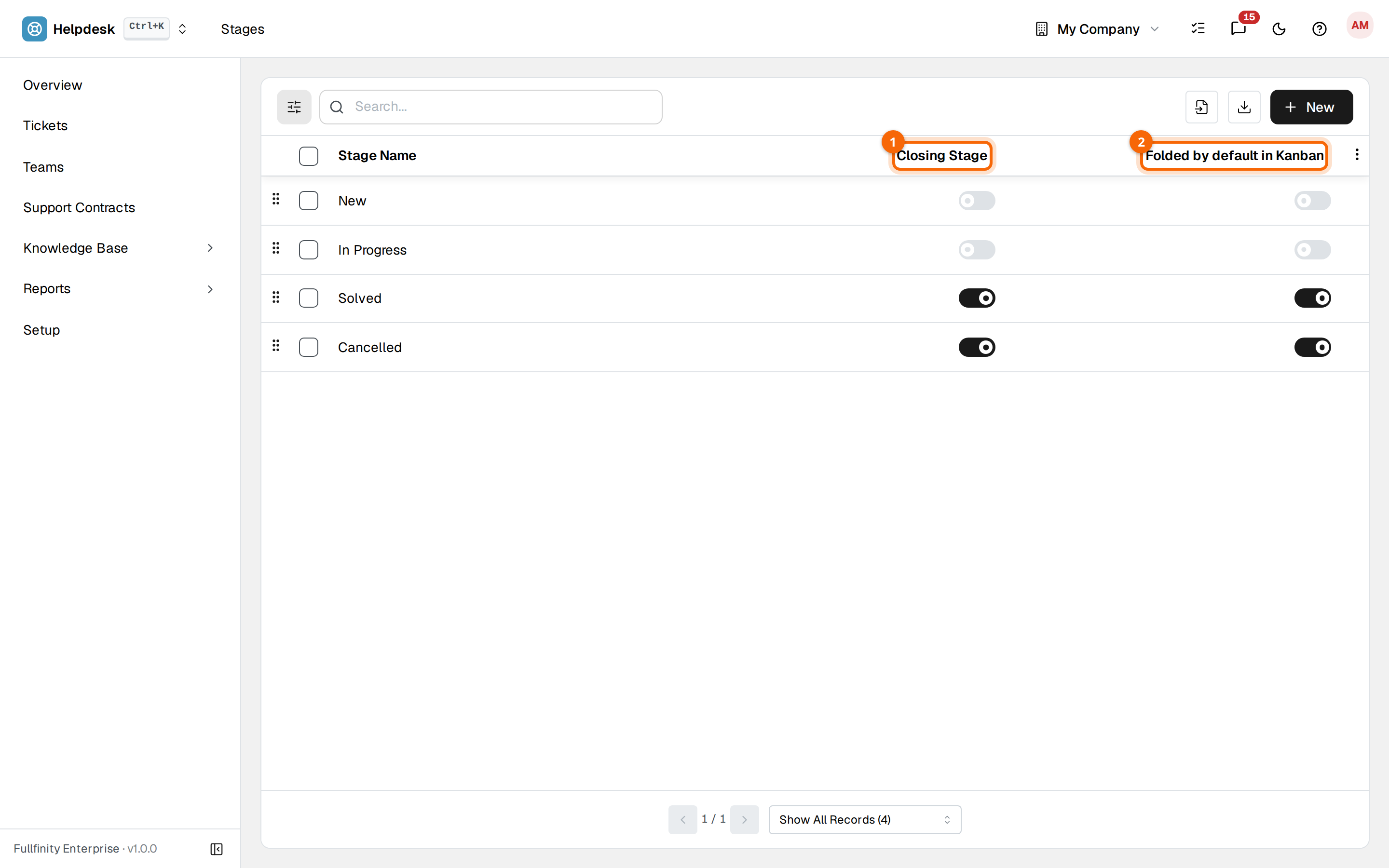
- Closing Stage — tickets in this stage count as closed. Moving a ticket into one records when it was closed; moving it out clears that again.
- Folded by default in Kanban — the column starts collapsed on the board, which keeps finished tickets out of the way.
Fullfinity ships New, In Progress, Solved and Cancelled; the last two are closing stages. Rename them, add your own, or remove the ones you don't use. Keep at least one closing stage: Close on a ticket moves it to the first one.
Teams
Click Teams (it is also in the Helpdesk menu) and open a team, or click New.
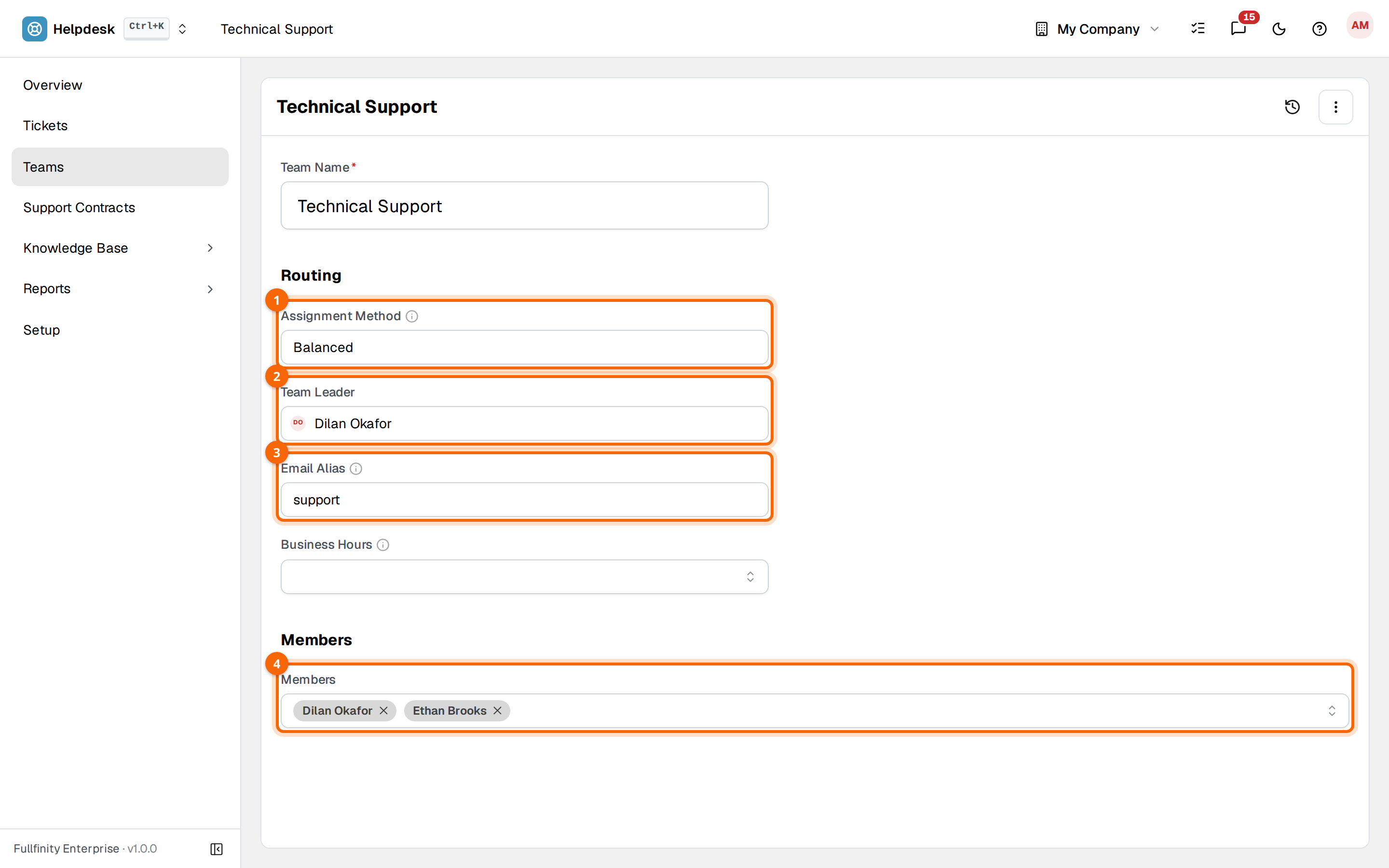
- Assignment Method — how new tickets are shared among the members. See How are new tickets assigned automatically?
- Team Leader — the person who owns the queue. When the team has no members yet, new tickets go to them.
- Email Alias — the first part of the address customers write to, such as support for [email protected]. See How do customers open tickets by email?
- Members — the agents who work the team's tickets.
Business Hours is the working calendar service level targets are counted against; see How do service level targets work?