How do service level targets (SLAs) work?
Set how fast each team must respond to and resolve tickets, counted in business hours, and see at a glance which tickets are on track and which have breached.
A service level target is a promise: urgent technical tickets get a first answer within one hour, and are resolved within eight. Fullfinity starts a clock on every ticket the promise applies to, shows how long is left, and marks it Breached when time runs out.
Create a policy
Open Helpdesk → Setup and click SLA Policies in the Setup panel. Click New.
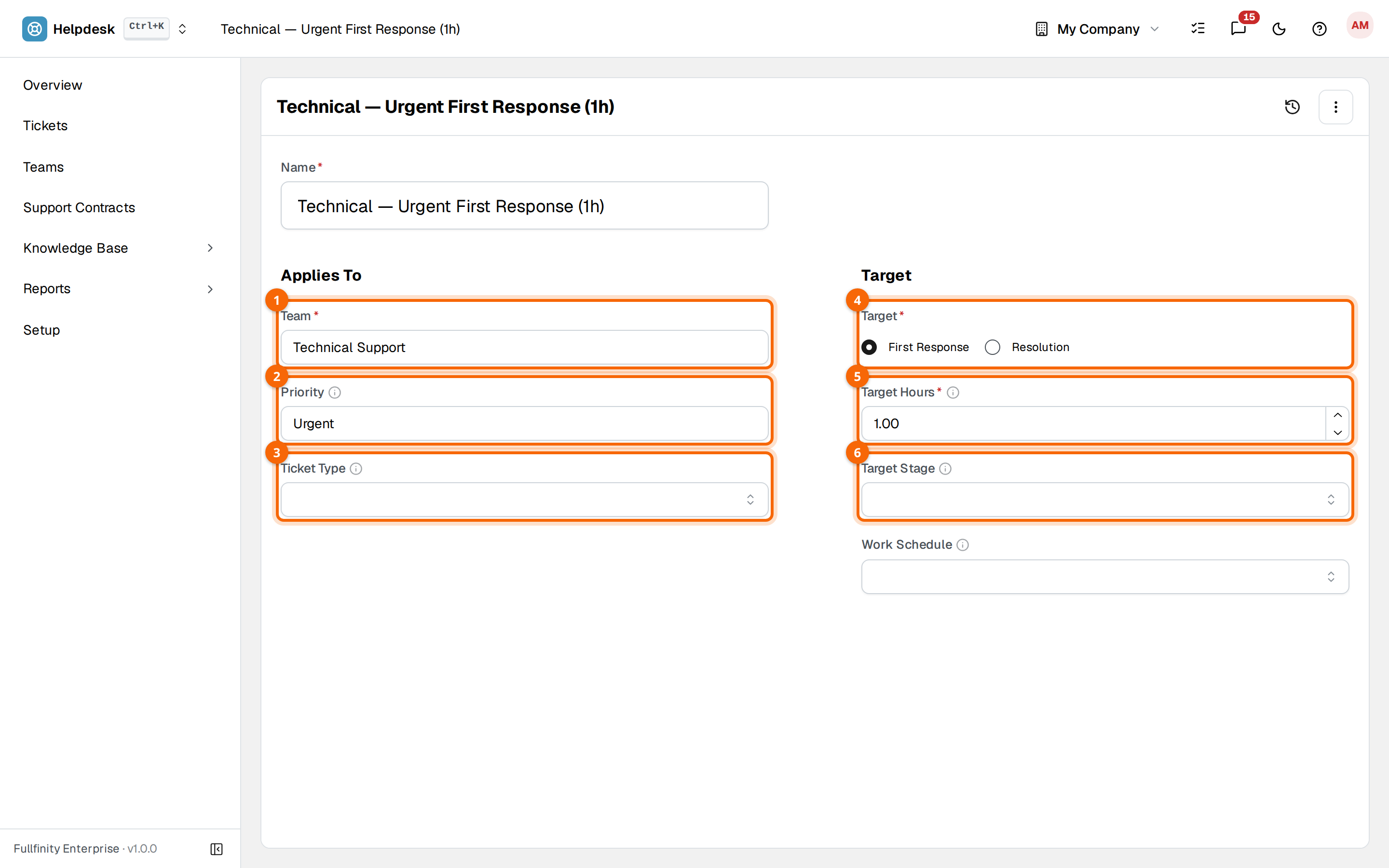
- Team — the team whose tickets it covers.
- Priority — only tickets of this priority. Leave it empty for every priority.
- Ticket Type — only tickets of this type. Leave it empty for every type.
- Target — First Response (the first answer to the customer) or Resolution (the ticket closed).
- Target Hours — how many business hours are allowed.
- Target Stage — for a resolution target, the stage that counts as resolved. Leave it empty and any closing stage counts.
Give it a Name and save. A ticket can match several policies — a first-response target and a resolution target, say — and each runs its own clock.
Business hours
Hours are counted against a working calendar, so a ticket raised on Friday evening isn't late by Saturday morning. The calendar is the policy's own Work Schedule; if that is empty, the team's Business Hours (on the team form); if both are empty, the clock runs around the clock. Holidays in the calendar are skipped.
Follow a ticket's targets
When a ticket is created, every active policy of its team that matches it starts a clock. The ticket shows how it is doing:
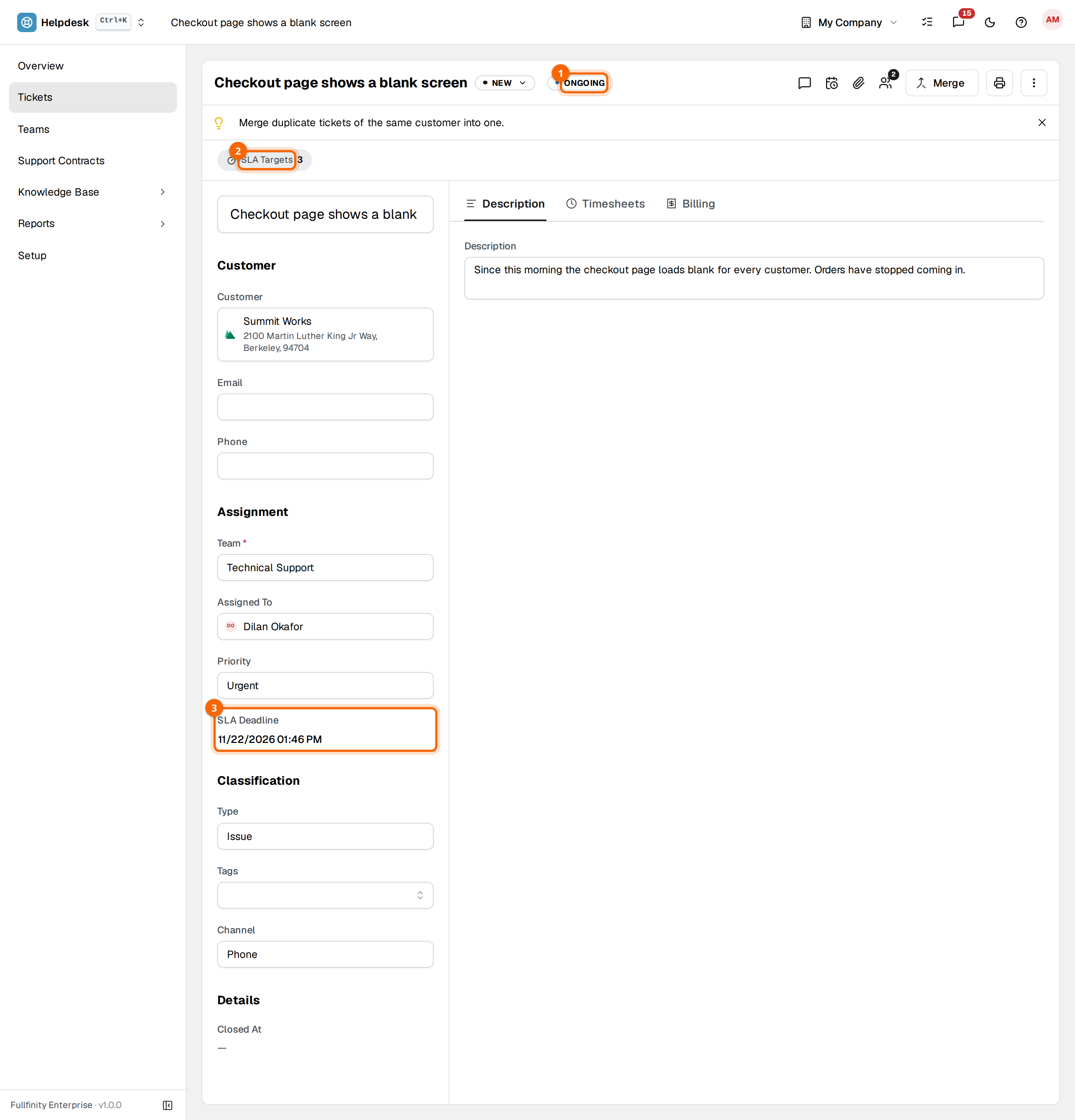
- The SLA status beside the stage: Ongoing while a clock runs, Reached when every target was met, Breached when any was missed — the worst one counts.
- SLA Targets — how many targets the ticket is measured on. Click it to see each one.
- SLA Deadline — the nearest deadline still running.
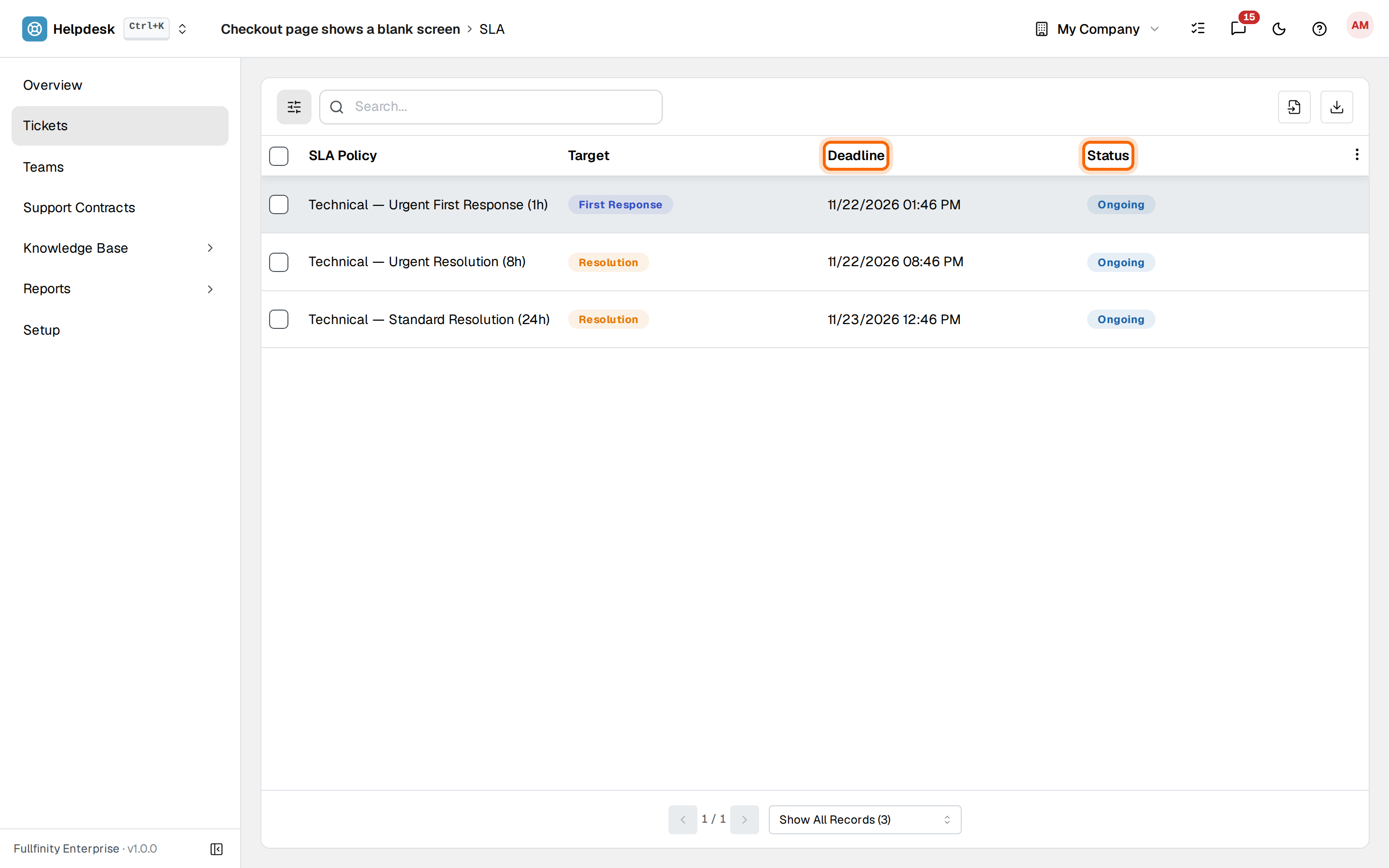
A target is met:
- First Response — when an agent first sends the customer a message from the ticket. A Log Note doesn't count.
- Resolution — when the ticket moves to a closing stage (or to the Target Stage). Reopening the ticket starts the resolution clock again.
Fullfinity checks the clocks every 15 minutes and marks any that have passed their deadline Breached. A breached target stays breached, even if the answer comes later.
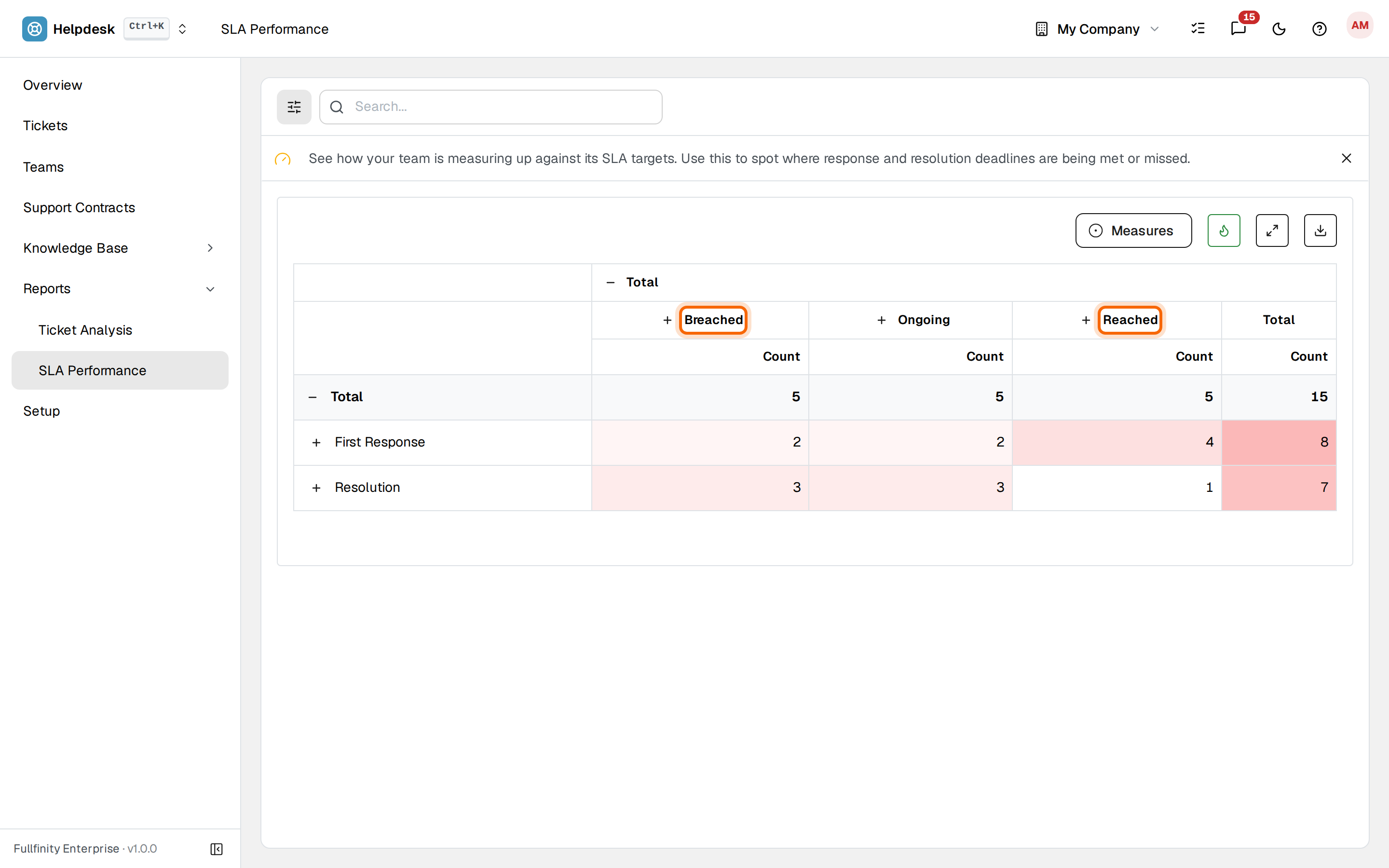
How is the team doing?
Helpdesk → Reports → SLA Performance counts every target by kind and status, so you see how many were reached and how many breached: