How do I merge duplicate tickets?
When a customer writes twice about the same problem, merge the tickets into one so the whole conversation, its files and its people are in one place.
Customers often write twice about the same problem — an email, then a call, then a portal message. Merging folds those tickets into one, so one person answers it and the whole conversation is in one place.
Pick the tickets
Open Helpdesk → Tickets and switch to the list. Tick the tickets that are about the same problem, then click Merge.
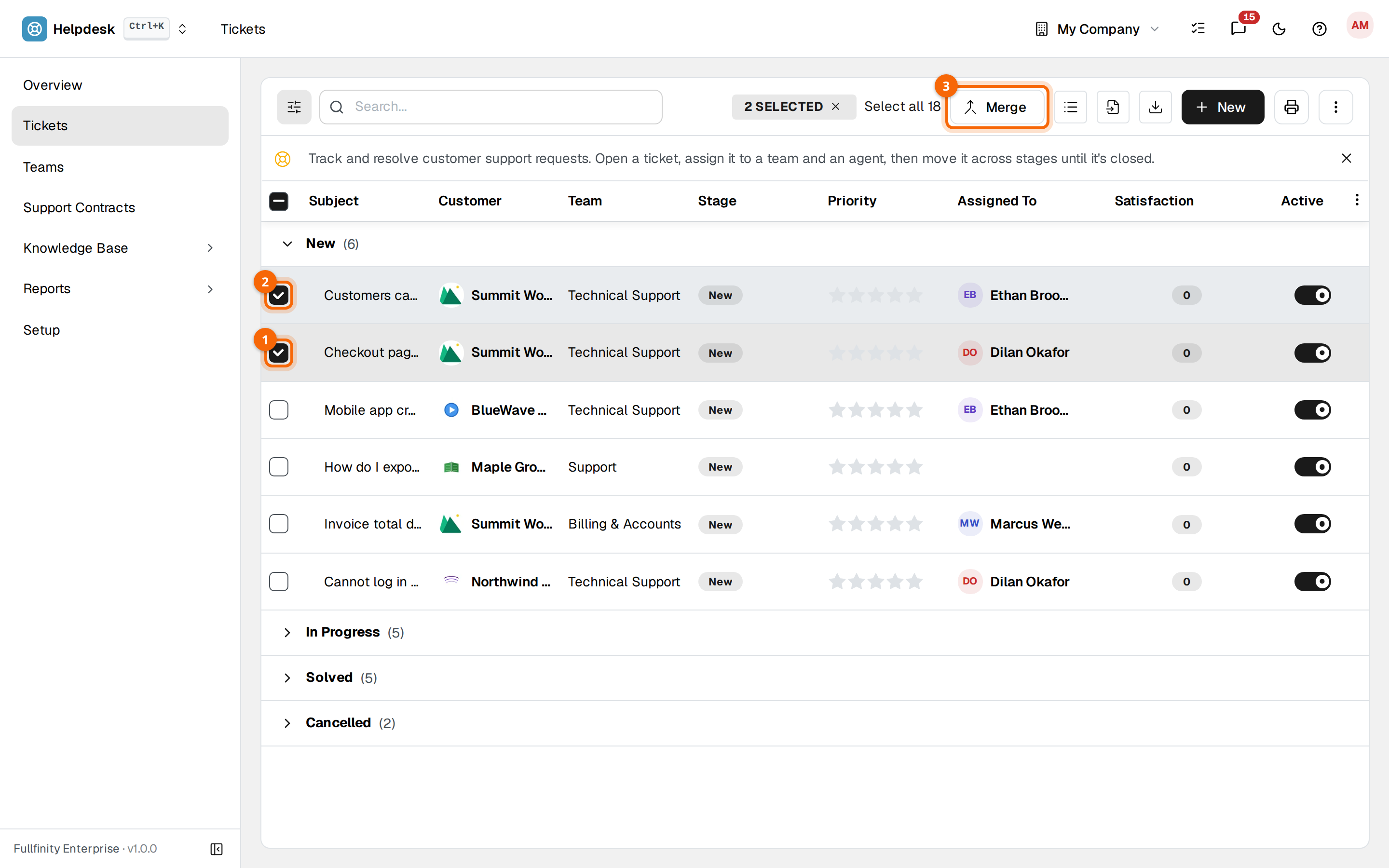
You can also start from one ticket: open it and click Merge at the top, then add its duplicates in the next step.
Choose the ticket that stays
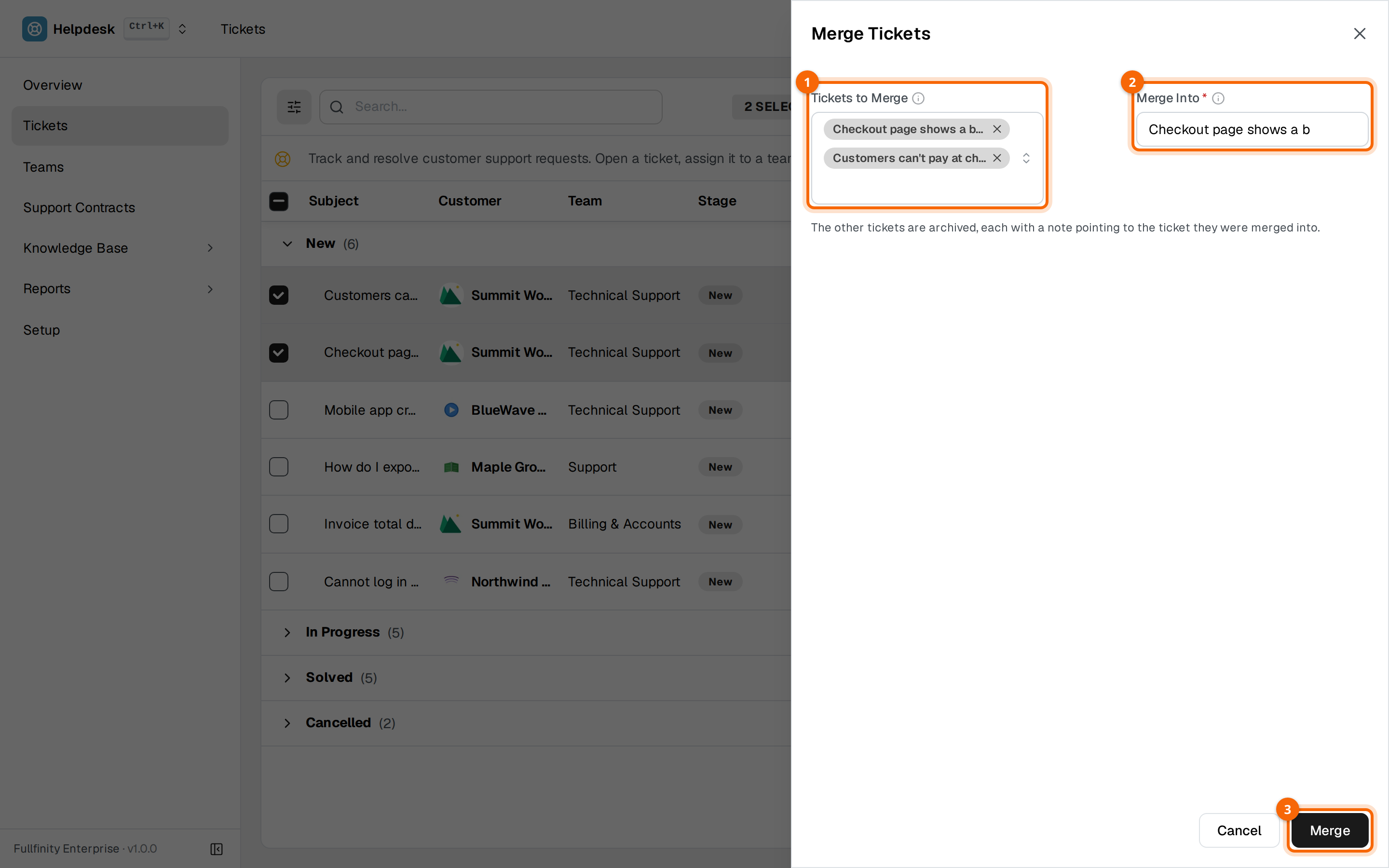
- Tickets to Merge — the tickets you picked. Add or remove tickets here.
- Merge Into — the ticket that stays open. It starts as the oldest one, the request the customer raised first; pick another if you prefer.
- Click Merge.
What merging does
- The messages and notes of the other tickets move onto the one that stays, in date order. A customer who replies to an older email lands on it too.
- Their files, activities and followers move with them, and so do their tags. The ticket that stays fills in what it was missing — customer, phone, type, assignee — and keeps the most urgent priority of them all.
- Logged time that has not been invoiced yet moves too, so Create Invoice bills all of it. Time already invoiced stays on its ticket, with its invoice.
- Customer ratings move to the ticket that stays. Service level targets of the merged tickets that were still running stop; the ticket that stays keeps its own.
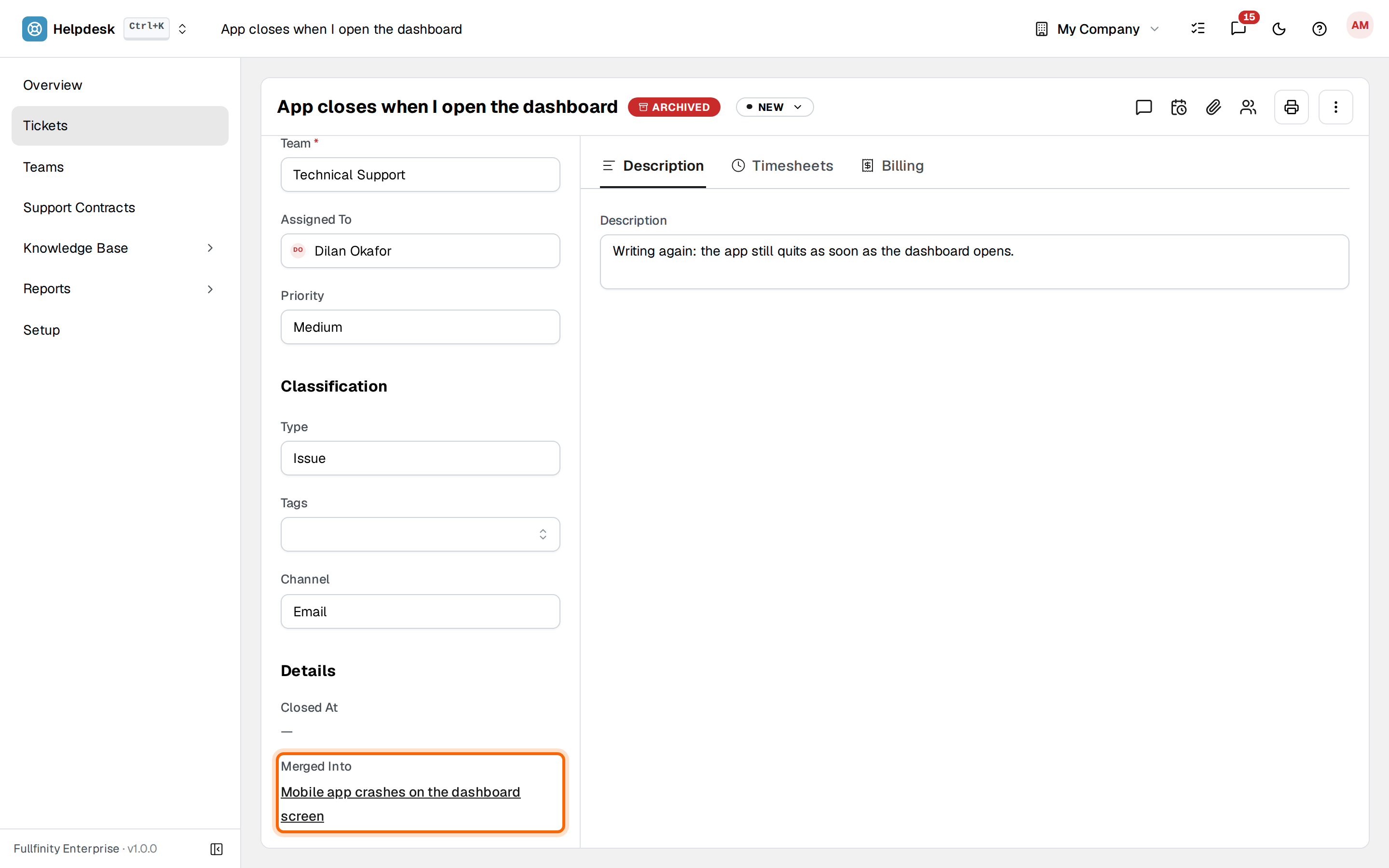
- The other tickets are archived. Each gets a note saying where it went, and shows Merged Into. The ticket that stays gets a note listing what was merged into it, and the description of each merged ticket.
Was this article helpful?