How are new tickets assigned automatically?
Choose for each team whether new tickets wait for someone to pick them up or go straight to a member — in turn, to whoever is least busy, or at random.
Every ticket belongs to a team. The moment a ticket is created without an owner, its team's Assignment Method decides who gets it — so new tickets don't sit unnoticed. The person a ticket is assigned to follows it, and is told when the customer writes.
Choose the method
Open Helpdesk → Teams, open the team and pick an Assignment Method:
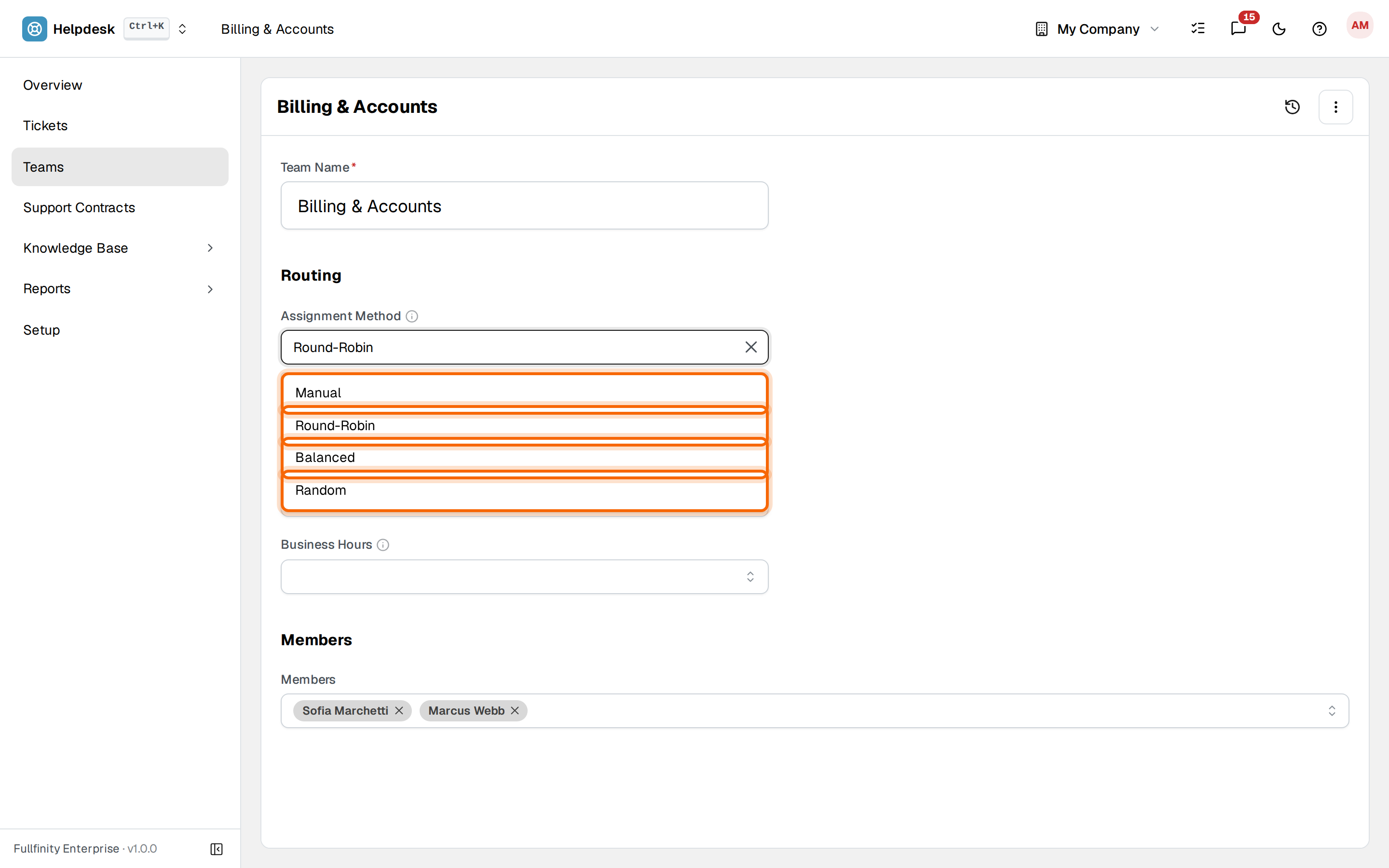
| Method | Who gets a new ticket |
|---|---|
| Balanced | The member with the fewest open tickets in this team. This is the default for a new team. |
| Round-Robin | The next member in turn, going round the team. |
| Random | Any member, picked at random. |
| Manual | Nobody. The ticket waits unassigned until someone takes it — use this for a queue that a person triages. |
Only the team's Members are picked. A team with no members gives its tickets to the Team Leader. Save the team.
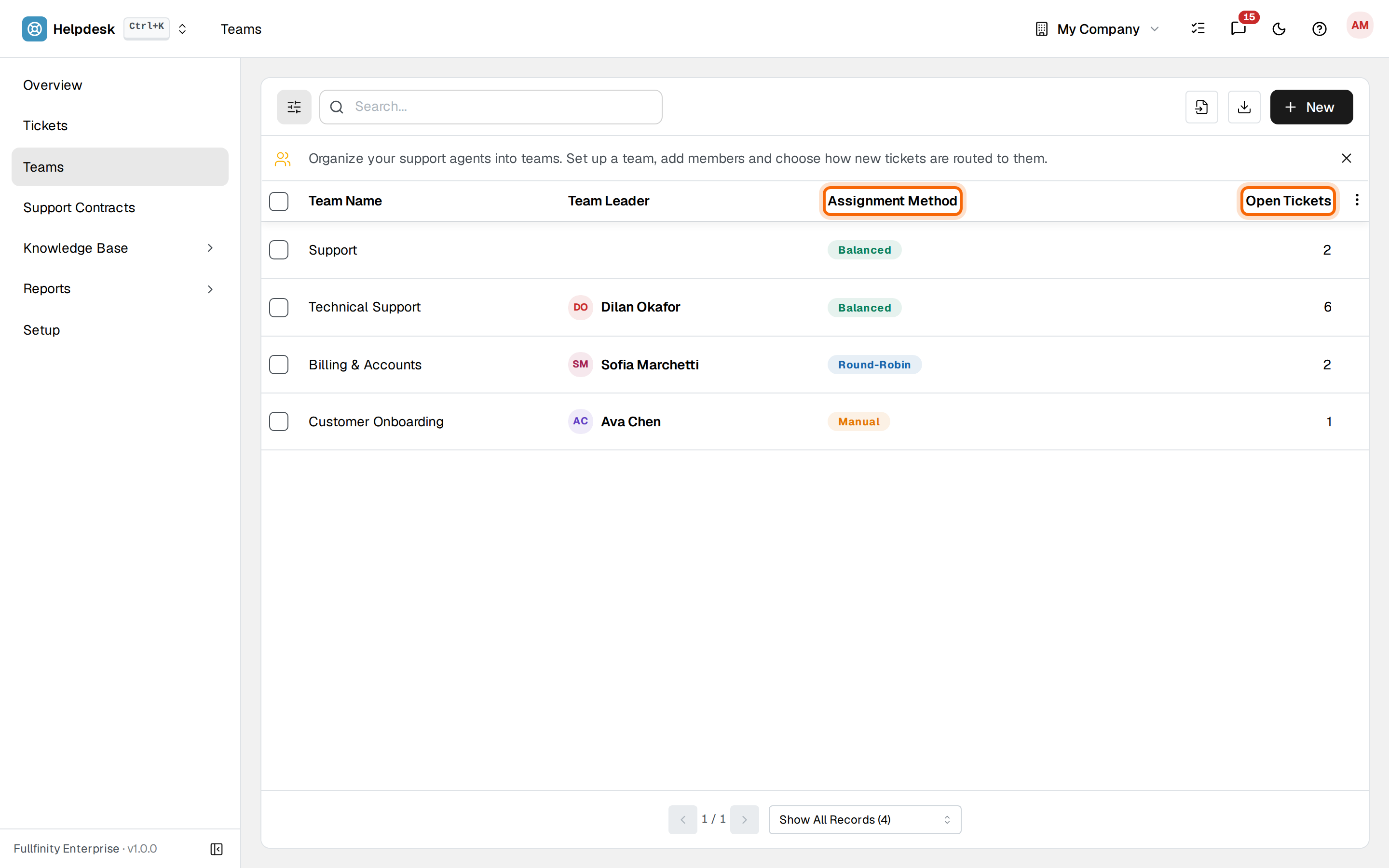
The Teams list shows each team's method and how many Open Tickets it has:
When assignment happens
- A ticket created with someone already in Assigned To keeps them.
- A ticket nobody owns is claimed by the first agent who answers the customer from it — see How do I work a ticket from new to solved?
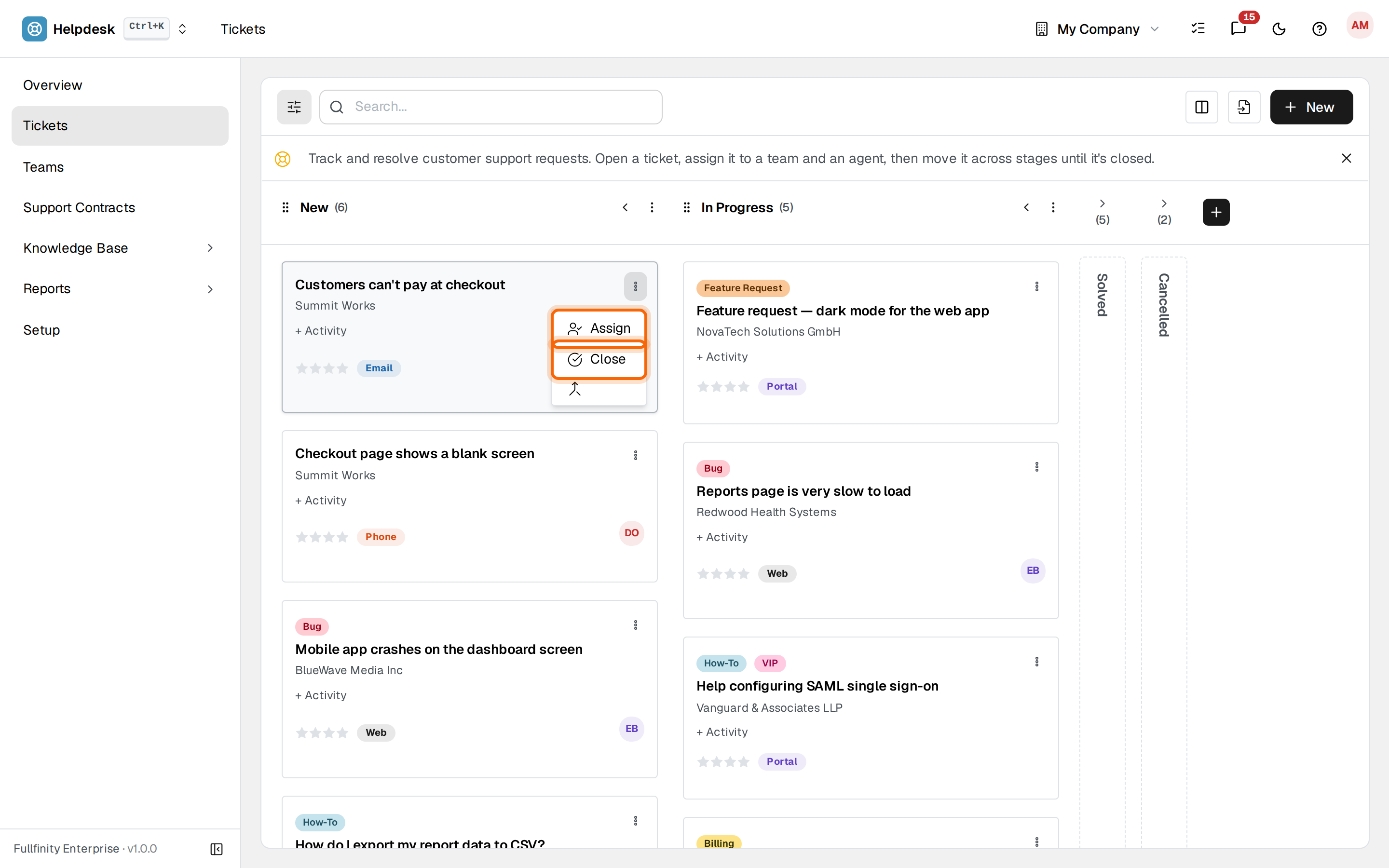
- To hand an open ticket on, click the ⋮ on its card on the board and choose Assign: the team's method picks the next person. On a Manual team this does nothing — set Assigned To on the ticket instead.
Was this article helpful?