How do I reply with canned responses?
Save the answers you give again and again, and drop one into a message by typing / and its shortcut.
Some answers you write every day: please clear your cookies and try again, your refund is on its way. Save each one as a canned response with a short shortcut, and insert it into any message by typing / followed by the shortcut. You can still edit the text before you send it.
Create a canned response
Open Helpdesk → Setup and, in the Setup panel at the bottom, click Canned Responses. The list shows each response's Shortcut, who it belongs to and its Team.
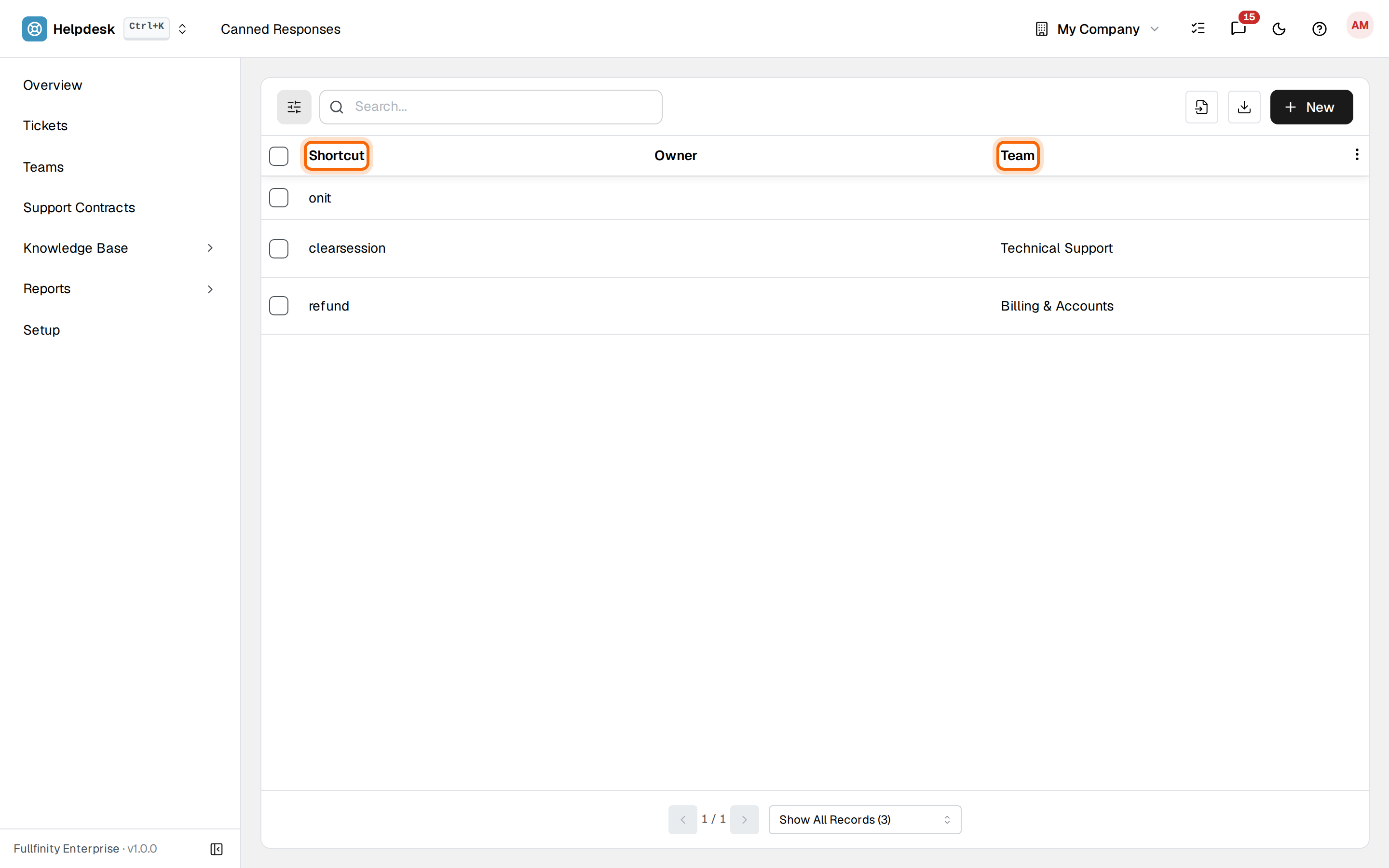
Click New:
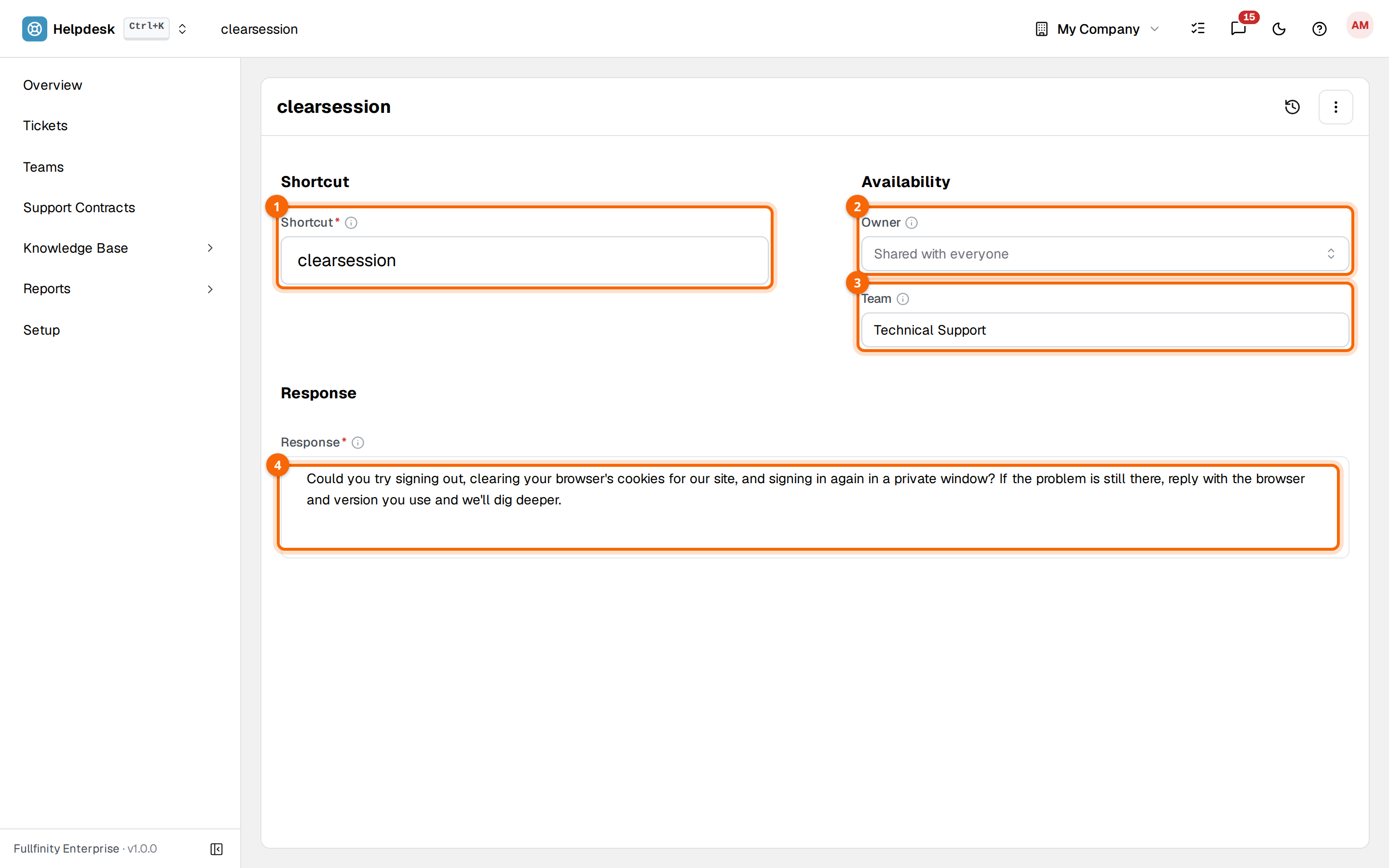
- Shortcut — one word, such as refund. Capitals and a leading / are dropped; spaces aren't allowed.
- Owner — leave it empty to share the response with everyone, or pick yourself to keep it personal. If you have a personal response with the same shortcut as a shared one, yours is used.
- Team — pick a team to offer the response only to that team's members, so the billing team's refund wording doesn't clutter the technical team's list. Leave it empty to offer it to every team.
- Response — the text that is inserted.
The response can include details of the ticket you are answering: {{ record.name }} is replaced by the ticket's subject when you insert it.
Use one
- On the ticket, click Messages, then Send Message.
- In the message, type / and start typing the shortcut. Pick the response from the list.
- Adjust the text if you need to, and send.
Was this article helpful?