How do I set the forum's rules, tags and emails?
Decide when reported posts are hidden, how fast members can post, whether followers are emailed, and which tags topics can carry.
Some rules apply to every forum on the site. They are in Forum → Setup (Forum managers only).
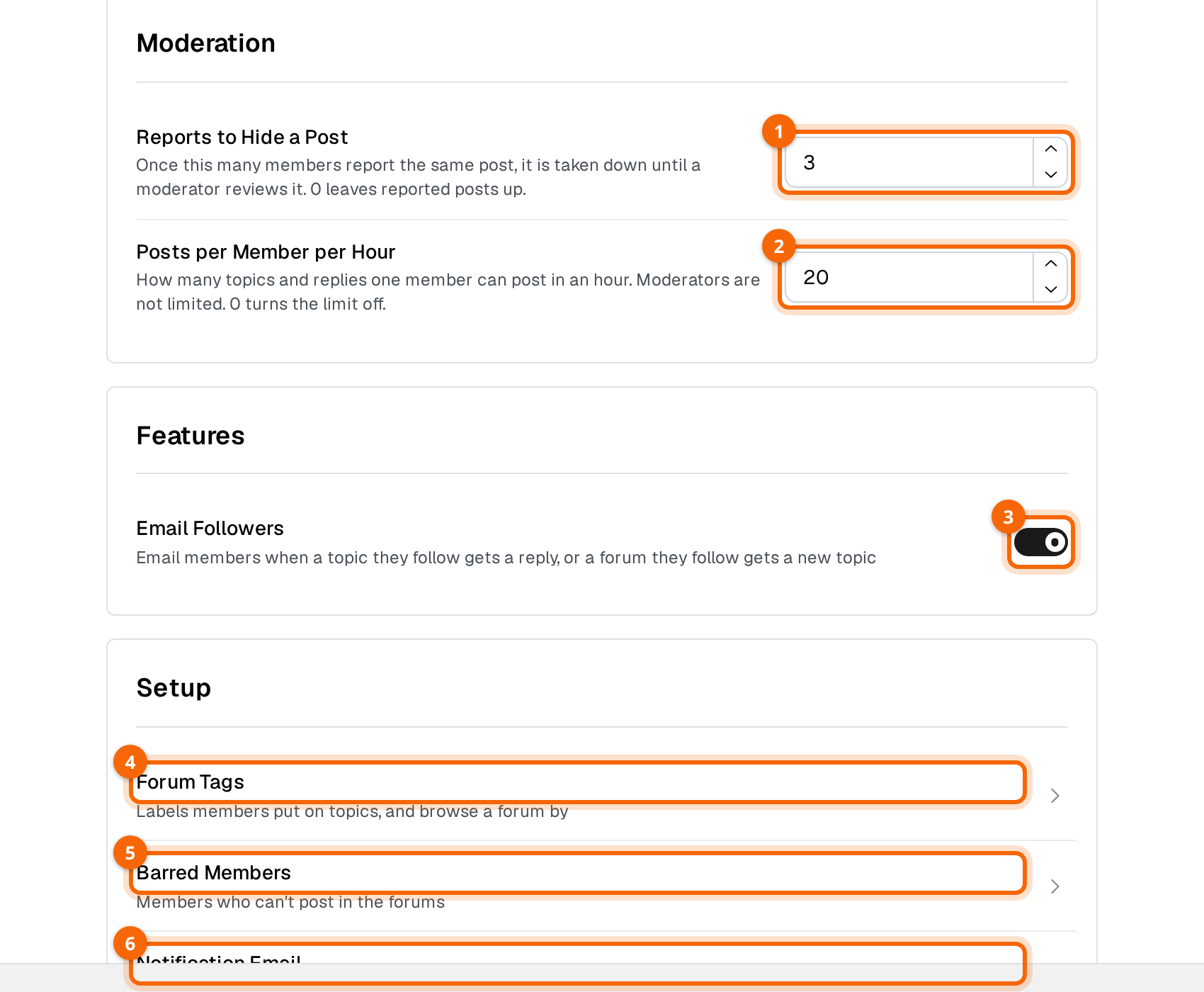
- Reports to Hide a Post — once this many members report the same post, it is taken down until a moderator reviews it (3 unless you change it). 0 leaves reported posts up until a moderator acts.
- Posts per Member per Hour — how many topics and replies one member can post in an hour (20 unless you change it). It stops spam floods; moderators are never limited. 0 turns the limit off.
- Email Followers — email members when a topic they follow gets a reply, or a forum they follow gets a new topic. See How do I follow a forum or a topic?
- Forum Tags — the labels members can put on topics.
- Barred Members — members who can't post. See How do I moderate the forum?
- Notification Email — the email followers receive. Edit its wording like any other email — see How do I edit the emails Fullfinity sends?
Click Save.
Tags
Click Forum Tags. Add a tag on a new line with its Name and a Color; its URL Slug is filled in from the name. Topics counts the published topics carrying it.
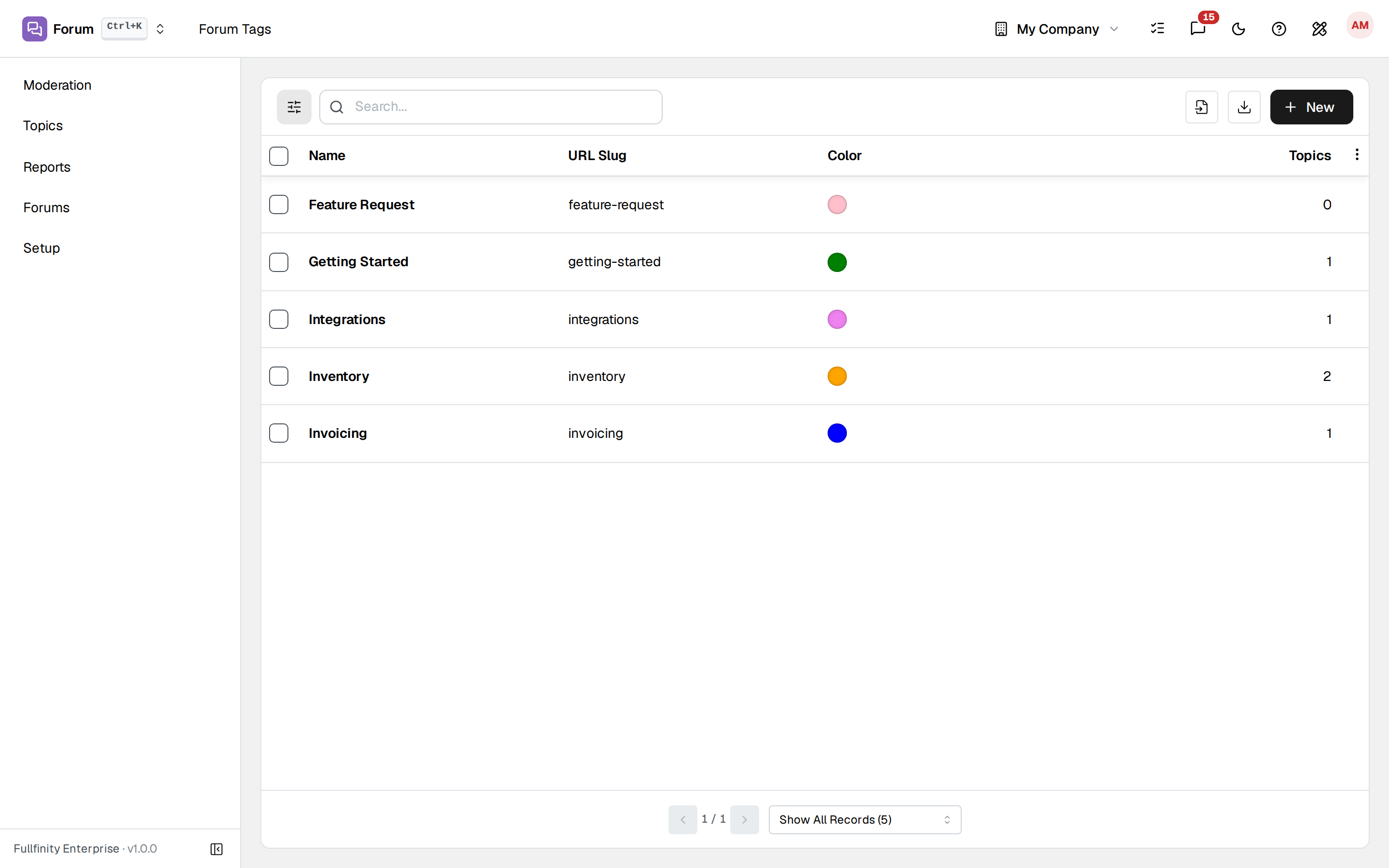
Members pick tags when they start a topic, and anyone can click a tag on the forum page to see only its topics. Tags are shared by every forum.
Each forum's own rules — who reads, who starts topics, how posts are reviewed — are on the forum itself: see How do I set up a forum on my website?
Was this article helpful?