How do I book a meeting from an activity?
Turn a Meeting activity on a record into a real meeting on the calendar with one click.
When you plan a follow-up as an activity of type Meeting — "demo with the buying committee next Tuesday" — the activity carries a button that books the meeting itself. You don't retype anything: the meeting is drafted from the activity.
1. Plan the activity
On any record (a deal, an order, a customer), schedule an activity and choose the Meeting type. See How do I plan follow-ups with activities?
2. Book it
When you are ready to fix the time, open the record's Activities. Your Meeting activity shows a Meeting button.
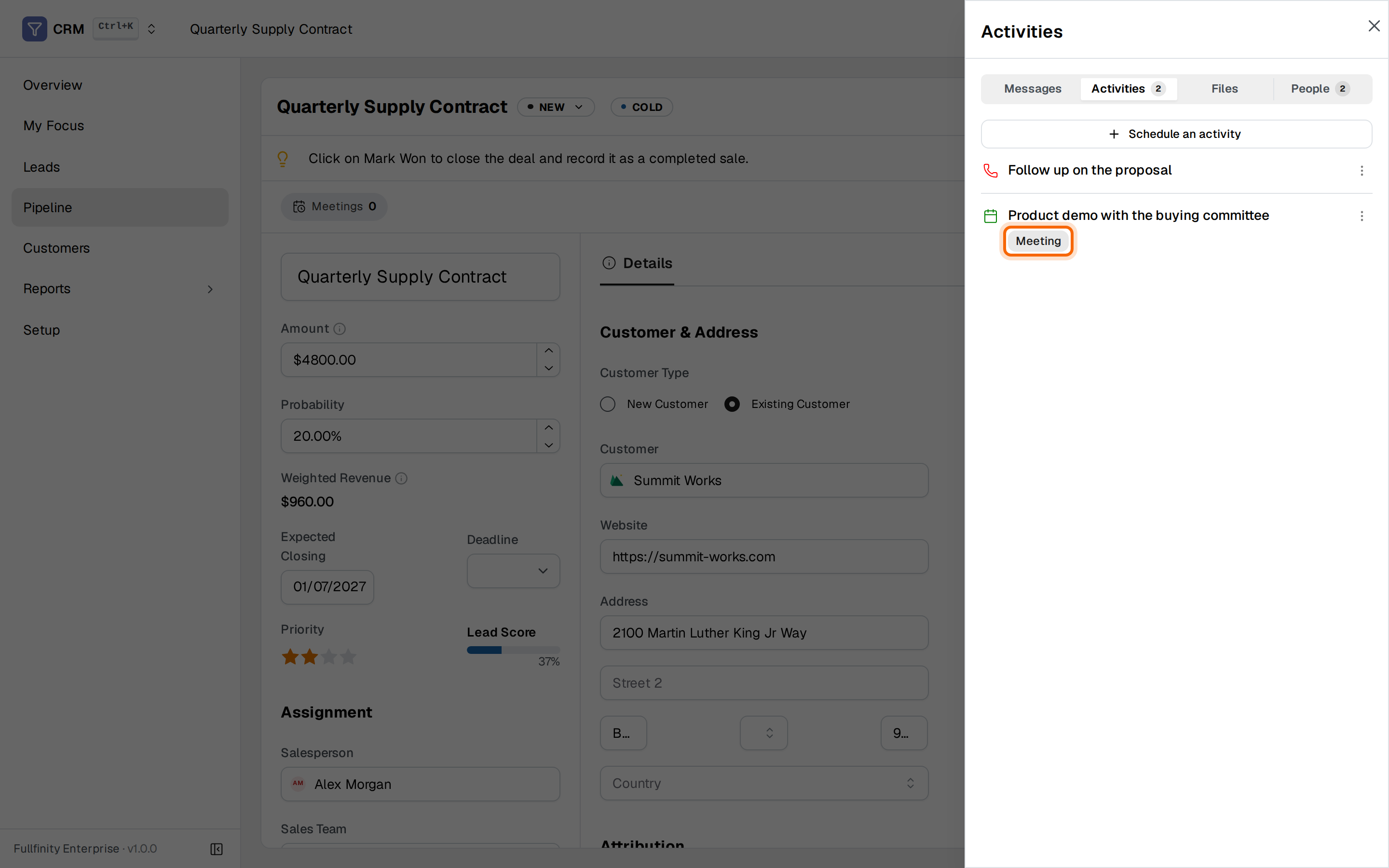
Click it. A meeting opens with:
- the activity's title as its title, and its notes as the description;
- a start at 9:00 on the activity's due date, for an hour;
- the person the activity was assigned to as the organizer.
Set the real time, add the attendees and a place or link, and save. The activity is marked done — booking the meeting is what it asked for.
The button is shown to the person the activity is assigned to and the person who planned it (and to administrators).
➡️ On a deal, the meeting also counts towards the deal: see How do I schedule a meeting with a lead?