How do I set up a meeting that repeats?
Make a meeting weekly, daily or monthly, and put every occurrence on the calendar at once.
A standing meeting — the Monday standup, a monthly review — is one meeting set to repeat. You set the pattern on the first meeting, then generate the rest: each occurrence becomes a meeting of its own on the calendar, with the same title, place, link, attendees and reminder.
1. Set the pattern
Open the first meeting of the series (or create it — see How do I schedule a meeting?). Under Recurrence:
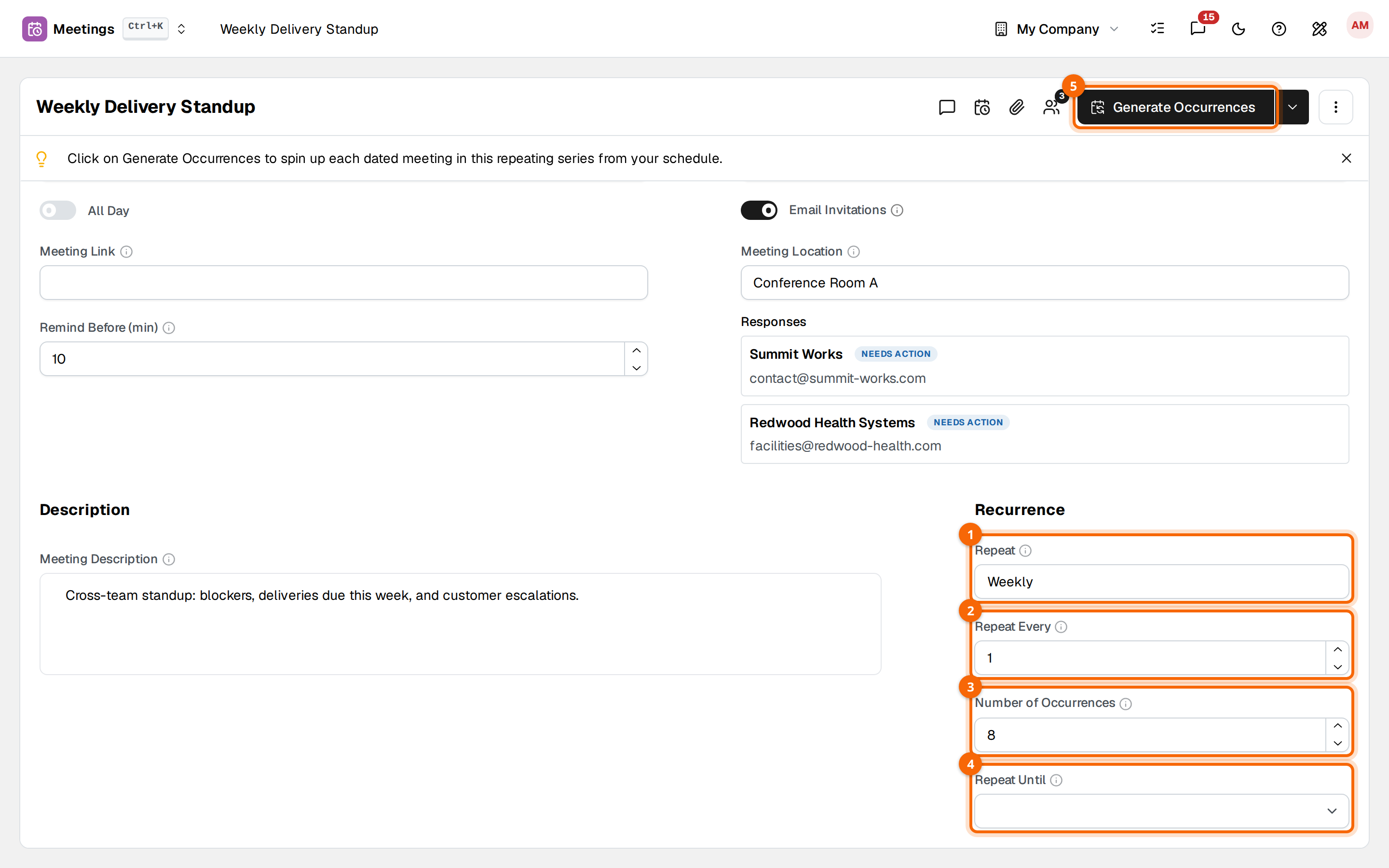
- Repeat — Daily, Weekly or Monthly.
- Repeat Every — 2 with Weekly means every other week.
- Number of Occurrences — how many meetings in all, this first one included.
- Repeat Until — or the last date the series runs to. Fill in one of the two; with both, the series stops at whichever comes first.
Save.
2. Generate the occurrences
Click Generate Occurrences (5 above). A message says how many meetings were added, and they appear on the calendar. A series never runs past 366 occurrences.
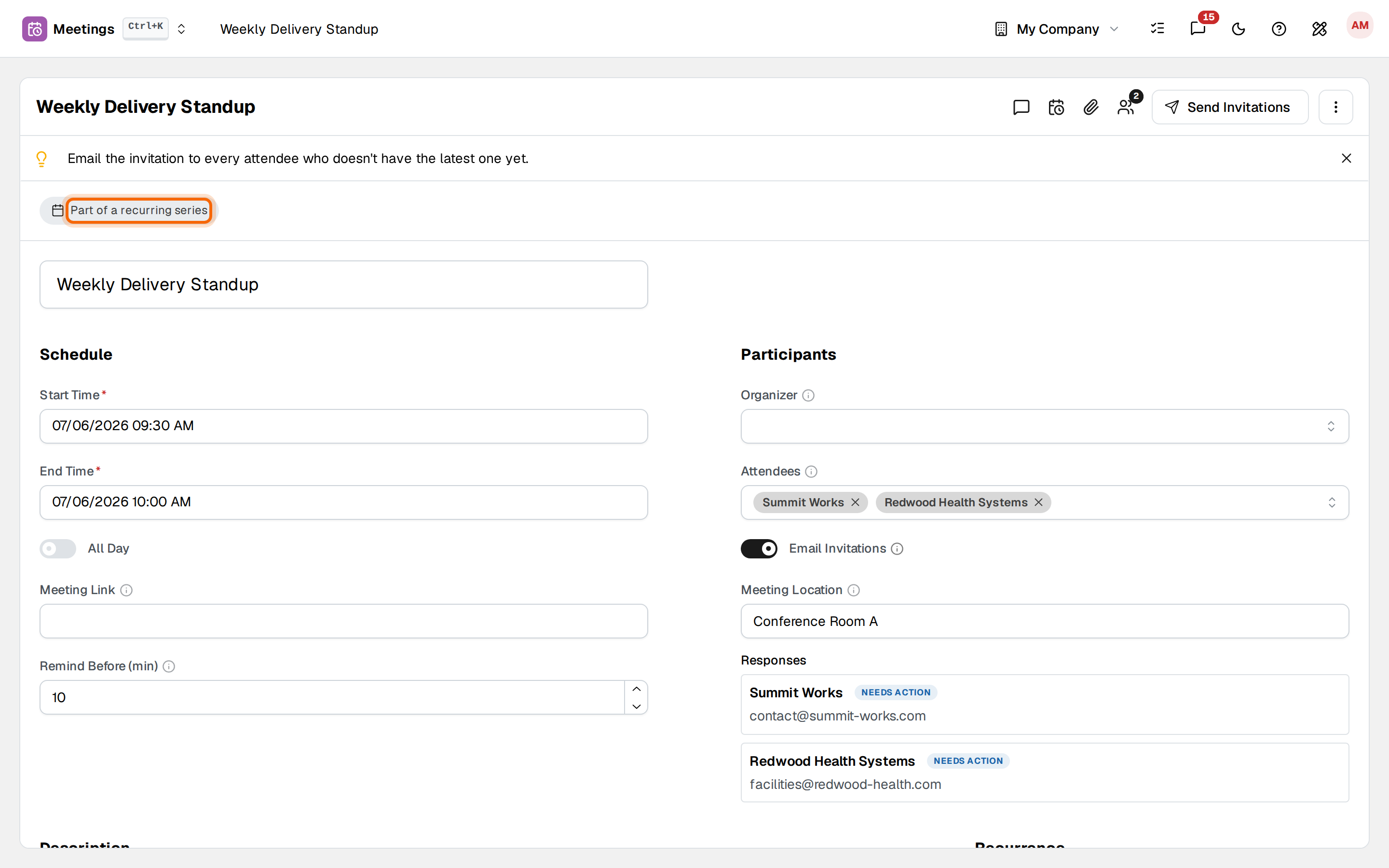
Each occurrence shows Part of a recurring series at the top; click it to list every meeting in the series.
Change the series
- One meeting only — open that occurrence and change it. The others are untouched.
- Every meeting — change the first meeting (the time, attendees or pattern) and click Generate Occurrences again. The occurrences are replaced by a fresh set, so changes you made to single occurrences are lost.
- Cancel the series — delete the first meeting. Its occurrences are deleted with it, and the attendees are emailed that it is cancelled.
The attendees get one invitation for the whole series, which puts every occurrence in their calendar; generating the occurrences sends nothing more. Moving a single occurrence sends an update for that one only.