How do I moderate the forum?
Approve or reject posts waiting for review, close and pin topics, and stop a member from posting.
Moderators keep the forum tidy: they decide on posts waiting for review, close finished topics and pin important ones. Anyone with Moderator or Manager access to the Forum app is a moderator, on the website and in the backend. Moderators' own posts are never held for review.
Review waiting posts
Go to Forum → Moderation. It opens on the posts Awaiting Review; Held Because says why each one waits — New Member, Every Post Reviewed or Reported by Members.
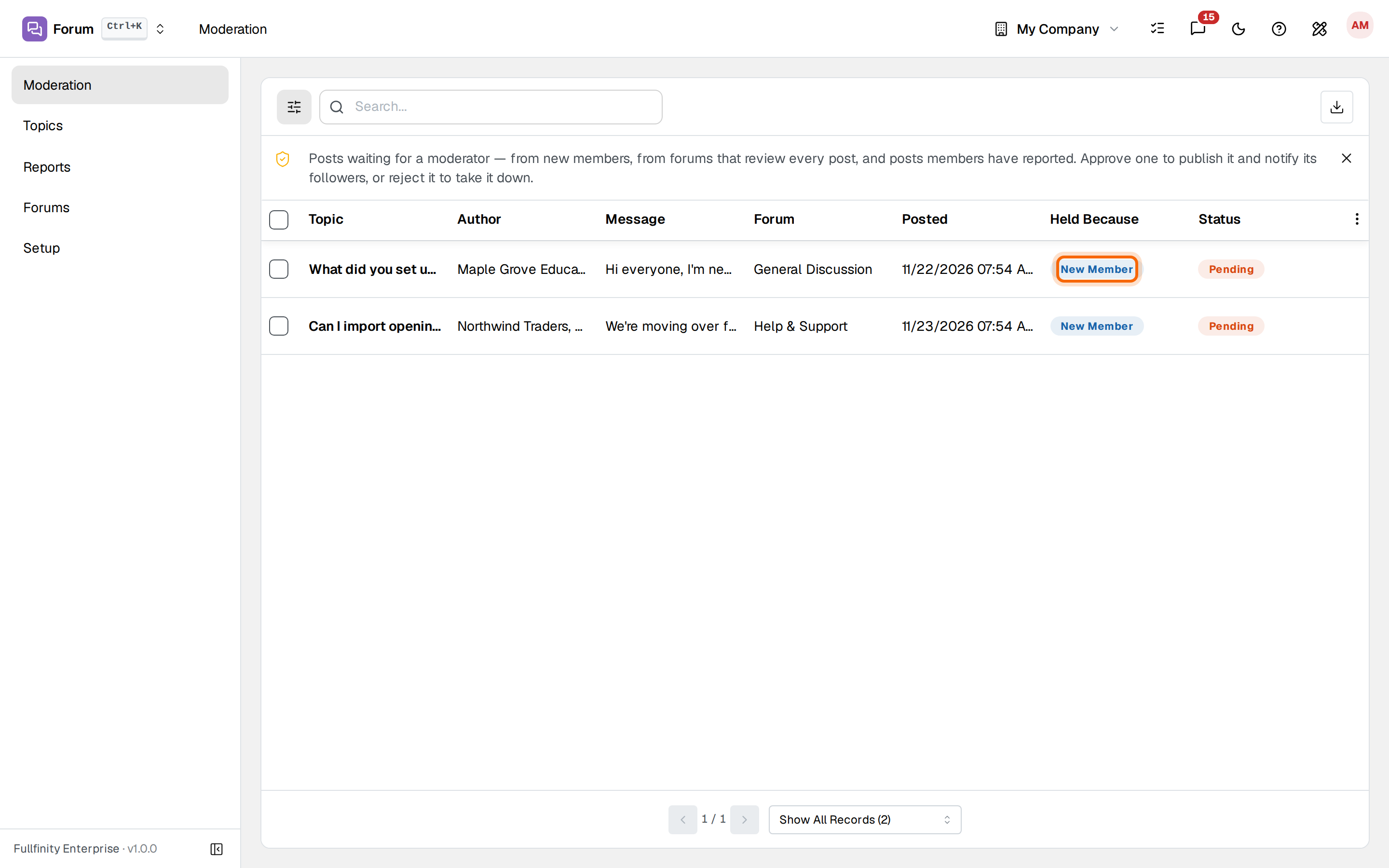
Open a post:
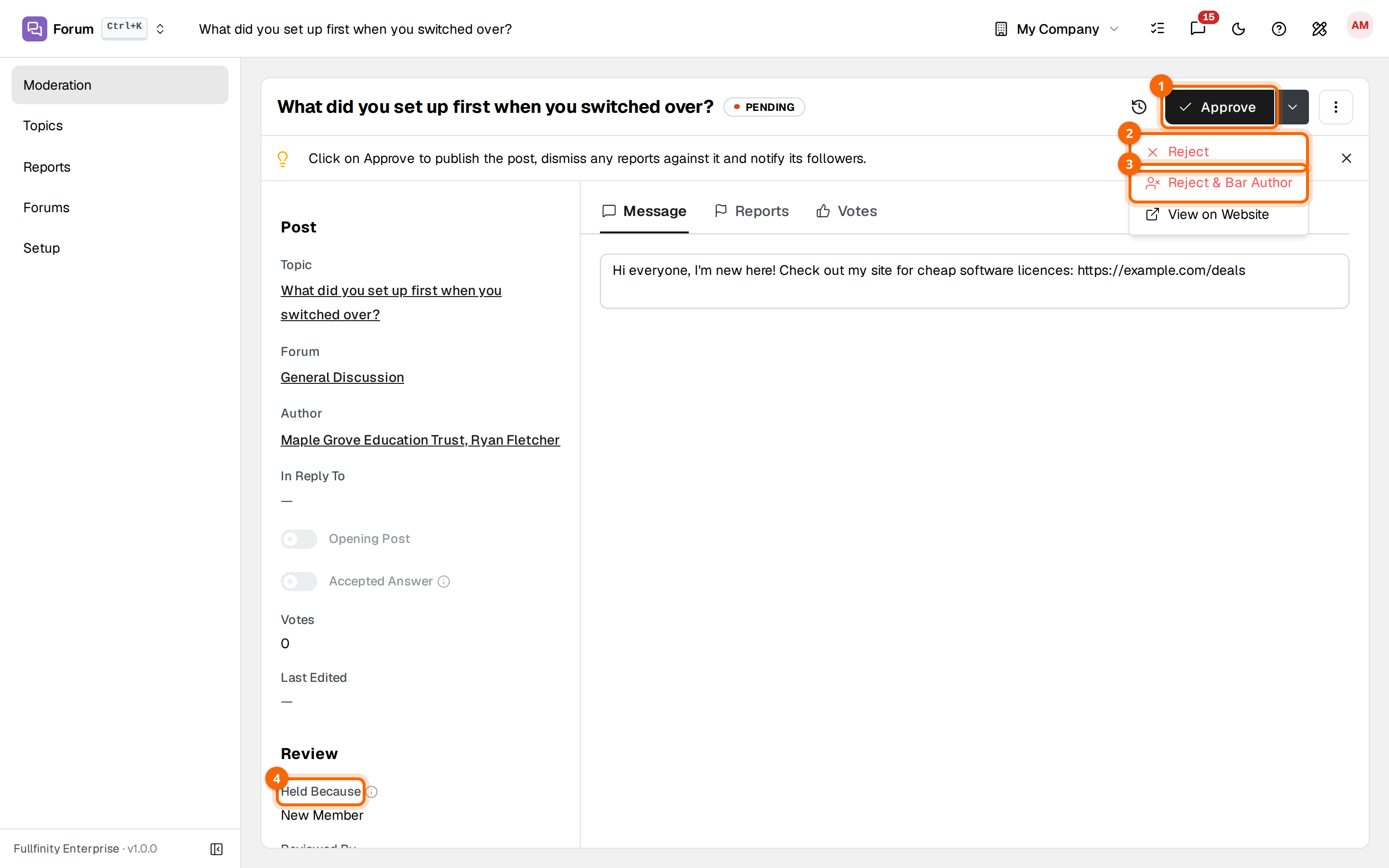
- Approve — the post is published and the topic's (or forum's) followers are emailed. Under Review New Members, the author is trusted from then on.
- Reject — the post is taken down. Only moderators can still see it.
- Reject & Bar Author — rejects it and stops its author posting anywhere in the forums.
- Held Because — why it is waiting. Reviewed By and Reviewed On record who decided, and when.
On the website, moderators see the waiting posts in their topics, with Approve and Reject under each one. The Awaiting Review button on a forum lists just that forum's waiting posts.
Close or pin a topic
Open the topic in Forum → Topics, or on the website:
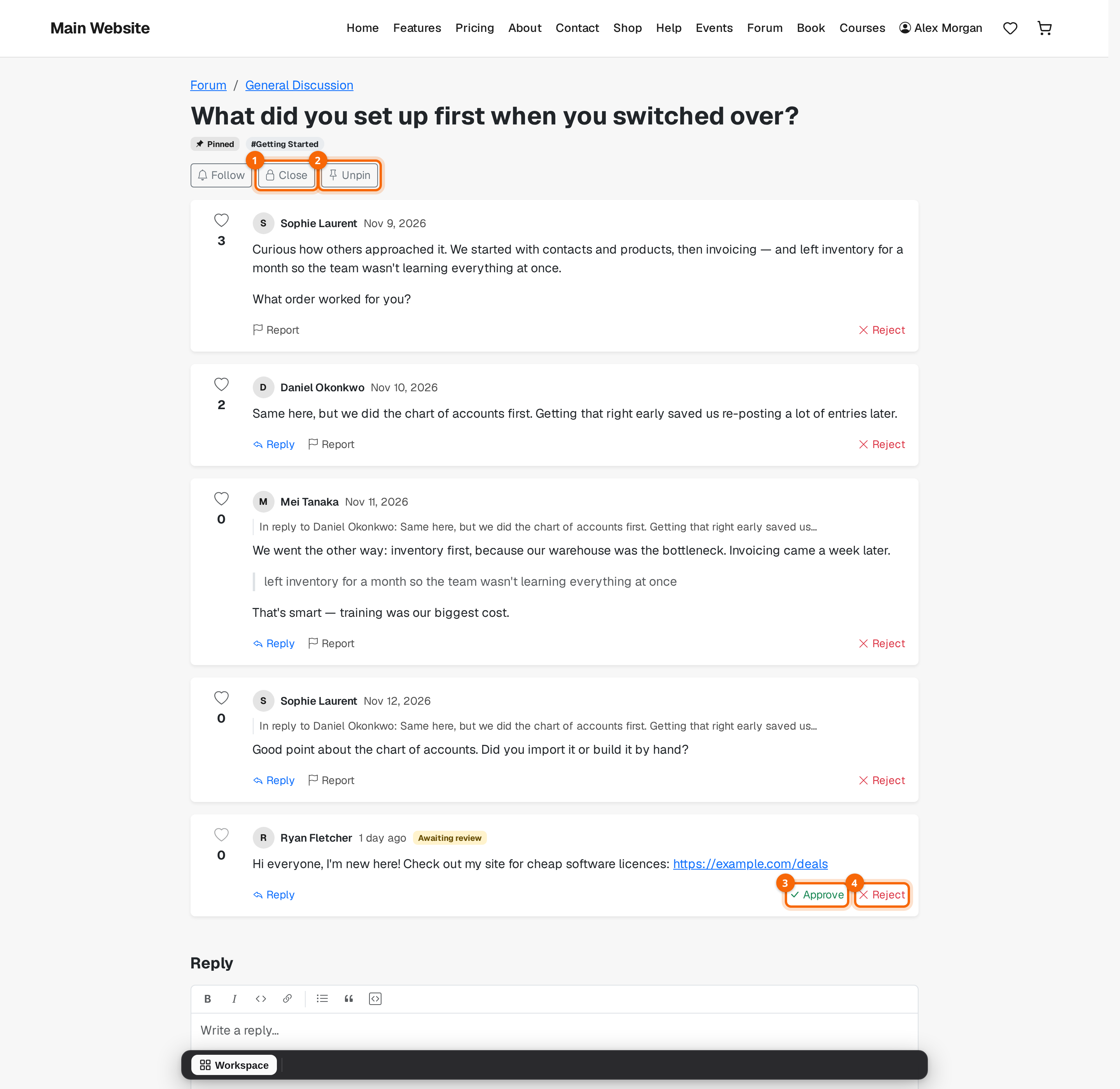
- View on Website on a topic or a post opens it on the website, where you see it as members do.
- Close stops new replies; the topic stays readable. Reopen lets members reply again.
- Pin keeps the topic at the top of its forum (in the backend, switch on Pinned). Unpin lets it move with the rest.
Stop a member posting
Besides Reject & Bar Author, a Forum manager can bar a member directly: go to Forum → Setup, click Barred Members and New. Pick the Member, give a Reason and, for a time-limited ban, Barred Until; leave it empty to bar them until you lift it.
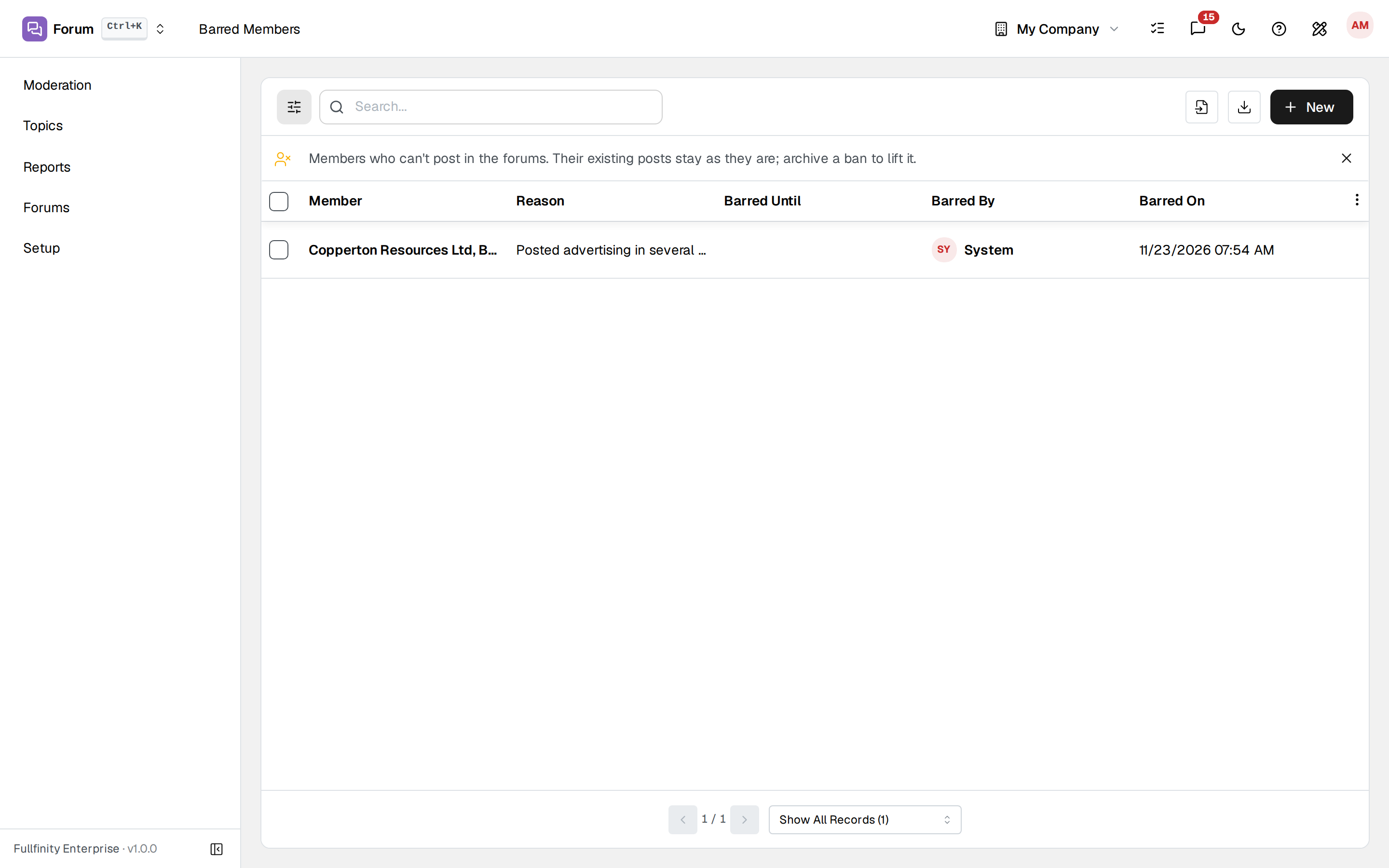
A barred member can still read the forum, but can't start topics, reply, vote or report — they see Your account can't post in the forums. Their earlier posts stay as they are; reject any that should go. To lift a ban, archive it from the record's menu: it shows Lifted and the history stays.
➡️ Related: How do I deal with posts members have reported?