How do I set up the ways customers can pay?
Create tender types for cash, card, QR, cheques, gift cards, loyalty points and customer accounts, connect a payment provider, and round cash totals.
Each payment button on the register is a tender type: cash, card, a QR code, a cheque. You create the tender types once and then choose, per register, which of them it accepts.
Create a tender type
Go to Point of Sale → Setup and click Tender Types in the Setup section. Open one, or click New.
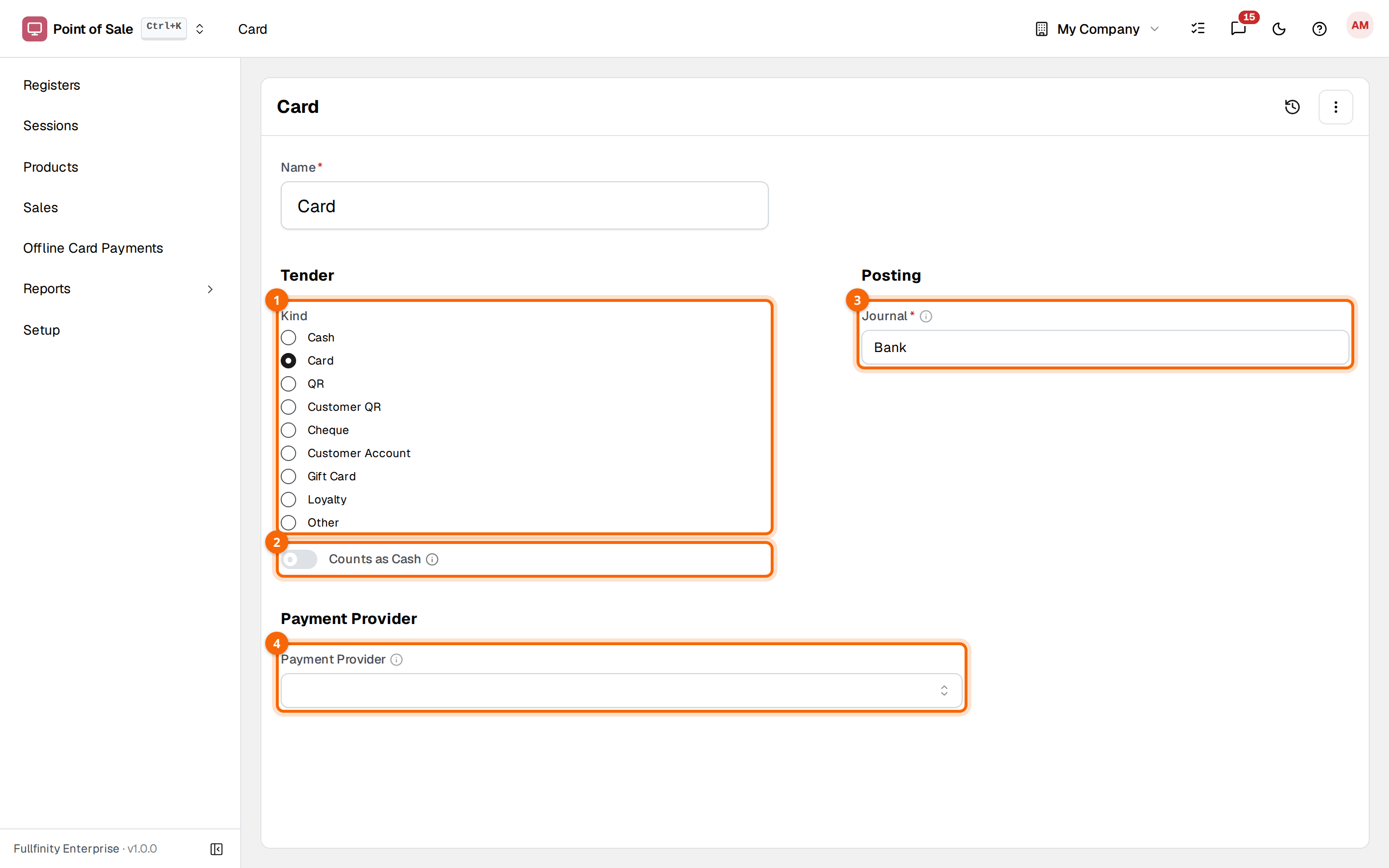
- Kind — decides how the register takes the payment:
- Cash — the amount on the keypad goes into the drawer.
- Card — charged on a card reader through a payment provider. With no provider, the cashier runs the card on your own card machine and the register simply records the amount.
- QR — the register shows a QR code the customer scans with their banking or wallet app.
- Customer QR — the customer shows a code from their wallet and the register scans it.
- Cheque — the cashier types the cheque number with the amount.
- Customer Account — the amount is charged to the customer's account, to be paid later. Needs a customer on the sale.
- Gift Card — the cashier enters the card's code and spends from its balance.
- Loyalty — spends the customer's loyalty points. Needs a customer.
- Other — anything else you record by hand, such as a voucher.
- Counts as Cash — the payment goes in the cash drawer, so it counts towards the cash the drawer should hold at the end of the shift and is rounded by cash rounding.
- Journal — the cash or bank journal the takings are booked to. It is filled in for the kind you choose. Gift card, loyalty and customer-account payments are booked to the gift card liability, sales discounts and the customer's receivable whatever journal they name.
- Payment Provider — for Card and QR: the service that takes the payment electronically.
Click Save, then add the tender type to each register that should accept it, under Tender Types on the register's Payments & Accounting tab.
Take cards and QR payments electronically
Click Payment Providers in the Setup section, install and set up your provider, then choose it as the Payment Provider on your Card or QR tender type. A card reader also needs its ID on each register — see How do I connect a receipt printer, cash drawer or other hardware?
Round cash totals
If you don't hand out one-cent coins, click Cash Rounding in the Setup section and create a rule:
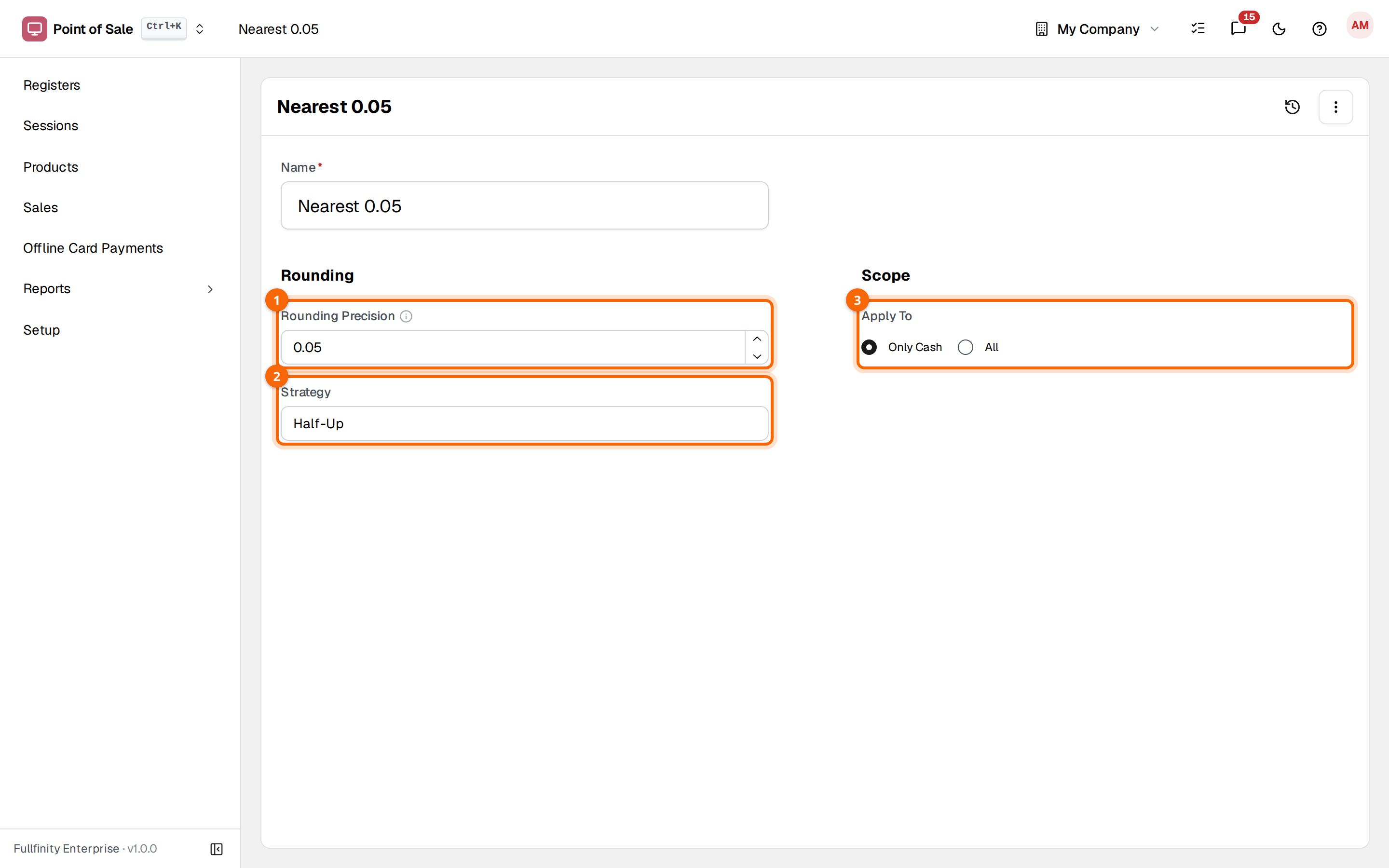
- Rounding Precision — the smallest amount you round to, for example 0.05.
- Strategy — Half-Up rounds to the nearest, Up always rounds up, Down always down.
- Apply To — Only Cash rounds sales paid in cash, All rounds every sale.
Then choose the rule in Cash Rounding on the register. The rounding difference is booked to the register's cash difference account when the shift closes.