How do I use promotion codes, gift cards and loyalty points at the register?
Apply a promotion code to a sale, take payment with a gift card or loyalty points, and sell gift cards over the counter.
The register uses the same promotions, gift cards and loyalty program as your sales orders and online store. A customer's points and a gift card's balance are the same wherever they use them.
Automatic promotions
A promotion that needs no code applies by itself when you click Pay. The sale shows it as Discount under the subtotal, and the receipt names it.
A promotion code
With products on the sale, click Add code under the total.
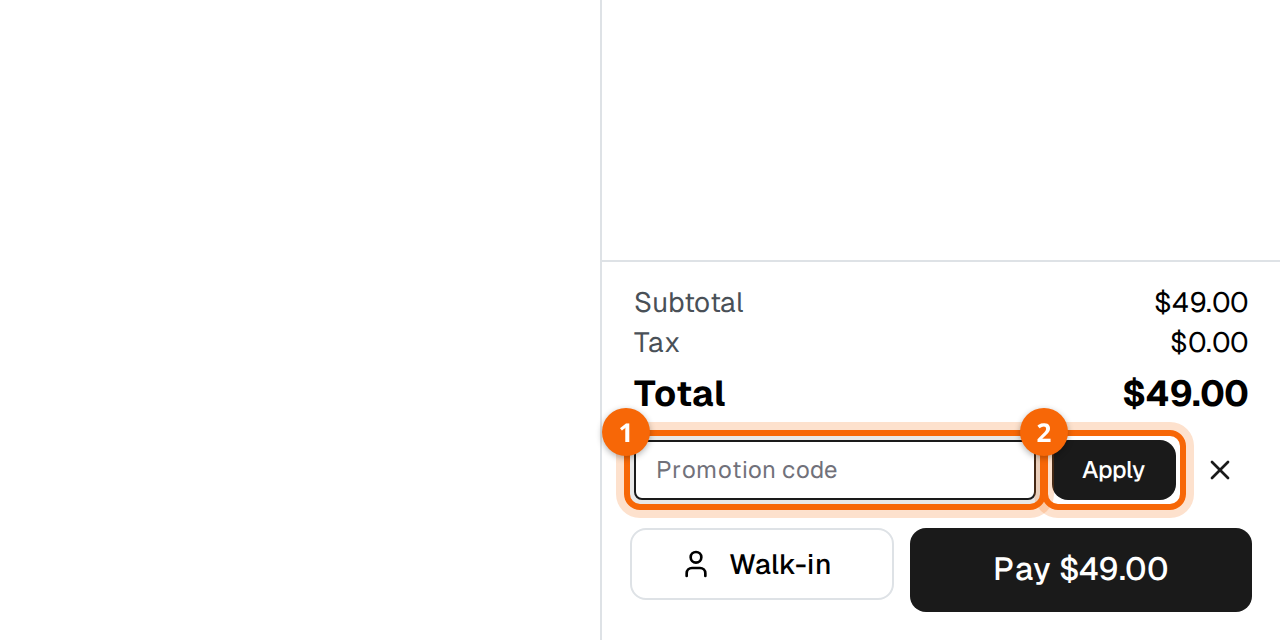
- Type or scan the code.
- Click Apply.
The discount appears in the totals. A code the sale doesn't qualify for — below its minimum spend, used up, or expired — is refused with the reason. Codes need a connection.
A sale that earns a coupon (a promotion set to Earned by Ordering) prints the new code, with a barcode, at the bottom of the receipt.
Pay with a gift card or loyalty points
On the payment screen:
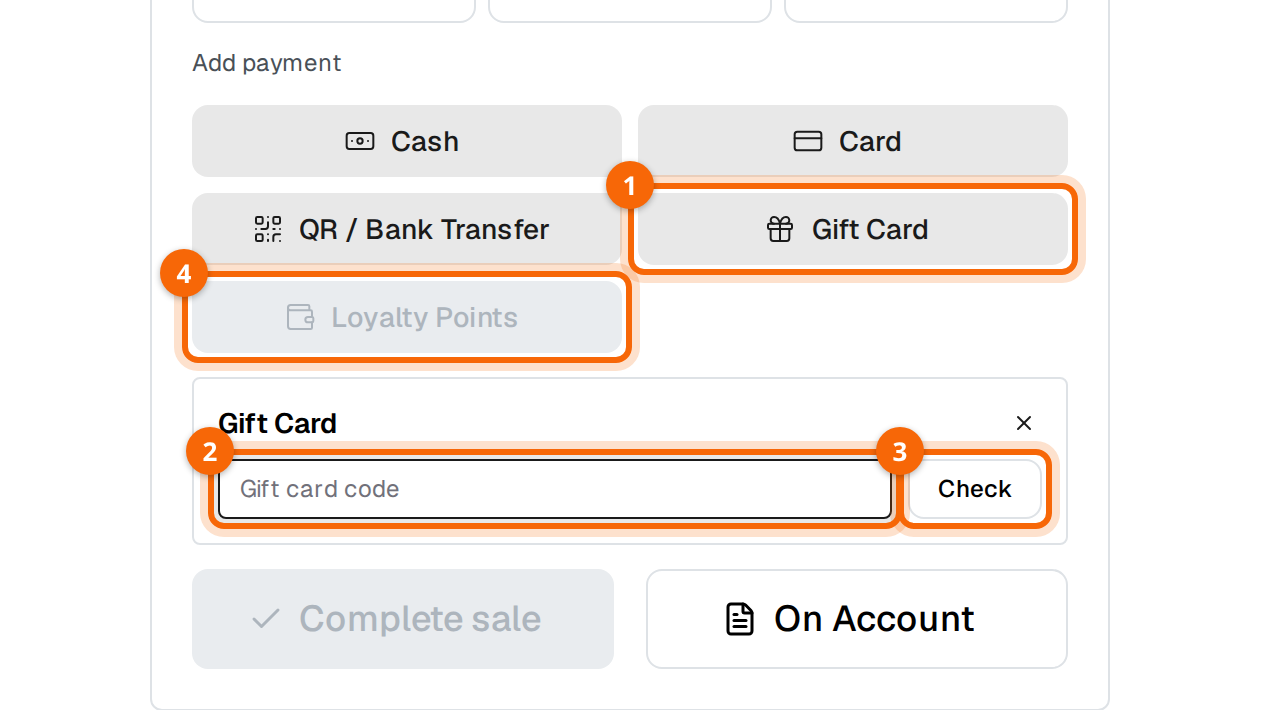
- Click your gift card payment button.
- Type or scan the card's code.
- Click Check. The card's Balance appears, with a button to apply it — up to the amount still due.
- For loyalty points, choose the customer first, then click your loyalty payment button. It applies the value of their points, up to what is due. The button stays grey until the sale has a customer.
Pay whatever is left as usual and click Complete sale. The card's balance goes down and the points are taken off the customer's card. The customer also earns points on what they spent.
Sell a gift card
On the product, tick Gift Card (beside Can be Sold) and switch on Available in POS. Ring it up like any product at the value of the card. When the sale is complete, one gift card is created for each one sold, and its code is printed on the receipt for the customer. The card is not taxed when sold; the tax is charged when it is spent.