How do I set up a register?
Create a till, choose the warehouse it sells from, its price list and default customer, the payments it accepts and whether it handles cash.
A register is one till: a counter, a kiosk, a tablet you carry around. Each one sells from one warehouse, at one price list, and accepts the payment methods you choose for it. Create one per physical till so each keeps its own shifts and cash drawer.
Go to Point of Sale → Setup, click Registers in the Setup section, then New — or open an existing register to change it.
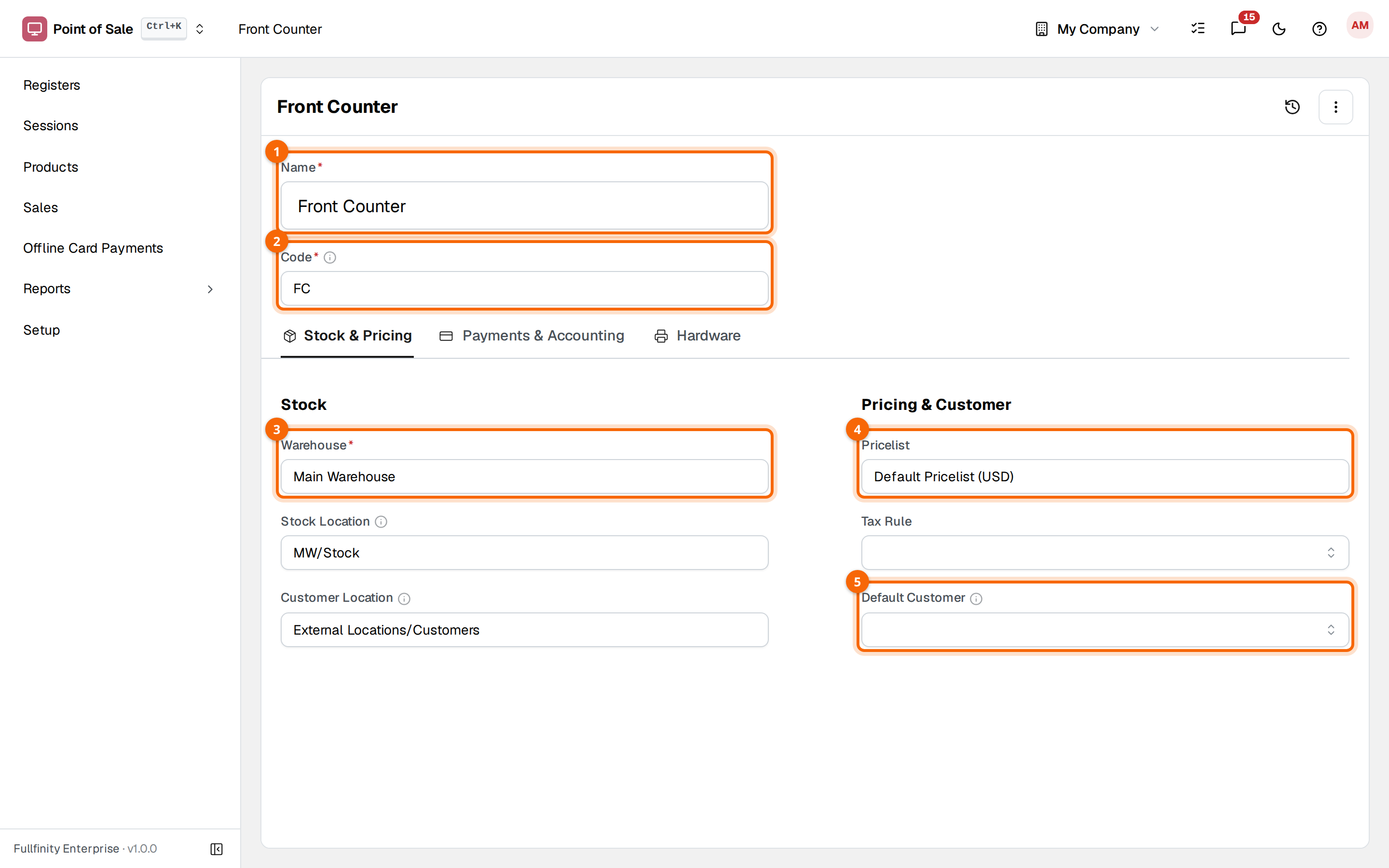
- Name — what cashiers see when they pick a register, for example Front Counter.
- Code — a short prefix for this register's sale numbers. With FC, sales are numbered FC-00001, FC-00002 and so on.
- Warehouse — where the goods it sells come out of. Every sale takes the stock off straight away. If you use several stock locations, Stock Location narrows it to one shelf or room.
- Pricelist — the prices the register charges. Leave it blank to charge each product's sales price. A customer with their own pricelist still gets it when you pick them on a sale.
- Default Customer — leave it blank for a normal shop: a sale with no customer is a walk-in sale. Set it only for a till that always sells to one account.
Tax Rule, beside them, changes which taxes the register charges — for example a register at an airport that sells tax-free.
Payments and accounting
Open the Payments & Accounting tab.
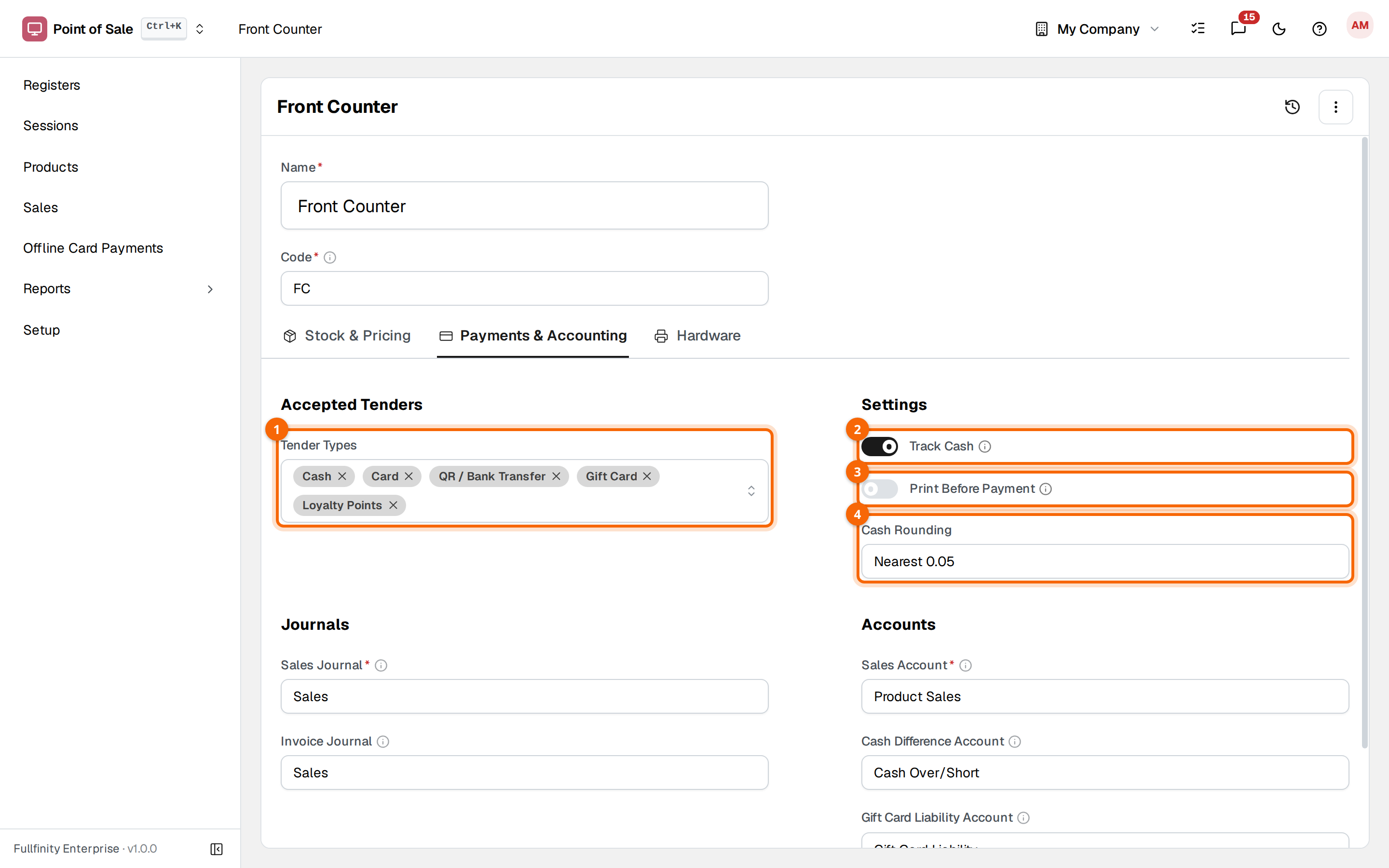
- Tender Types — the payment buttons this register shows: cash, card, gift cards and so on. See How do I set up the ways customers can pay?
- Track Cash — on for a till with a cash drawer: the cashier counts an opening float at the start of a shift, can record cash paid in and out, and counts the drawer at the end. Turn it off for a card-only register or a handheld; it then opens straight away and closes without a cash count.
- Print Before Payment — for delivery rounds and van sales, where the sale is booked when the receipt prints and the customer pays afterwards. See How do I sell on account at the register?
- Cash Rounding — rounds cash totals to the smallest coin you hand out.
Below them, Journals and Accounts decide where the register's takings are booked when a shift closes. Sales Journal and Sales Account are filled in for you. Leave Cash Difference Account, Gift Card Liability Account and Tip Liability Account blank to use your company's key accounts; set them only when this register books somewhere else.
The Hardware tab connects printers, the cash drawer, a scale, a customer screen and a card reader — see How do I connect a receipt printer, cash drawer or other hardware?
Click Save. The register now appears under Point of Sale → Registers, ready to open.