How do I open the register at the start of a shift?
Pick your register, count the opening float and start selling — or go back to a shift that is already open.
Selling happens in a session: one shift on one register, from opening to cashing up. Every sale belongs to the session it was rung up in, and closing the session counts the drawer and books the shift's takings.
Go to Point of Sale → Registers. Each register shows whether it is Open or Closed.
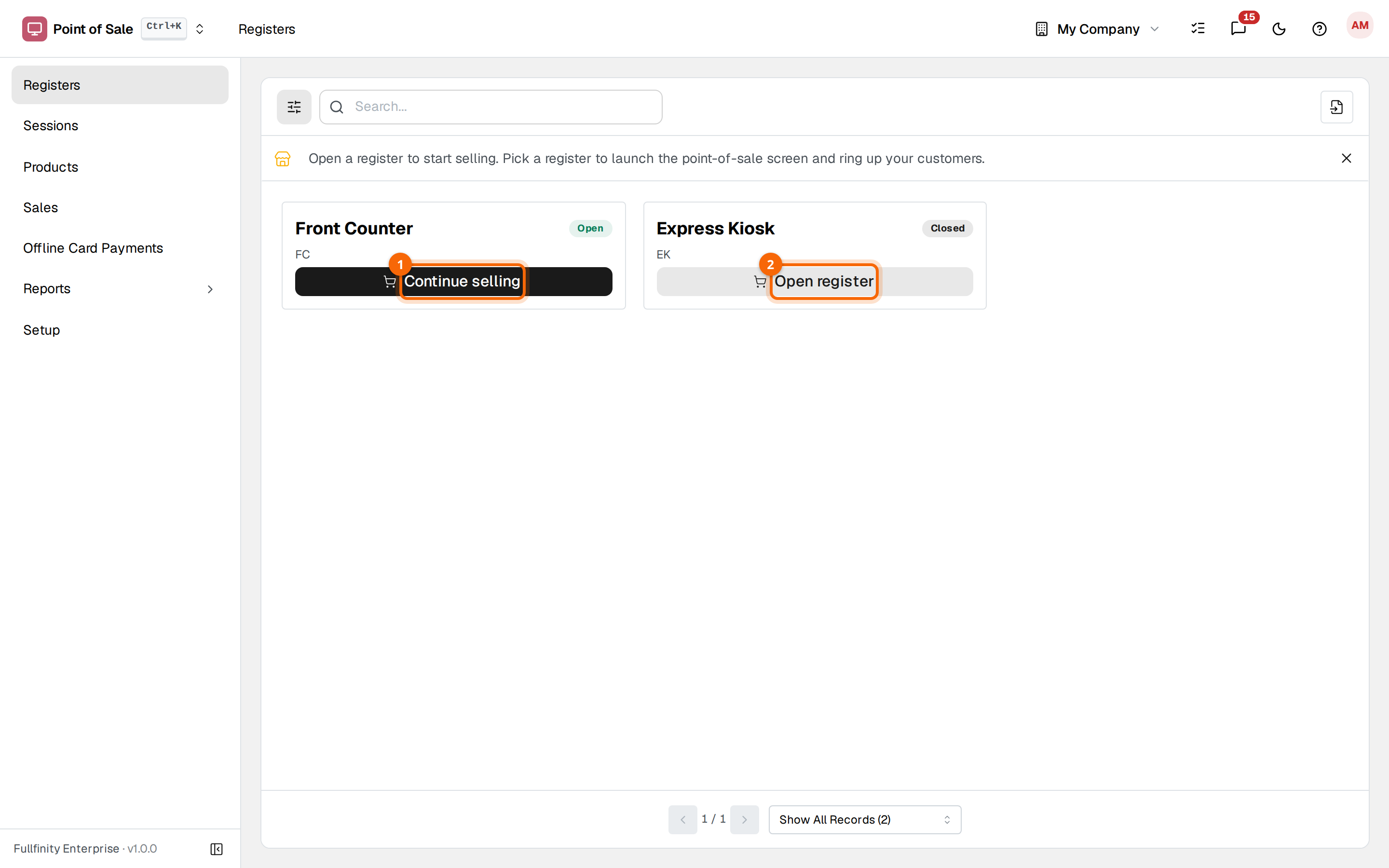
- Continue selling — the register already has an open shift. You go straight back to it, with everything sold so far.
- Open register — starts a new shift.
The register fills the whole screen. To get back to the rest of Fullfinity, use the arrow at the top left.
Count the opening float
A register that handles cash asks for the cash already in the drawer before the first sale:
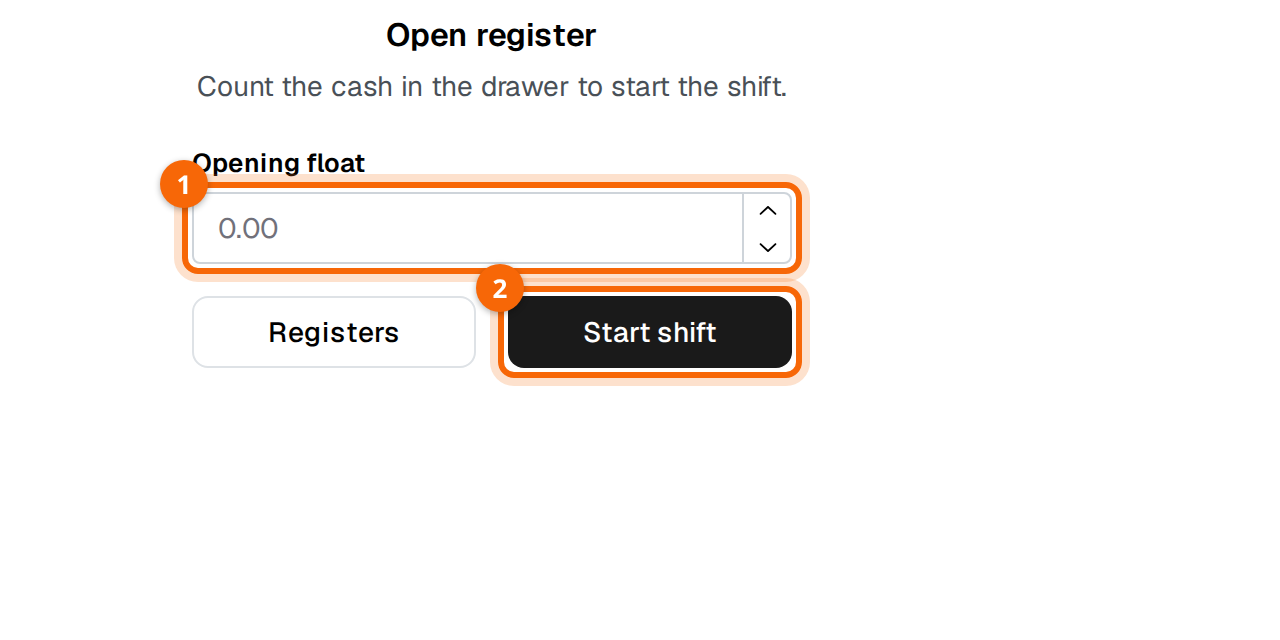
- Count the notes and coins and enter the total in Opening float.
- Click Start shift.
The product grid opens and you can start selling. The float is the starting point of the cash count when you close — see How do I close the register and count the cash?
➡️ Next: How do I ring up a sale?