How do I set up Point of Sale?
Decide whether every sale needs a customer, whether sales can go on a customer's account, how long refunds are allowed, and what the receipt prints.
A handful of company-wide settings shape every register: who a sale can be rung up for, how long a customer can bring something back, and what the receipt says. Set them before your first shift; each register then has its own settings for stock, payments and hardware.
Go to Point of Sale → Setup. The Setup screen opens on the Point of Sale tab.
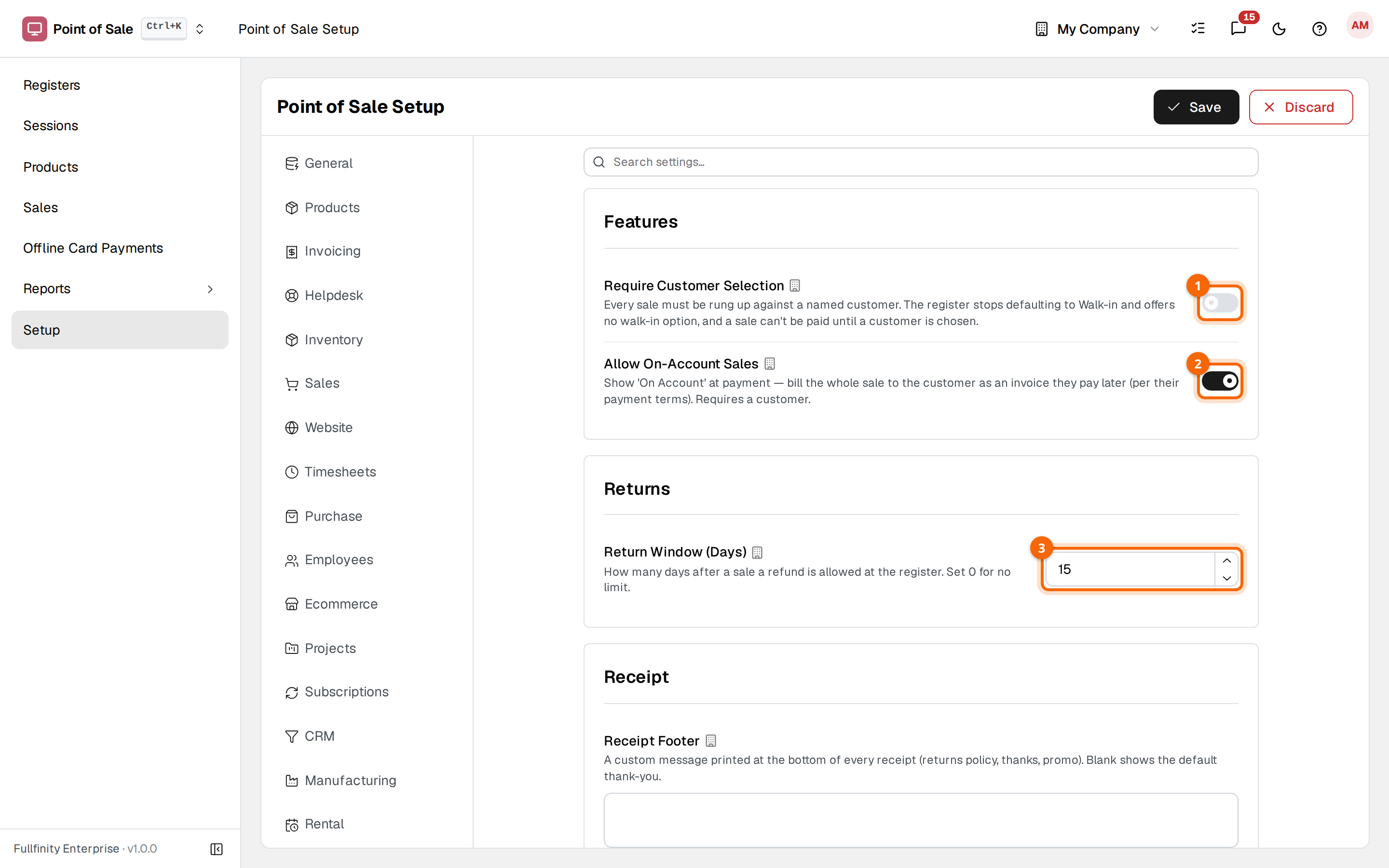
- Require Customer Selection — every sale must name a customer. The register stops offering Walk-in, and a sale can't be paid until a customer is chosen. Use it for trade counters where every sale has to be attributable.
- Allow On-Account Sales — adds On Account to the payment screen, so a whole sale can be billed to the customer as an invoice they pay later. See How do I sell on account at the register?
- Return Window (Days) — how many days after a sale it can still be refunded at the register. 0 means no limit. It starts at 15.
What the receipt prints
Further down, under Receipt:
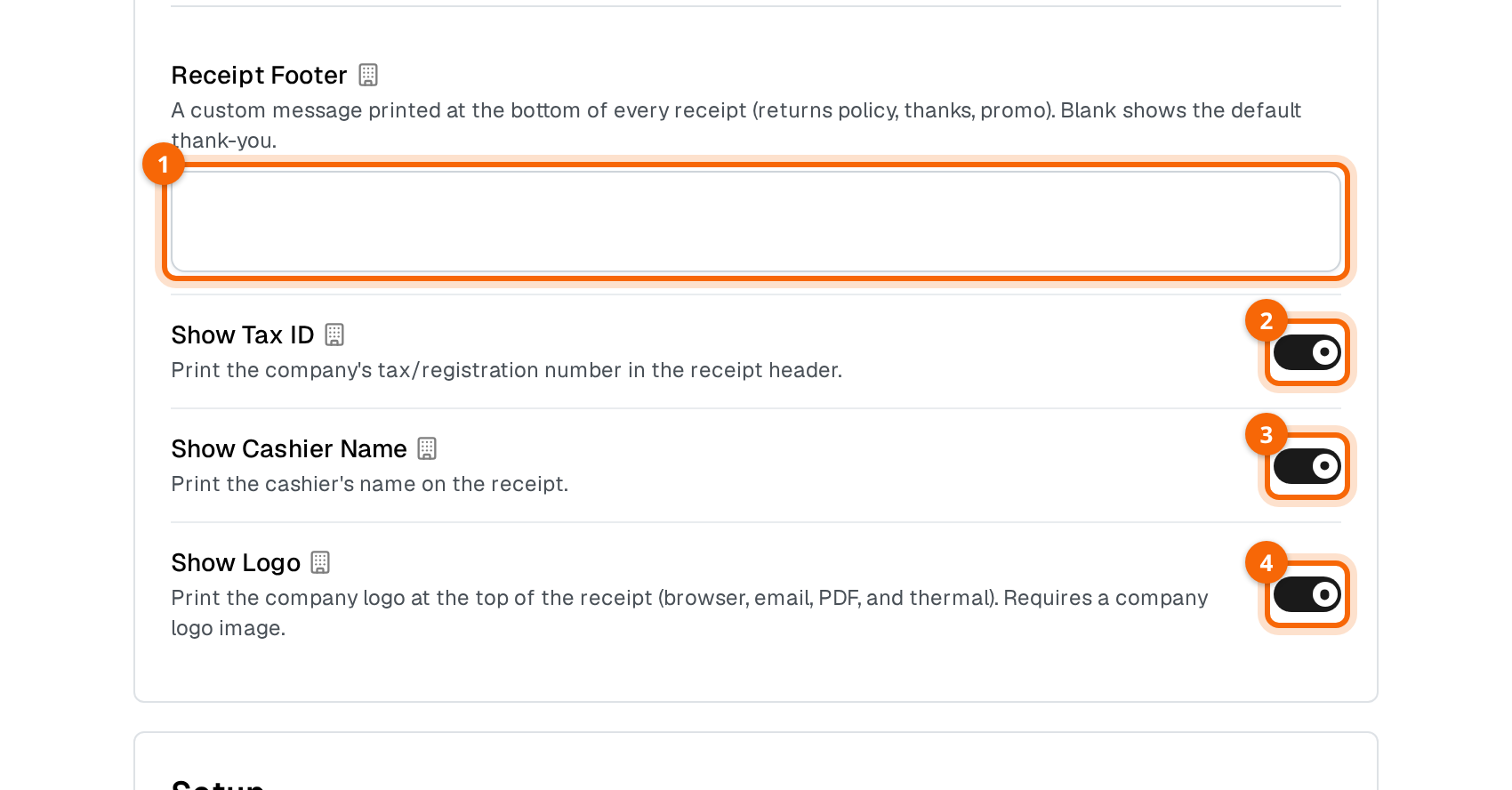
- Receipt Footer — your own message at the bottom of every receipt: a returns policy, a thank-you, an offer. Left blank, the receipt says Thank you for your purchase!
- Show Tax ID — prints your company's tax number in the header.
- Show Cashier Name — prints who served the customer.
- Show Logo — prints your company logo at the top, on paper, by email and as a PDF. It needs a logo on your company.
Click Save at the top.
The rest of the setup
The Setup section at the bottom of the tab leads to everything else a register needs:
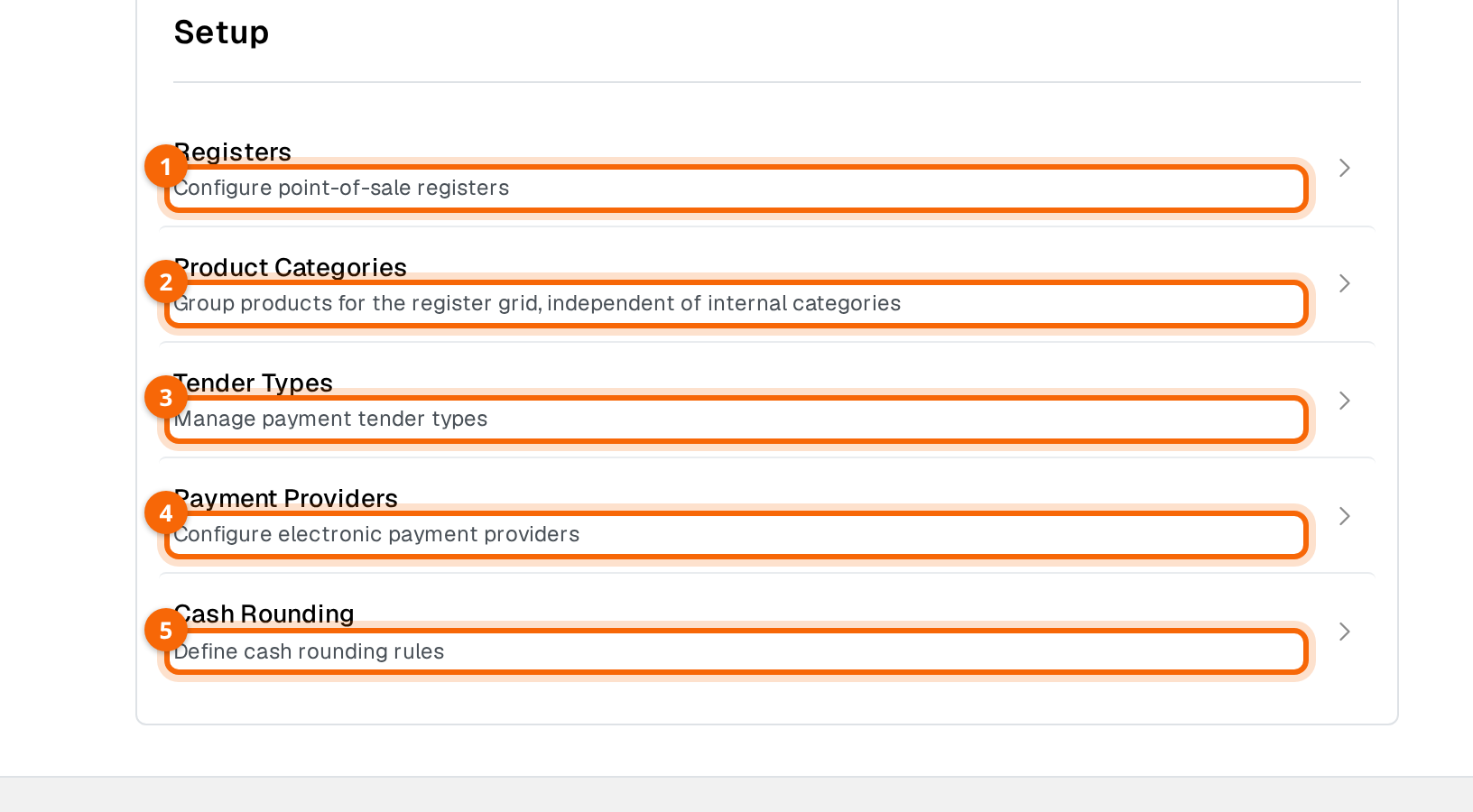
- Registers — your tills. See How do I set up a register?
- Product Categories — the buttons along the top of the register. See How do I put products on the register?
- Tender Types — the ways customers can pay.
- Payment Providers — the services that take card and QR payments electronically.
- Cash Rounding — rounding cash totals to the coins you actually use.
The last three are covered in How do I set up the ways customers can pay?
➡️ Next: How do I set up a register?
Was this article helpful?