How do I ring up a sale?
Add products by tapping, searching or scanning, change quantities, prices and discounts, and keep several sales open at once.
The register shows your products on the left and the current sale on the right.
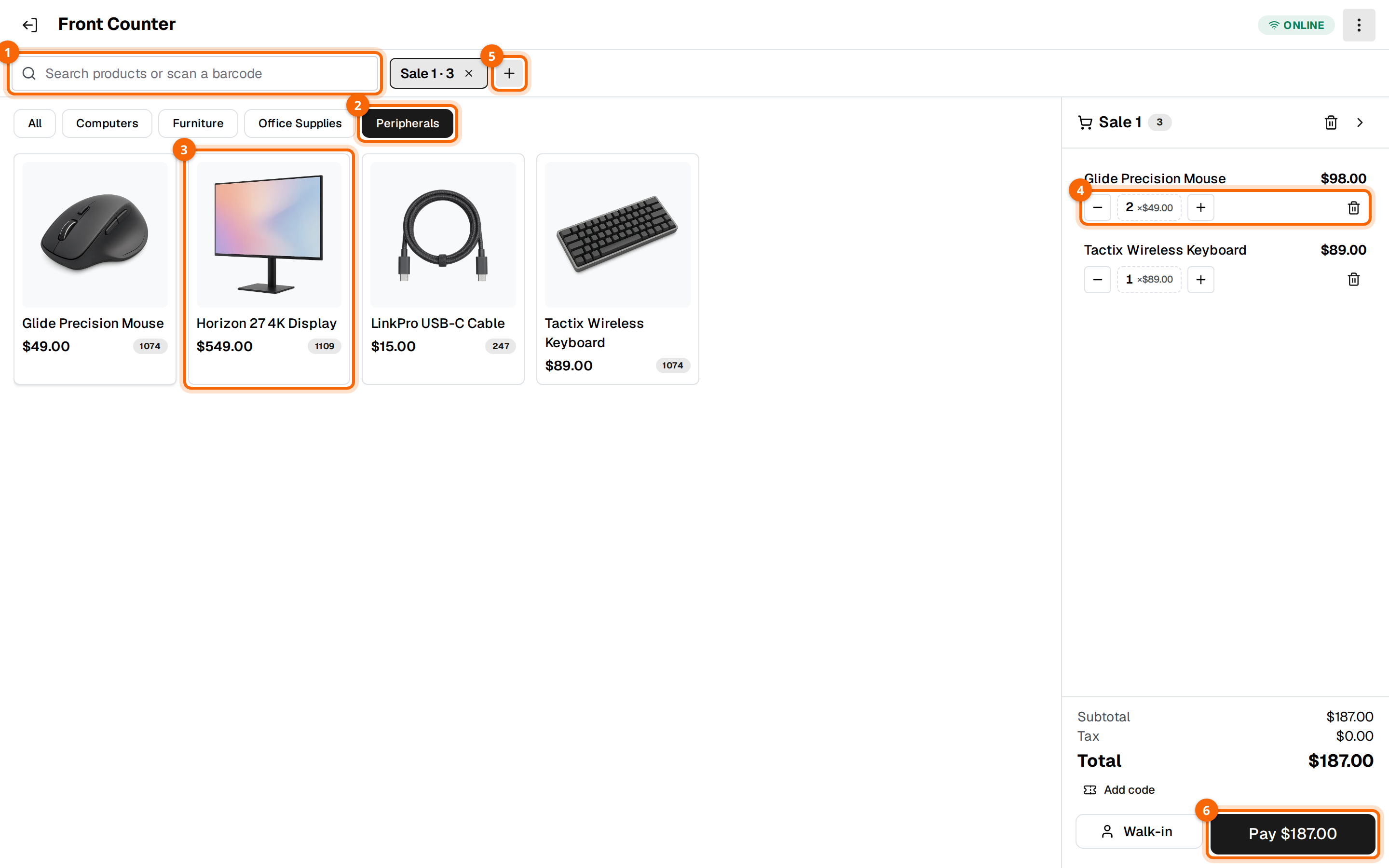
- Search by product name or code, or scan a barcode — a scanner works anywhere on the product screen, no need to click in the box first. Press Enter to add the one product that matches.
- The category buttons narrow the grid. All shows everything.
- Tap a product to add it. Tapping it again adds one more. The number in its corner is what is in stock at this register; it turns red at zero, and you can still sell it.
- On the sale, − and + change the quantity one at a time. Tap the quantity itself for the keypad (below). The bin removes the line.
- + beside the sale's tab starts another sale while this one waits — for a customer who has gone to fetch one more thing. Switch between them by their tabs (Sale 1, Sale 2).
- Pay shows the total and moves on to payment.
Change a quantity, price or discount
Tap the quantity of a line to open its keypad:
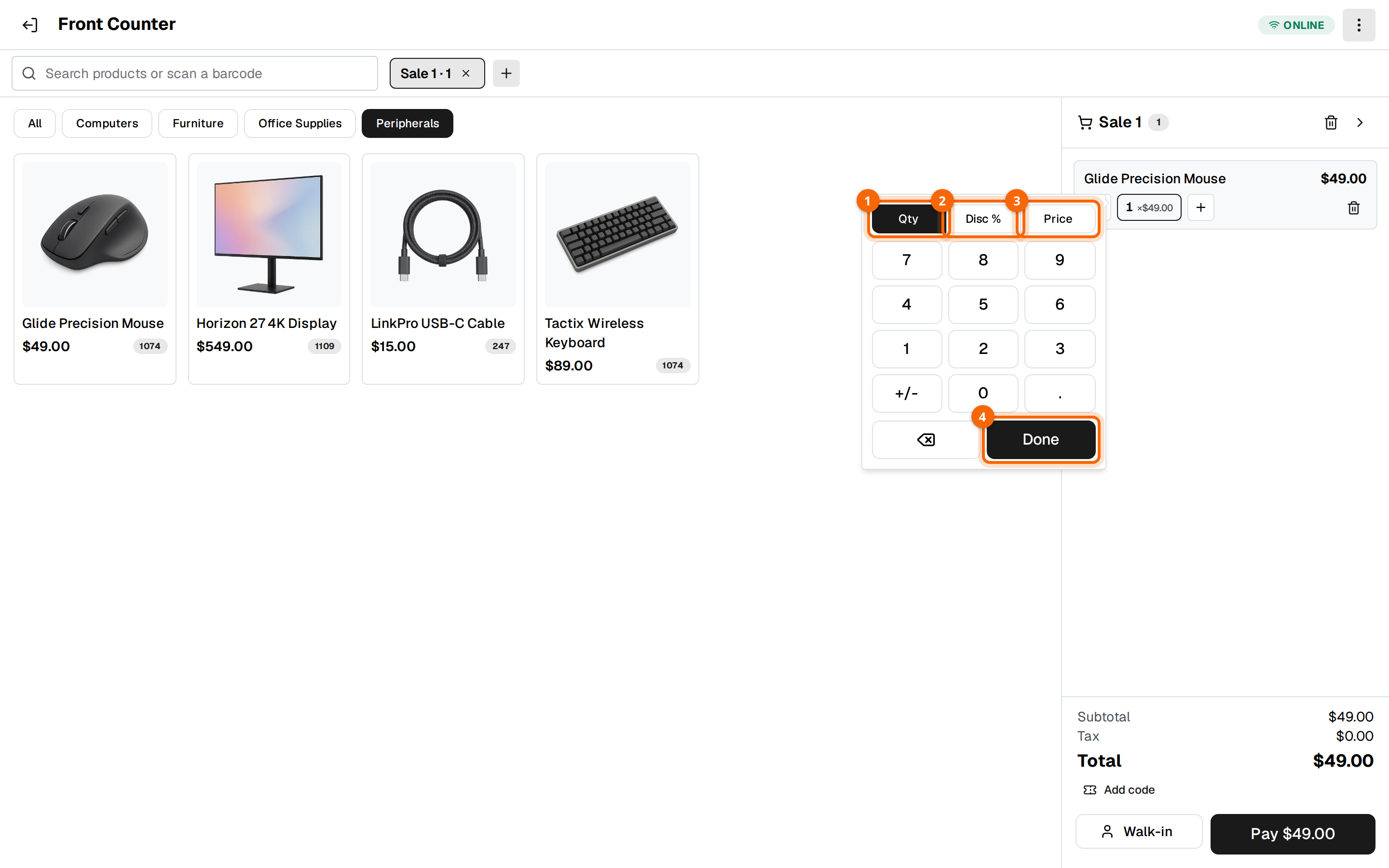
- Qty — type the quantity, for example 2.5 for a product sold by weight. +/- makes it negative, to take an item back in the same sale.
- Disc % — a discount on this line, in percent.
- Price — a different unit price for this line.
- Done closes the keypad. Backspace removes the last digit.
The total updates as you type. Automatic promotions and promotion codes are covered in How do I use promotion codes, gift cards and loyalty points at the register?
Products with options, lots or serial numbers
- A product sold in several variants opens a window to choose them (a finish, a size). Options that can't be combined are struck through; the window shows the price and the stock of the combination you picked. Click Add.
- A product tracked by lot or serial number asks which one you are selling: tap it, or scan it and press Enter. A serial number can only be sold once.
Clear a sale
The bin at the top of the sale empties it. The × on a sale's tab throws that sale away. Nothing is recorded until the sale is paid.
Was this article helpful?