How do I confirm a rental and hand the items over?
Confirm a rental to reserve the items for its dates, then record the handover with Pick Up.
1. Confirm
Open the quotation and click Confirm. Fullfinity checks that enough units of each product are free for the rental's dates — counting every other confirmed rental that overlaps them — and reserves them. The rental becomes Confirmed and moves to Rental → Rentals.
2. Collect the deposit
If the rental has a security deposit, a Security deposit due message shows on it until you collect it. See How do I collect and refund a security deposit? With Require Deposit on Pickup switched on, the items can't be handed over until you have.
3. Hand the items over
When the customer collects, click Pick Up.
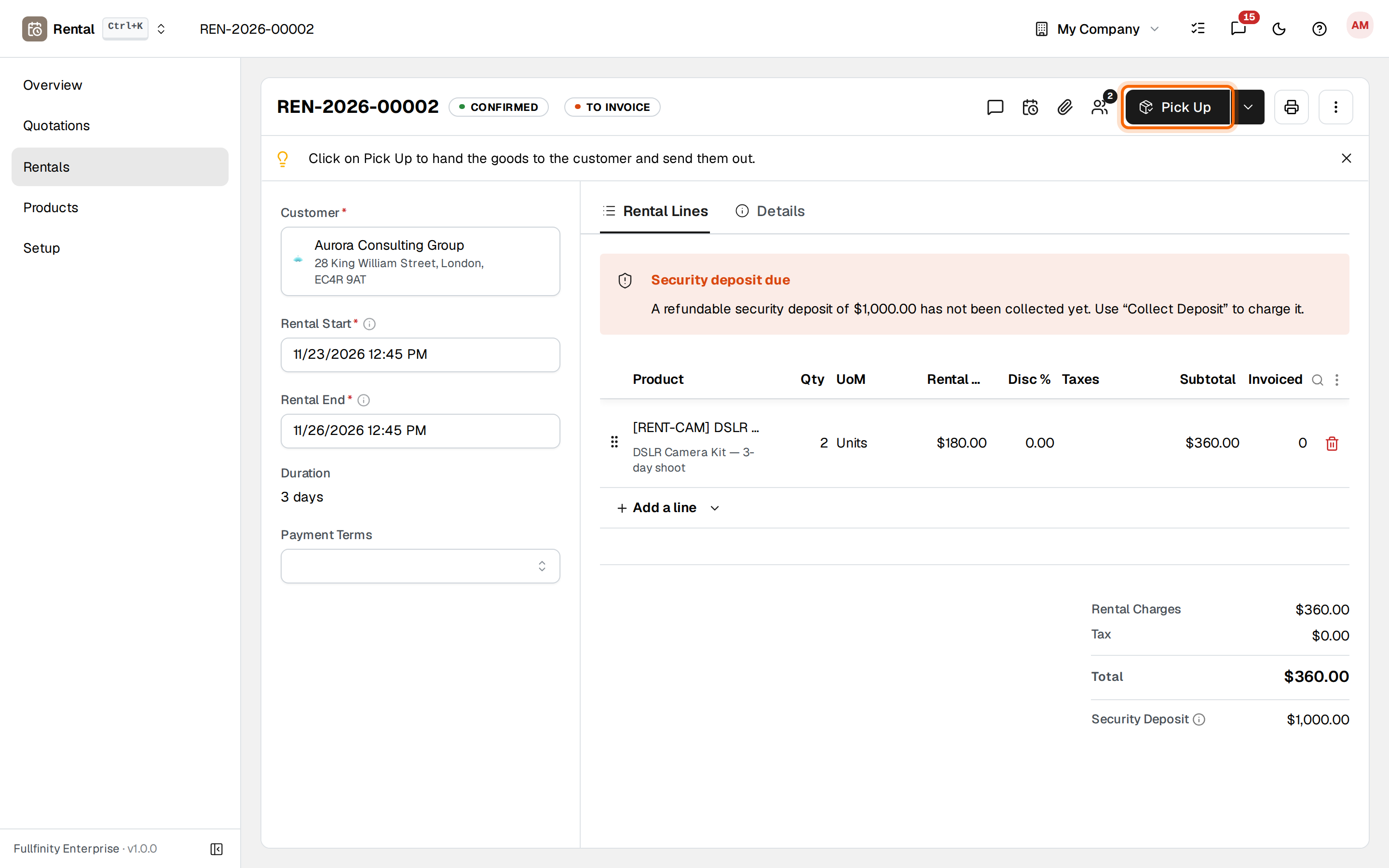
The rental becomes Picked Up and the time of the handover is recorded. From now on it is out on rent until you record the return.
Cancelling
Until the items are picked up, Cancel (in the menu next to the main button) frees the reserved units. A cancelled rental can be reopened as a quote with Reset to Draft. A rental with invoiced lines can't be cancelled: issue a credit note instead.