How do I sell a subscription on a sales order?
Mark a product as a subscription product with a default plan, and confirming an order for it starts the customer's subscription.
If your salespeople quote subscriptions alongside other products, let the sales order start the subscription for them. Confirming an order that contains a subscription product creates the subscription and starts it.
1. Mark the product as a subscription
Open the product (Sales → Products).
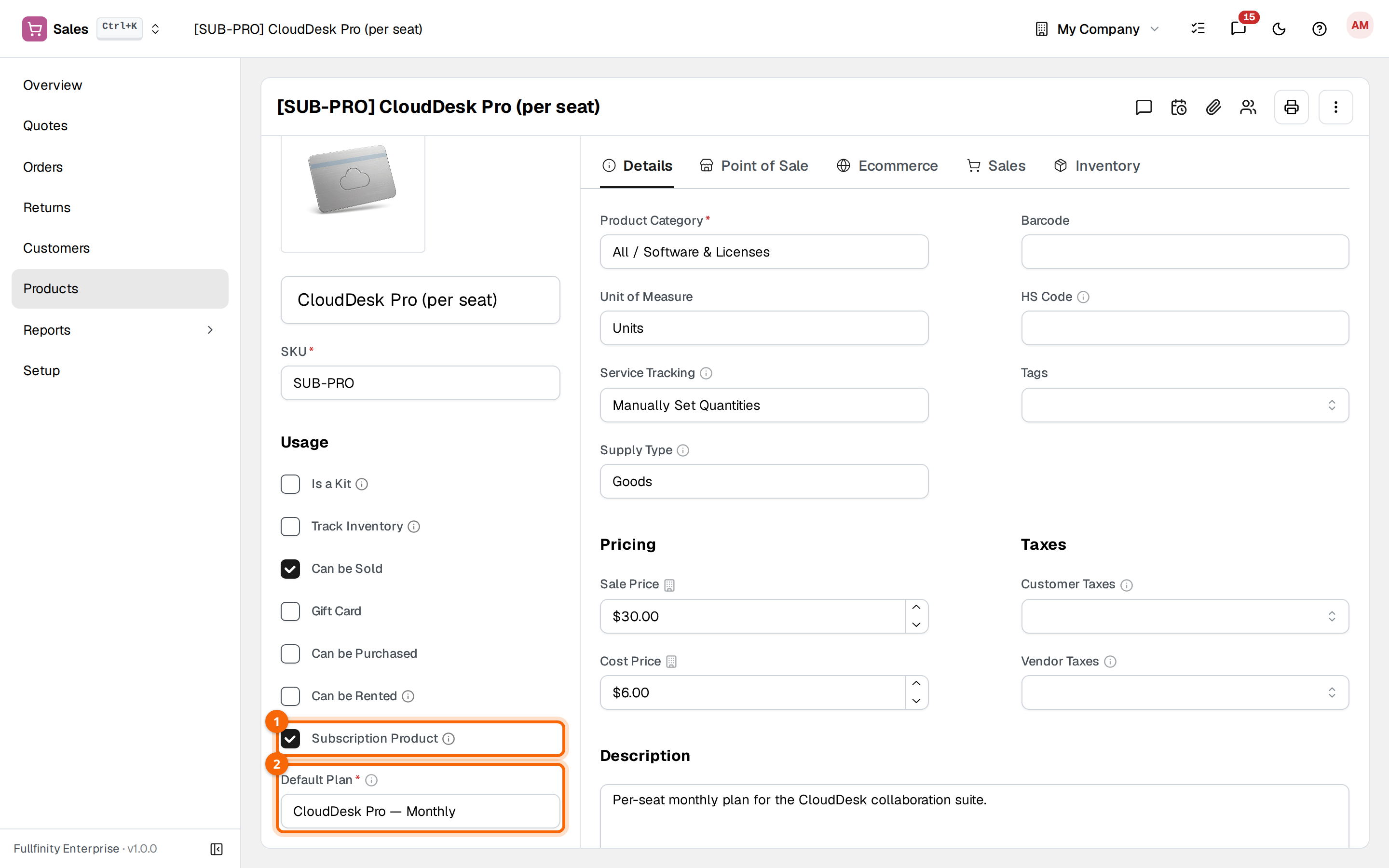
- Tick Subscription Product.
- Choose the Default Plan it is sold on. It is required: without a plan there is nothing to say how often to bill.
Click Save.
2. Sell it
Add the product to a quote like any other product and confirm the order — see How do I create and send a quote? When the order is confirmed:
- One subscription is created for each plan on the order. Two products on the same plan share one subscription.
- The subscription takes its lines and prices from the plan. The quantity you ordered becomes the quantity of the plan's first recurring line — the number of seats, for example.
- The subscription is confirmed straight away, so it starts its trial or bills its first period.
The order shows a Subscriptions button that opens what it created.
Was this article helpful?