How do I collect and refund a security deposit?
Invoice the refundable deposit before the items go out, and give it back with a credit note once they are returned.
A security deposit protects you against damage and loss. It is the customer's money held for them, so it is invoiced to your Security Deposit Account — never to income — and given back once the items are returned.
A rental's deposit is the Security Deposit / Unit of each product times the quantity. It shows as Security Deposit under the rental's totals.
1. Collect it
On a Confirmed or Picked Up rental, the Security deposit due message shows until the deposit is collected. Click the arrow next to the main button and choose Collect Deposit.
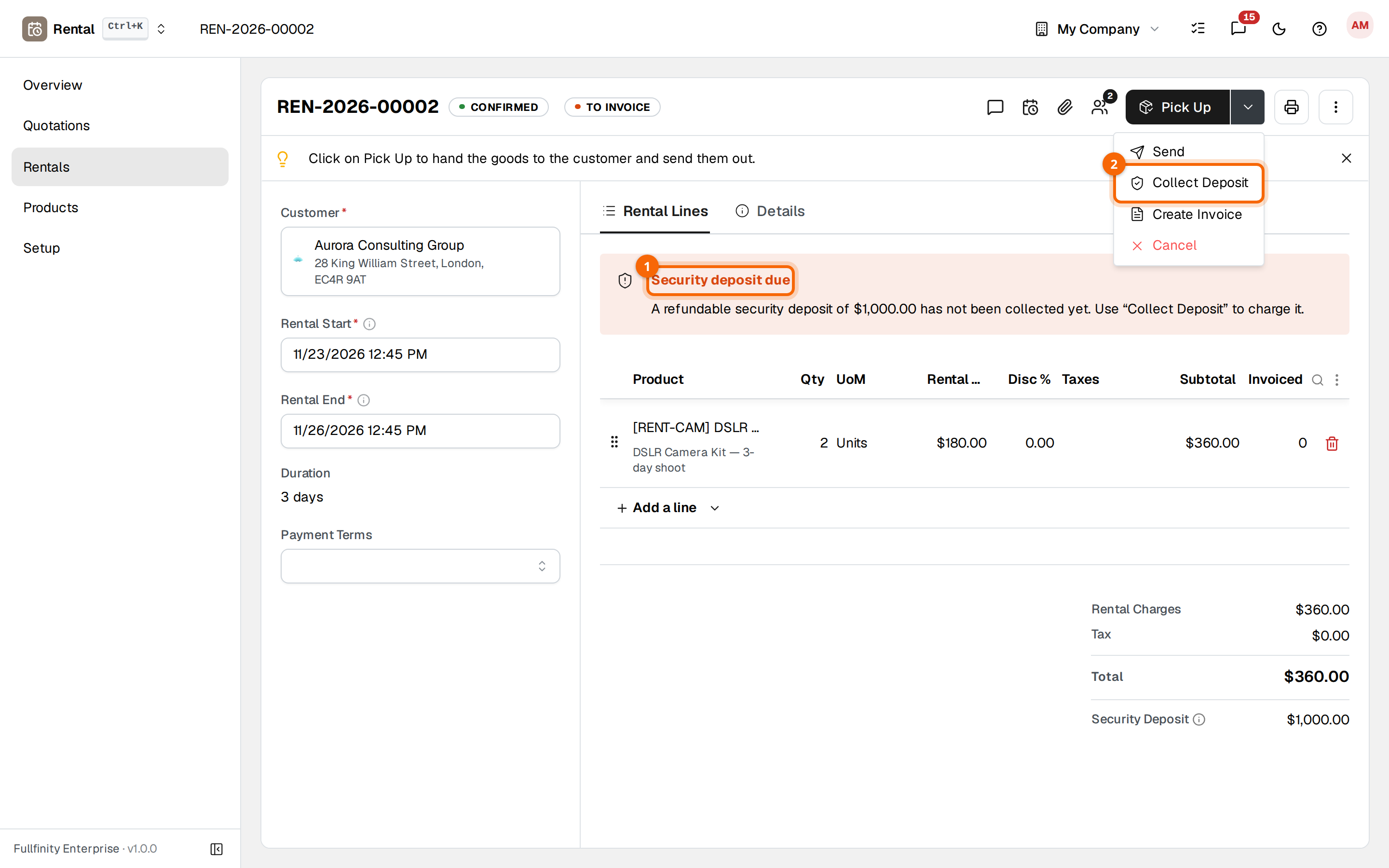
A deposit invoice opens in Draft. Post it and take the payment like any invoice — see How do I record a customer payment? The rental's deposit status becomes Held.
2. Refund it
Once the rental is Returned (or Cancelled), click the arrow next to the main button and choose Refund Deposit.
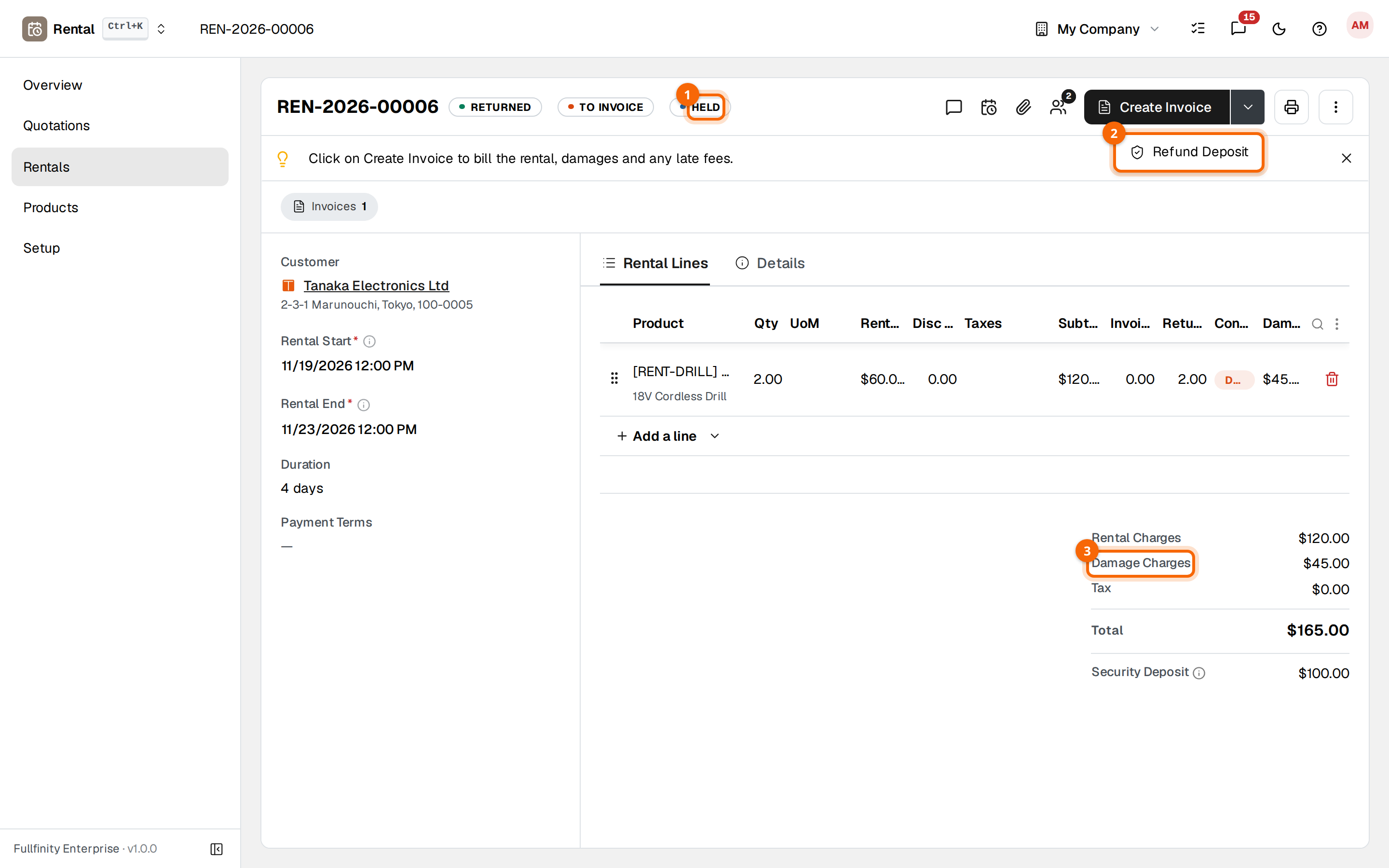
A credit note for the whole deposit opens in Draft, on the same account the deposit was collected on. Post it. The deposit status becomes Refunded.
Keeping back damage or late fees
Damage, loss and late fees are charged on the rental's own invoice — see How do I invoice a rental? The deposit credit note and that invoice are both on the customer's account, so you pay out only the difference: apply the credit note to the rental invoice, then refund what is left. See How do I apply a credit note?