How do I start a subscription?
Create a subscription for a customer from a plan, adjust its lines, attach a saved payment method, and confirm it to start the trial or the first billing period.
A subscription is one customer's agreement to pay you on a plan's schedule. You can create one by hand, as here, or have it created when a sales order is confirmed — see How do I sell a subscription on a sales order?
1. Create the subscription
Go to Subscriptions → Subscriptions and click New. You can also click New Subscription on the Overview.
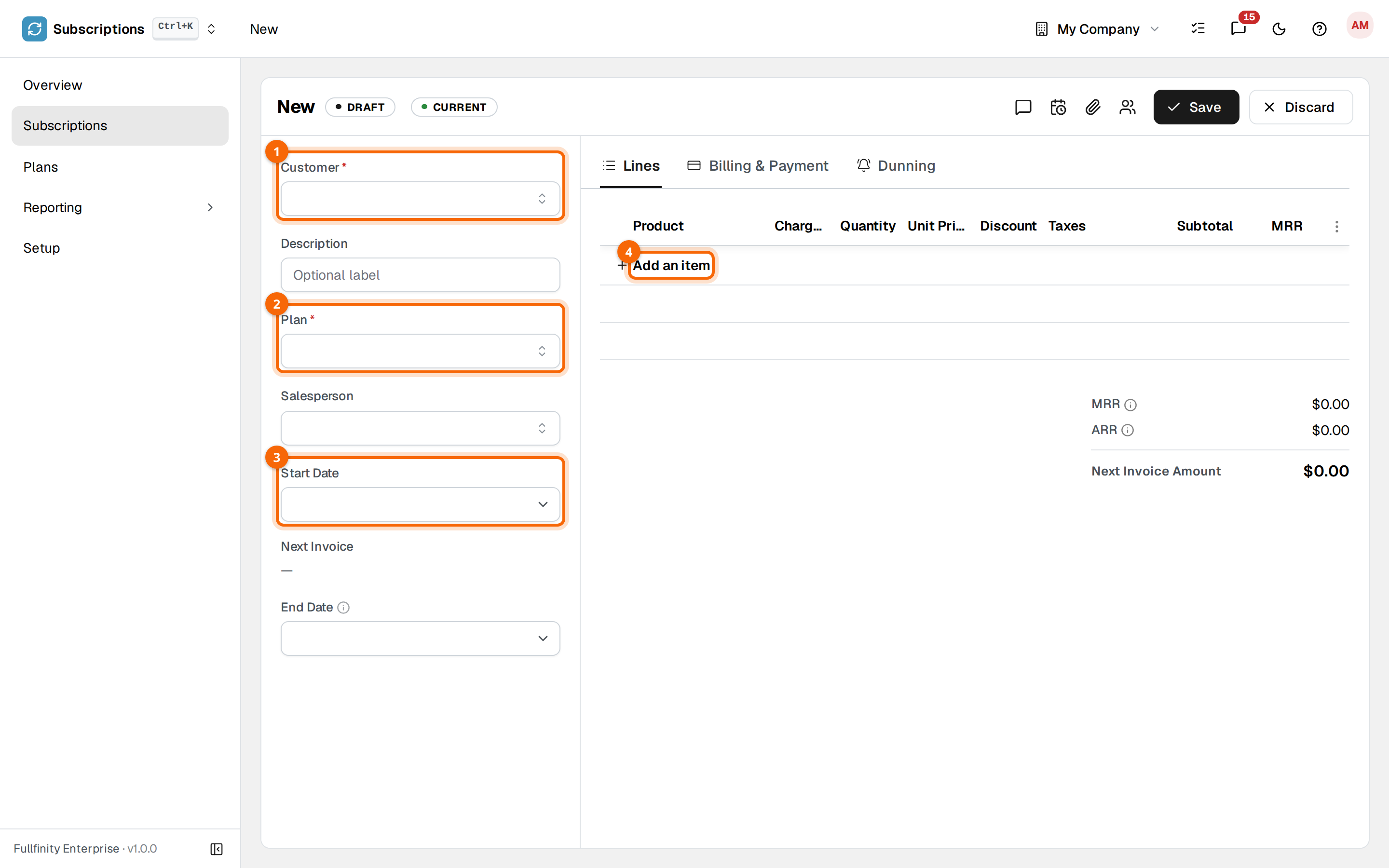
- Customer — who pays.
- Plan — picking a plan fills in the subscription's lines and its billing schedule from the plan.
- Start Date — when the subscription starts. Leave it blank to start on the day you confirm it.
- On the Lines tab, change what this customer pays — for example set the Quantity to the number of seats they bought — or click Add an item to add something only this customer has.
Fill in a Description if you want a label of your own, and a Salesperson. The summary under the lines shows the subscription's MRR (what it is worth each month), its ARR (each year) and the Next Invoice Amount.
2. Billing and payment
Open the Billing & Payment tab.
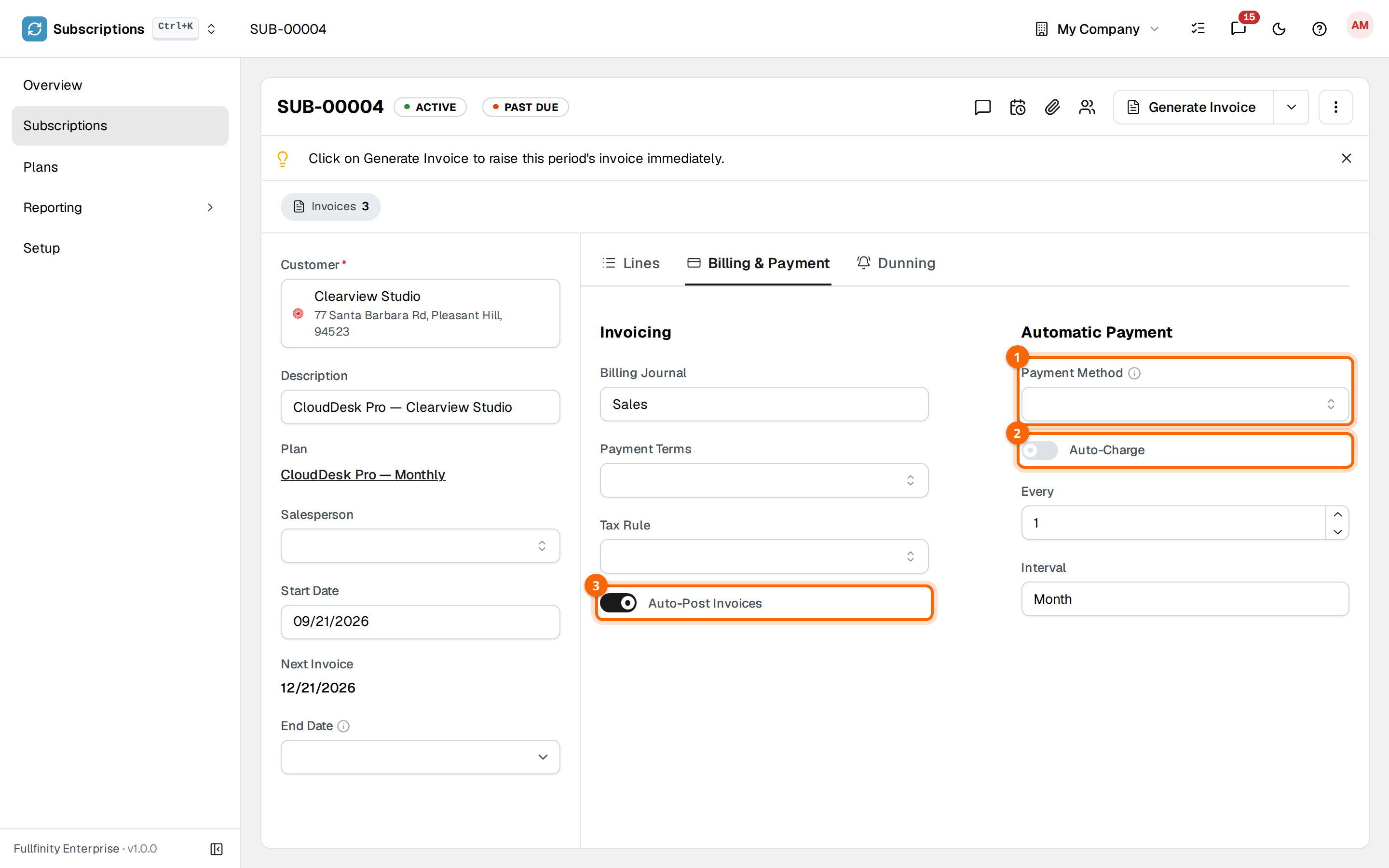
- Payment Method — the customer's saved card or bank account to charge. A customer saves one from their online account — see How do customers manage their subscription online?
- Auto-Charge — charge that payment method each time an invoice is raised. Turn it off for customers who pay by invoice.
- Auto-Post Invoices — post each invoice as soon as it is raised.
Billing Journal, Payment Terms and Tax Rule come from your settings and the customer; change them here for this subscription only.
3. Confirm
Click Confirm. What happens next depends on the plan:
- A plan with a trial puts the subscription in Trial until the date shown in Trial Ends. It then becomes Active and the first period is billed.
- Otherwise the subscription becomes Active straight away. A plan billed In Advance raises the first invoice now; one billed In Arrears raises it at the end of the first period.