How do I manufacture with lots and serial numbers?
Give what you make a lot or serial numbers, record which component lots went into it, and trace either way.
When the product you make is tracked by lot or serial number, each run records the lot it produced and the component lots it used — so you can trace a finished product back to its materials, and a material forward to everything made from it.
Name the lot you produce
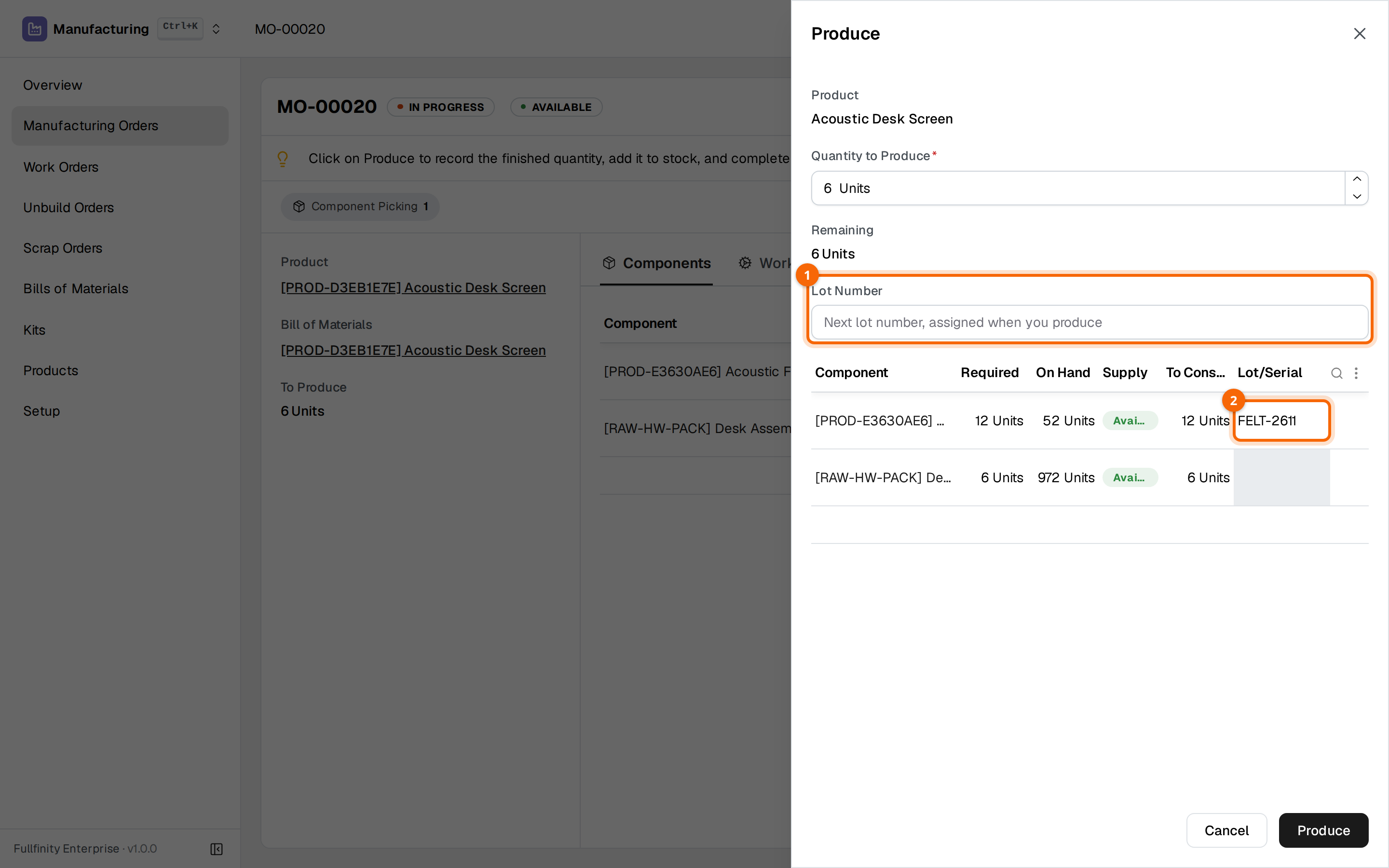
When you click Produce on an order for a tracked product, the panel asks for it:
- Lot Number (1) — for a lot-tracked product. Leave it blank and the next lot number is assigned when you click Produce, or type your own batch code. Producing into an existing lot adds to it.
- Serial Number Prefix — for a serial-tracked product. Leave it blank for the next prefix, or type your own. Each unit gets the prefix and a running number, e.g. DESK-0001, DESK-0002. Serial-tracked products are produced in whole units.
For a tracked component, the Lot/Serial column (2) shows the lot reserved for the order. Pick another if you used a different one.
A finished lot gets its manufacturing date, and — for products with expiry dates — its expiry is counted from the day it was made.
Trace a lot
Open the lot from Inventory → Lots/Serial Numbers:
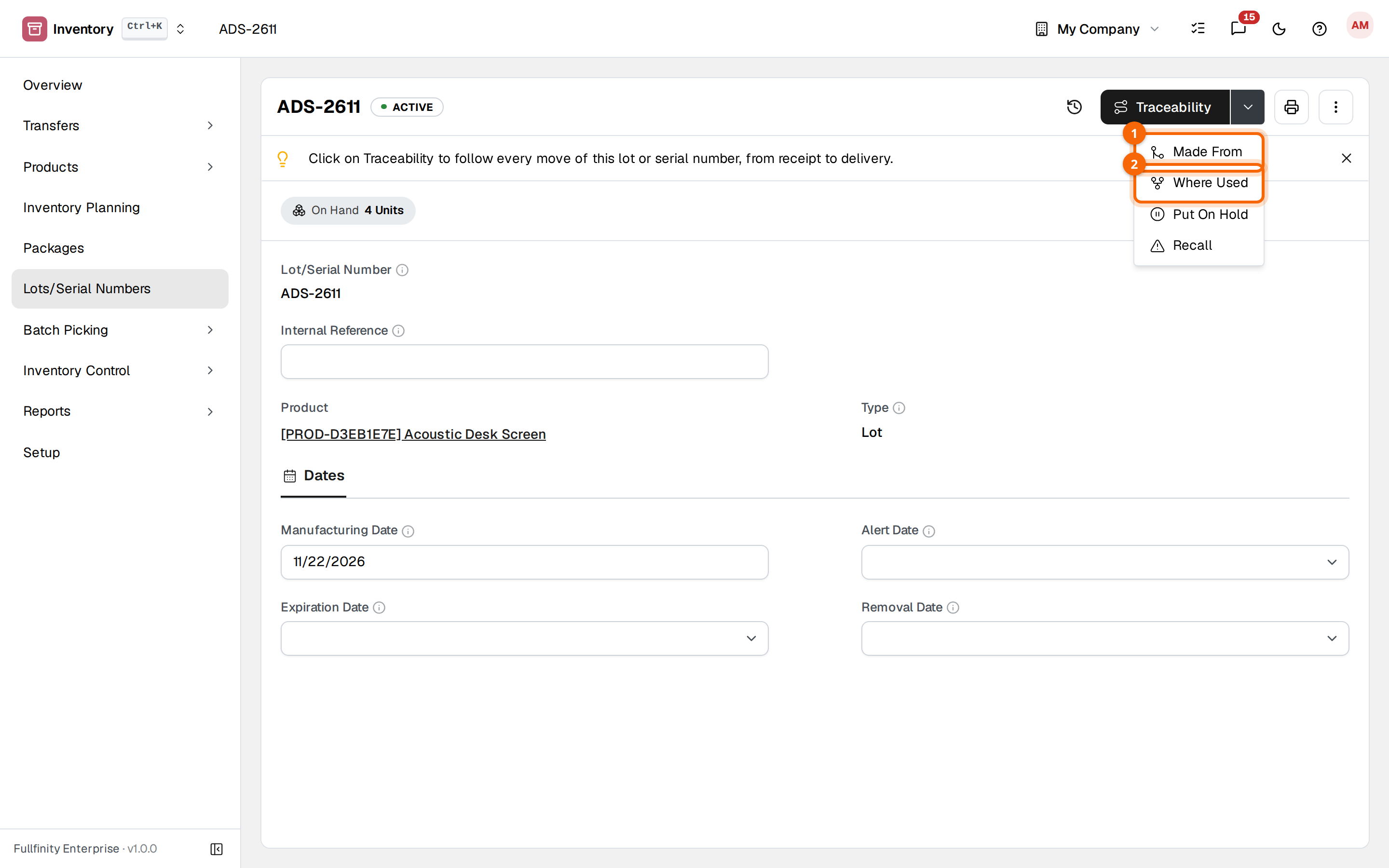
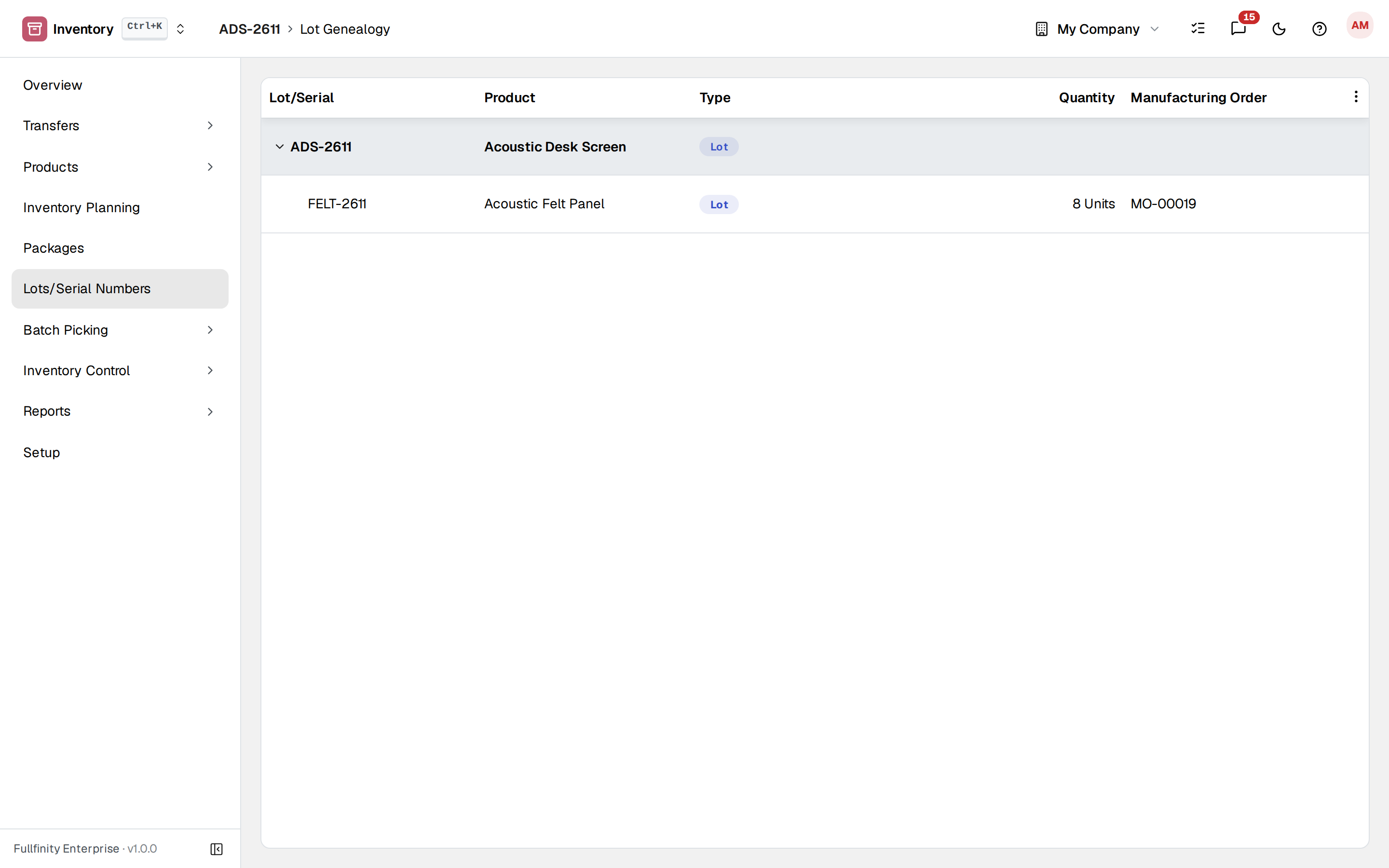
- Made From (1) shows the component lots that went into it, level by level.
- Where Used (2) shows every lot made from it — the list you need for a recall.
Related: How do I trace a lot and recall it?