How do I trace a lot and recall it?
Follow a lot or serial number from receipt to customer, block it, and find everyone who received it.
When a supplier warns you about a bad batch, you need two answers fast: where is the rest of it, and who already has some? Lot traceability gives you both, and a recall stops the lot from going anywhere else.
Trace the lot
- Go to Inventory → Lots/Serial Numbers and open the lot.
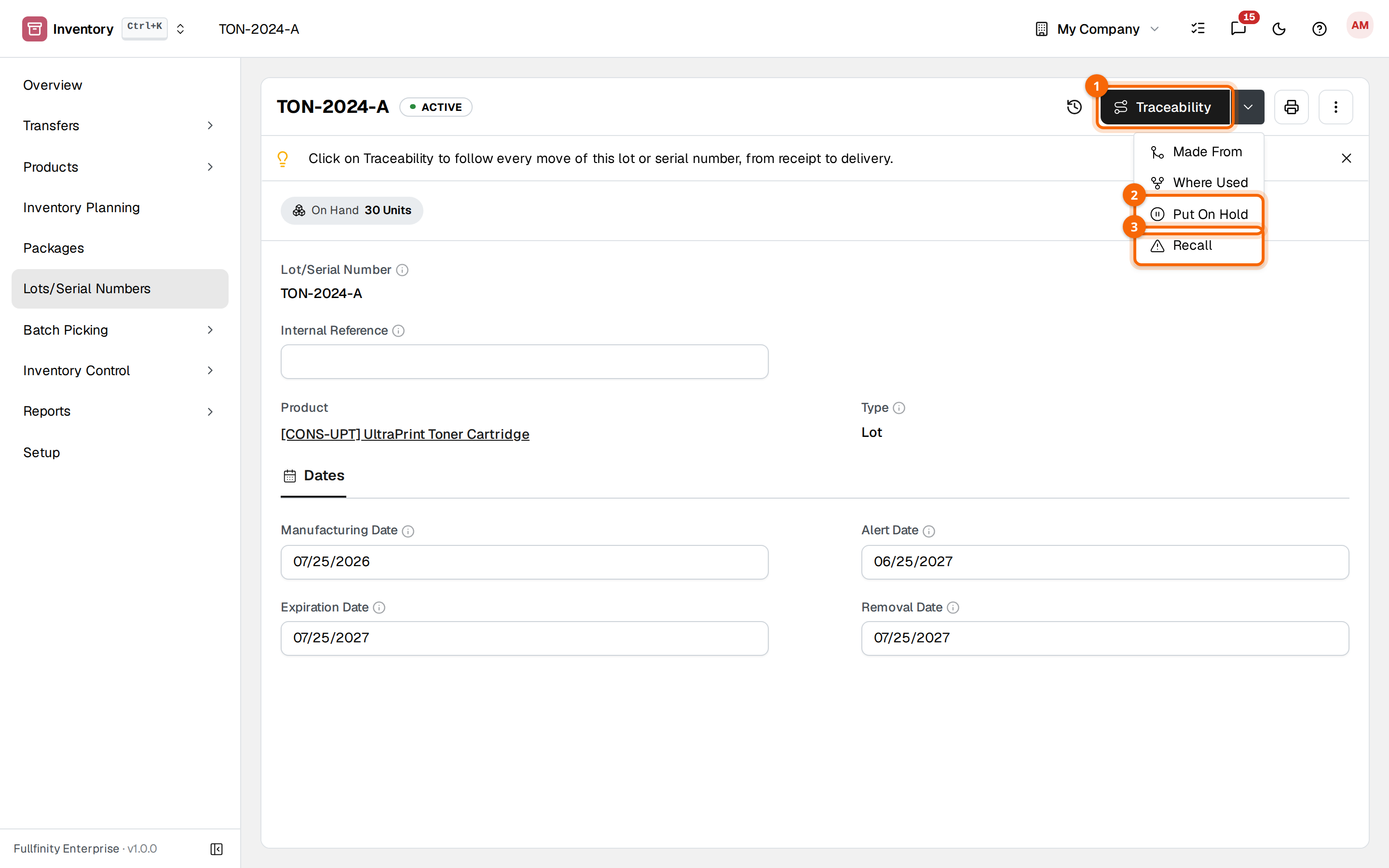
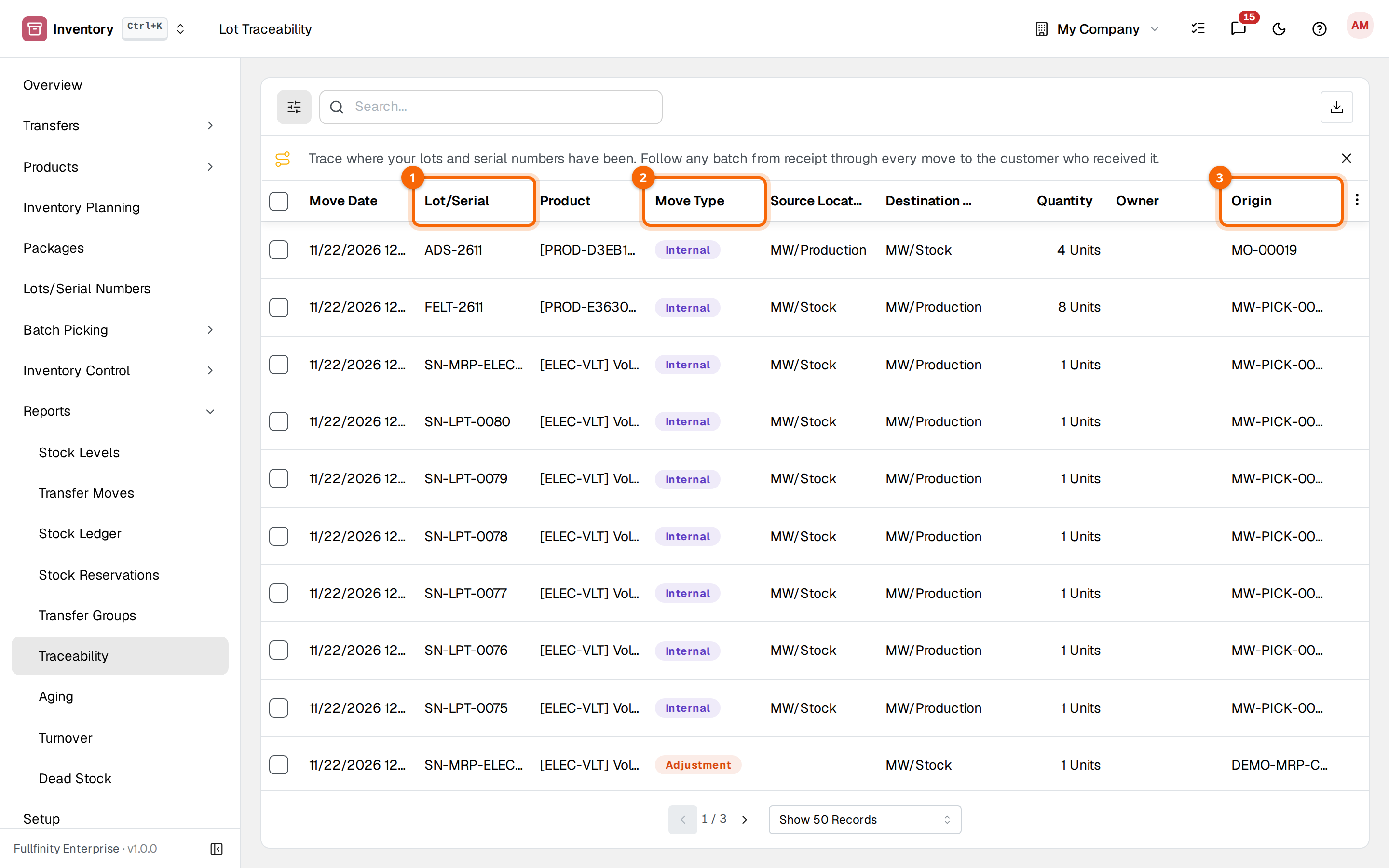
- Click Traceability (1). Every move of the lot is listed — its Move Type (Receipt, Delivery, Internal…), where it went, the quantity, and the Origin document.
- On Hand on the lot shows how much is still in stock, and where.
You can also search every lot's history at once in Inventory → Reports → Traceability.
Hold or recall it
Open the menu next to Traceability:
- Put On Hold (2) blocks the lot from being reserved or picked while you investigate. Release makes it available again.
- Recall (3) blocks it for good and opens the list of every delivery that shipped it — the customers to contact.
A recalled lot can only be reopened by an Inventory Manager with Lift Recall. It goes back to On Hold, not straight to available, so someone still has to release it deliberately.
Was this article helpful?