How do I invoice the time spent on a project?
Bill the hours logged on a task sold on a sales order, at the order's price per hour.
Time is billed through the sales order it was sold on. The billable hours logged on the order's task become the line's delivered quantity, and you invoice the order as usual: the customer pays for the hours actually worked, at the price on the order.
1. Log the time
Your team logs time on the task the order created, as usual — see How do I log my time? Leave Billable on for hours the customer pays for. Each entry updates the order line's delivered quantity straight away — once it is approved, when approval is on. Click the small clipboard icon on the order line to see the hours delivered and still to invoice.
2. Create the invoice
- Open the order from the task's Sales Order button, or from Sales → Orders.
- Click Create Invoice, check the Invoice Date and click Create Invoice.
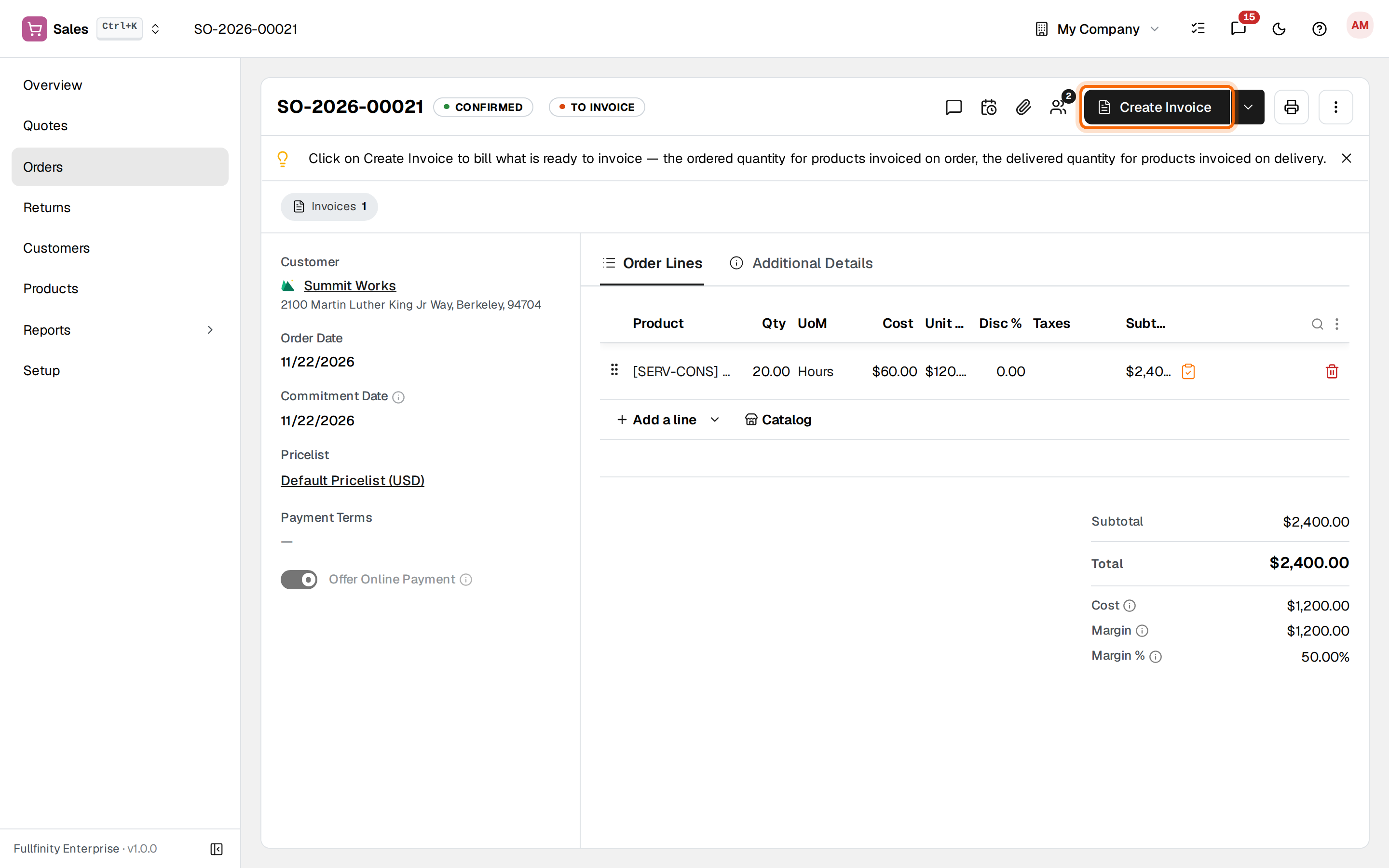
The invoice bills the hours delivered and not yet invoiced — even if you sold more or fewer hours than were worked. Post it and send it — see How do I invoice a sales order?
What happens to the time
Once the invoice is posted and covers every hour delivered, the time on the task is marked as invoiced and locked, so the hours and the invoice always agree. Time logged later is billed on the next invoice. If the invoice is cancelled with a credit note, the time is unlocked again.