Who can see a project?
People see the projects they manage or work on; project managers see every project. Add someone to a project's team to give them access.
Projects are not open to everyone in the company. What a person sees depends on their Projects role and on which projects they are part of.
What each role sees
| Projects role | Sees |
|---|---|
| User | The projects they manage, are on the team of, or created — and in those projects, every task. Elsewhere, only the tasks assigned to them. |
| Manager | Every project and every task. Also the only role that can delete projects and tasks, change task stages and open Projects → Setup. |
A project's money — its Cost / Hour, Invoiced, Cost, Margin and Margin % — is shown to project managers only, even when a user can open the project.
Give someone access to a project
- Open the project from Projects → Projects (the ⋮ on its card, then Open Project).
- Add the person to Team, or make them the Project Manager.
- Click Save.
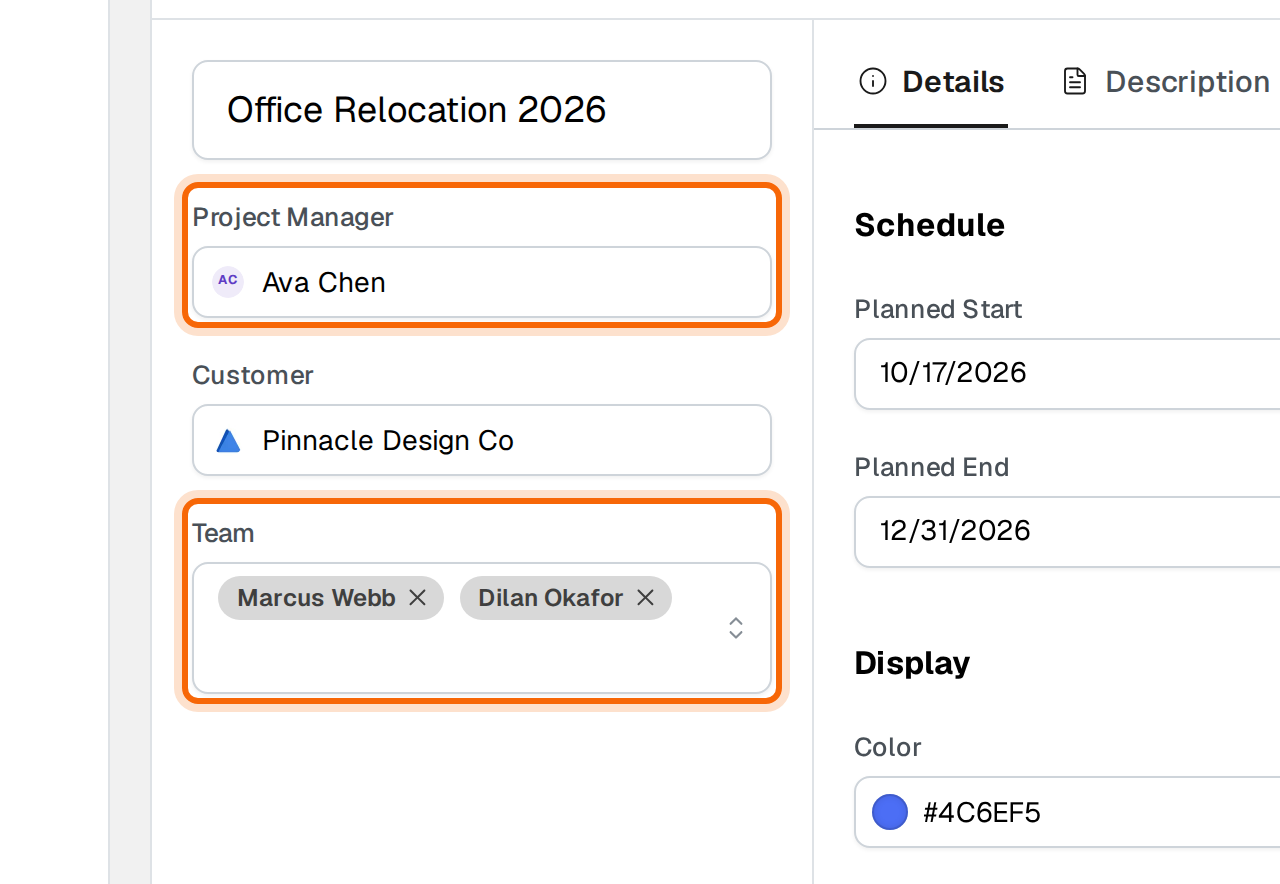
They now see the project and all of its tasks. Assigning someone a single task, without adding them to the team, shows them that task only.
Was this article helpful?