How do I see what a vehicle costs and get it serviced?
Read a vehicle's running cost and cost of ownership, book its services through Maintenance, and see the whole fleet at a glance.
A vehicle's costs
Open the vehicle and go to the Costs tab.
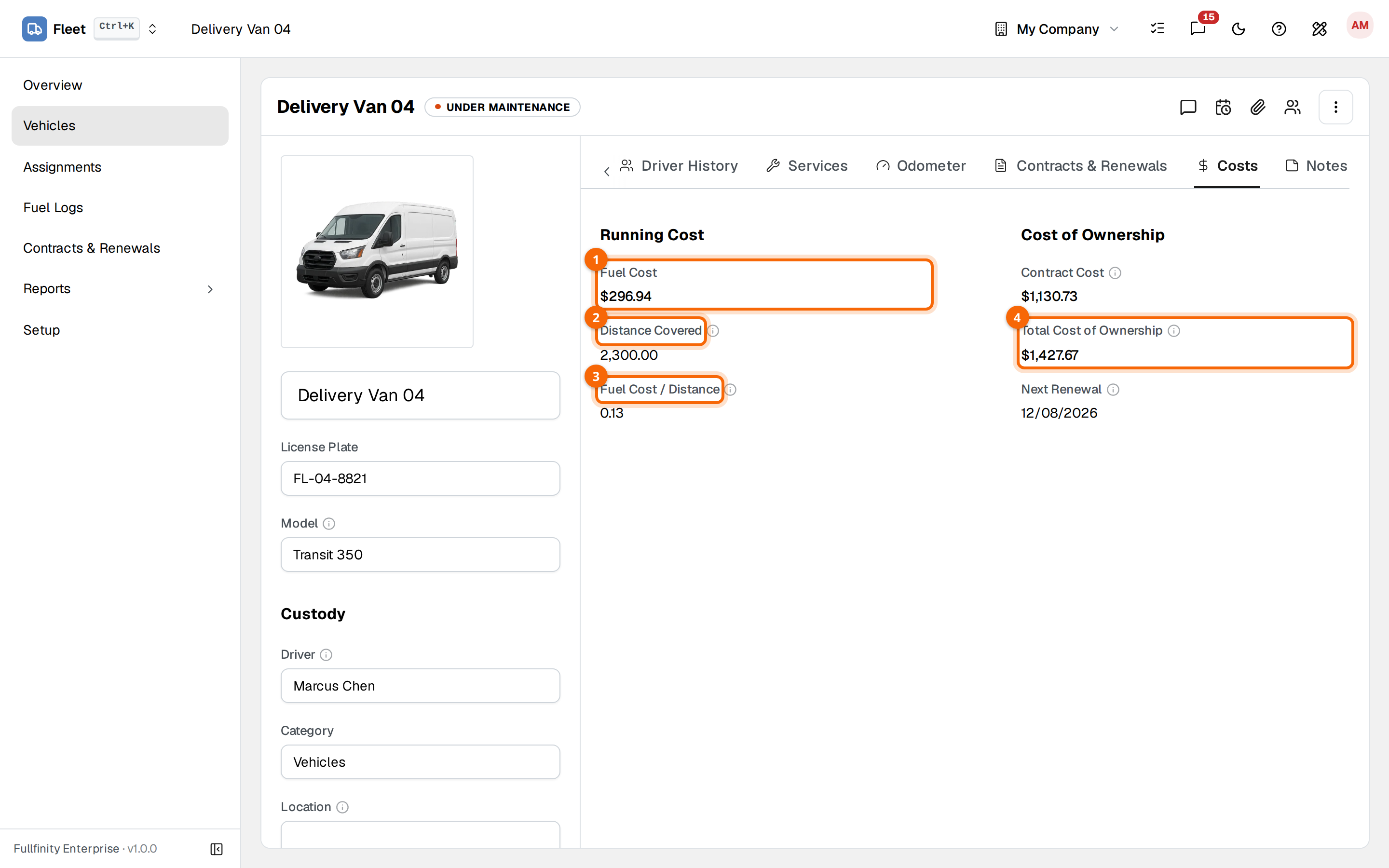
- Fuel Cost — everything spent on fuel.
- Distance Covered — from the lowest to the highest odometer reading on its fuel entries.
- Fuel Cost / Distance — what each kilometre or mile costs in fuel.
- Total Cost of Ownership — fuel plus the Contract Cost incurred so far. Next Renewal is the soonest contract expiry or warranty end.
Servicing
A vehicle is serviced through Maintenance like any equipment: raise a request on it in Maintenance → Requests (see How do I report a breakdown?), or put it on a preventive plan by kilometres or months (see How do I schedule preventive maintenance?). Its Services tab lists them all, and its Odometer tab the readings a distance-based plan works from.
The whole fleet
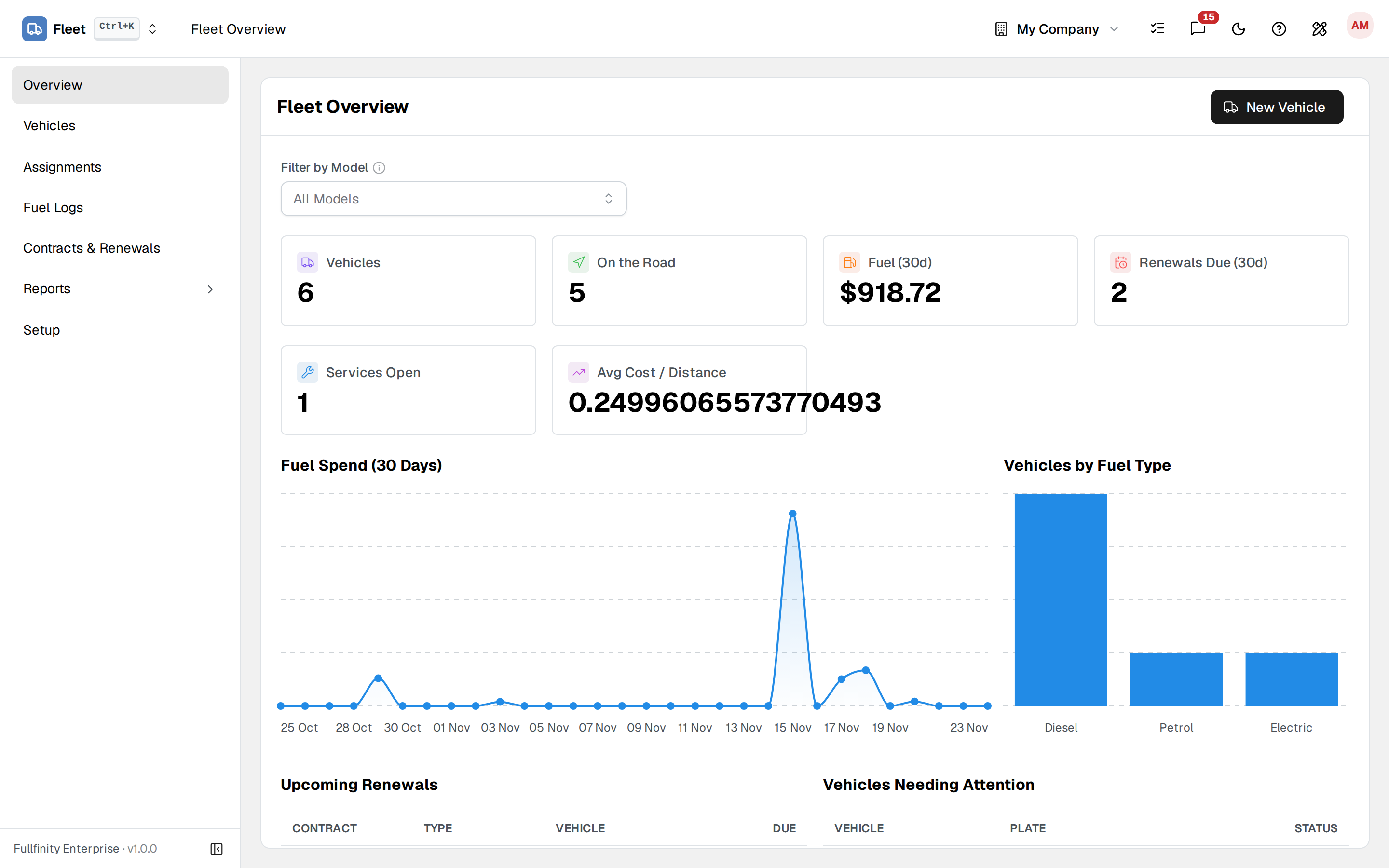
Fleet → Overview shows your vehicles, fuel spend over the last 30 days, vehicles by fuel type, upcoming renewals and the vehicles needing attention; Filter by Model narrows it to one model. Fleet → Reports → Fuel Cost Analysis is a pivot table of fuel spending by vehicle and fuel type, with a chart and a list of the entries behind it.