How do I schedule preventive maintenance?
Set up a plan that creates service requests every so many days or months, or every so many hours or kilometres of use.
A preventive plan is a routine — lubricate every month, service every 500 hours — applied to as many pieces of equipment as you like. Each one keeps its own schedule.
- Go to Maintenance → Preventive Plans and click New.
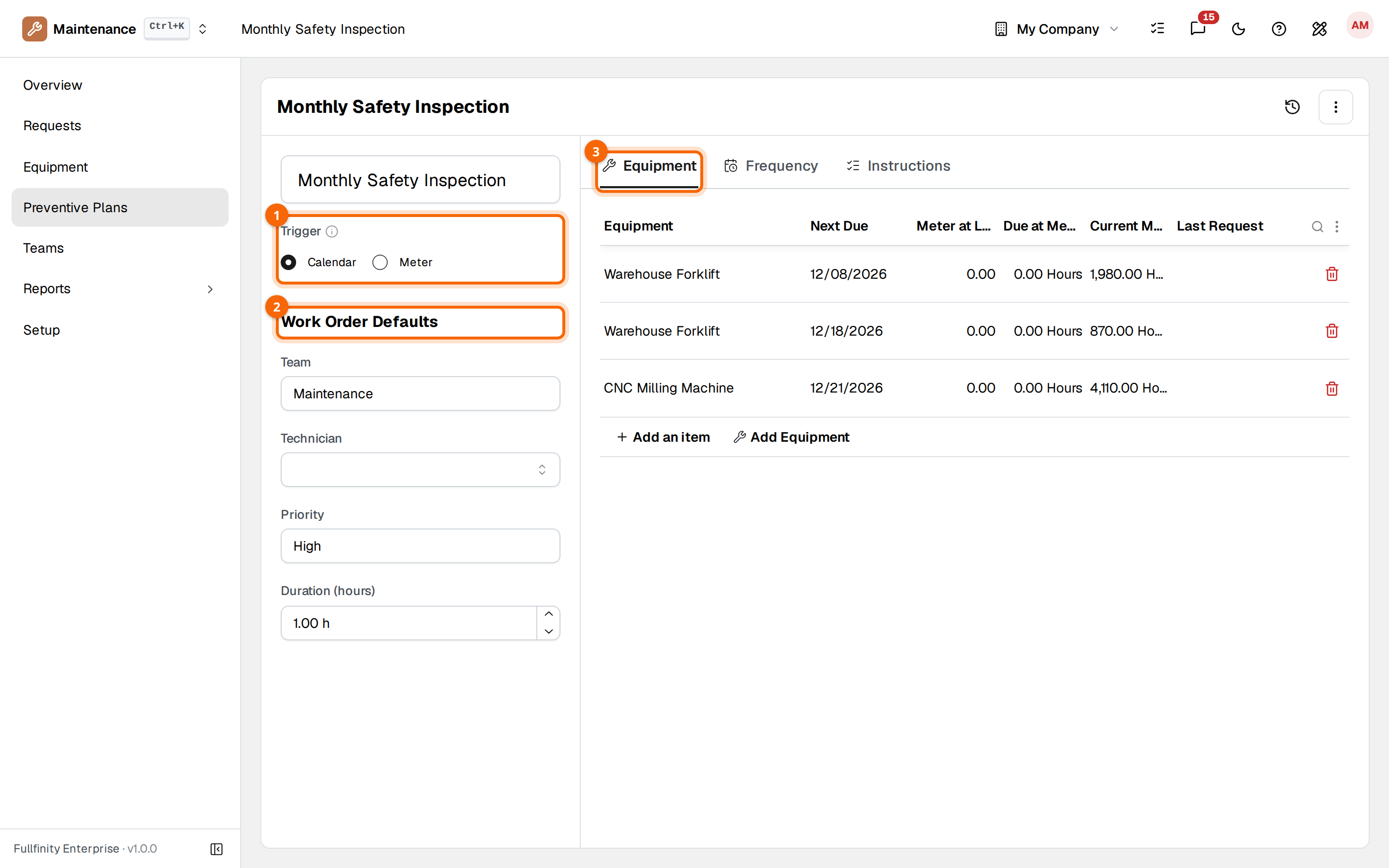
- Name the plan and choose its Trigger: Calendar for a time interval, Meter for usage.
- Under Work Order Defaults, the Team, Technician, Priority and Duration (hours) every request from this plan gets. Its Instructions tab is copied onto each request.
- On the Frequency tab:
- Calendar — Every so many days, weeks, months or years. Repeat From Scheduled Date keeps a fixed rhythm; Completion Date counts the next service from when the last one was actually done. Lead Time (days) is how early the request is created.
- Meter — the Meter Interval, for example 500 for every 500 hours.
- On the Equipment tab, click Add Equipment and pick the units.
Each unit's schedule
On a calendar plan each unit's first service is one interval from today. Change a unit's Next Due to stagger them. On a meter plan, Meter at Last Service starts at the unit's current reading, and Due at Meter shows when it is next due.
How requests are created
Every day, each unit that is due (or within the lead time) gets a preventive request, and its schedule moves on. A unit never gets a second one while one is still open. Archived and scrapped equipment is skipped. If a unit's request can't be created, a note on the equipment says why.