How do I add a vehicle?
Register a vehicle with its plate, model, specifications and how you own it.
Go to Fleet → Vehicles and click New.
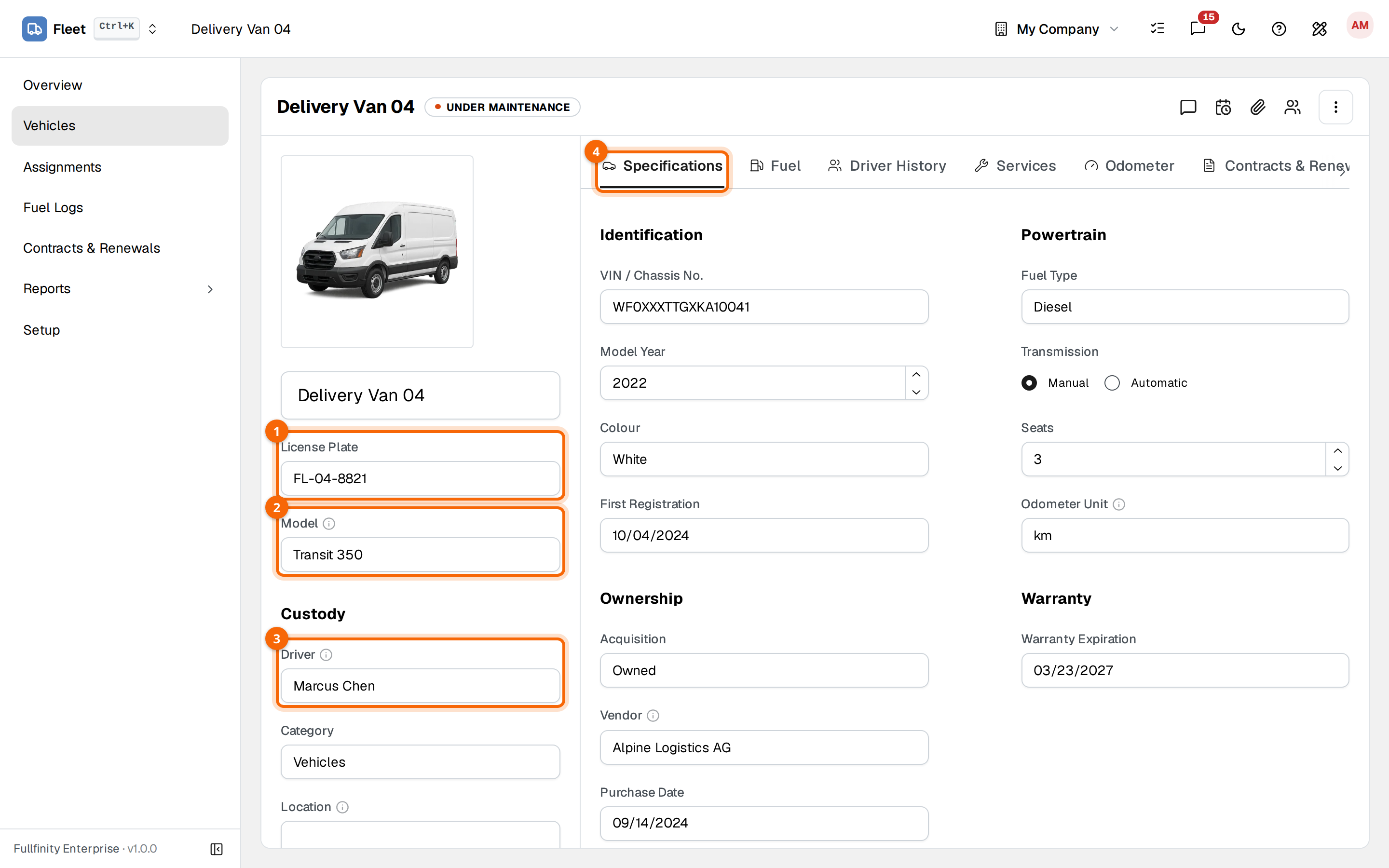
- Name it (Delivery Van 04), add a photo and the License Plate.
- Choose the Model. Its fuel type, transmission and seats fill in, and the vehicle is filed under the model's category when you save.
- The Driver is who has the vehicle now. It follows the driver history — see How do I assign a vehicle to a driver?
- On Specifications, fill in what you know:
- Identification — VIN / Chassis No., Model Year, Colour, First Registration.
- Powertrain — Fuel Type, Transmission, Seats, and the Odometer Unit (the distance unit from the settings).
- Ownership — Acquisition (Owned, Leased or Financed), who it came from, the purchase date and cost.
- Warranty — when it runs out. It counts as a renewal date too.
Click Save. The vehicle's status at the top — Operational or Under Maintenance — follows its repairs in Maintenance.
Was this article helpful?