How do I report a breakdown?
Raise a maintenance request for equipment that needs fixing, with its priority and schedule.
Go to Maintenance → Requests and click New.
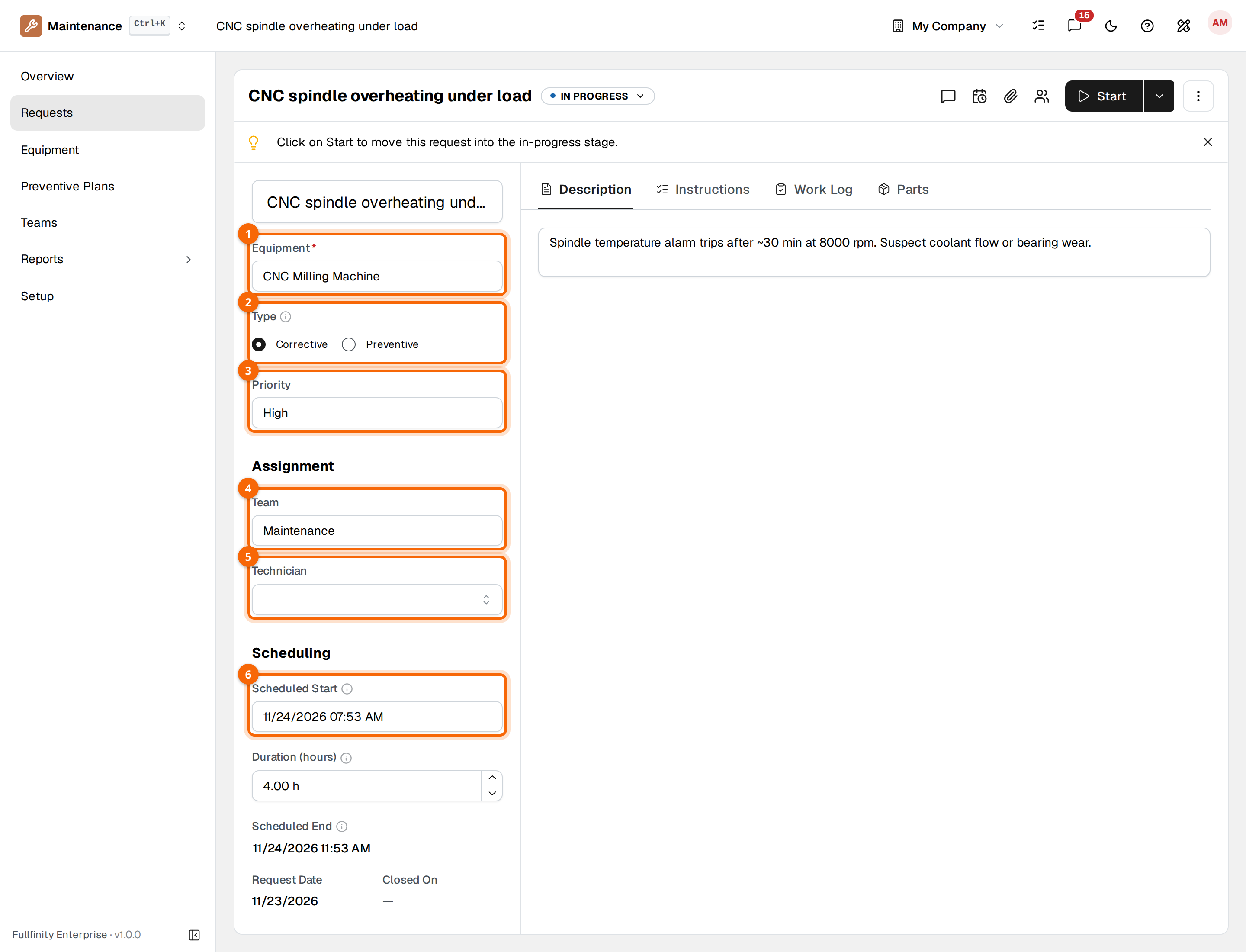
- Describe the problem in a line, and choose the Equipment.
- Type — Corrective for a breakdown. (Preventive requests are usually created by plans.)
- Priority — Low, Medium, High or Urgent.
- Team and Technician fill in from the equipment. If the equipment names no technician, the team's assignment method picks one when you save.
- Under Scheduling, set the Scheduled Start and Duration (hours); the Scheduled End follows.
Put what you know on the Description tab, and the steps to follow on Instructions. Click Save.
While a corrective request is open, its equipment shows Under Maintenance, so everyone can see it is out of action.
Was this article helpful?