How do I log fuel?
Record each refuel or charge with the odometer, and reimburse a driver who paid for it.
Go to Fleet → Fuel Logs and click New — or add a line on the vehicle's Fuel tab.
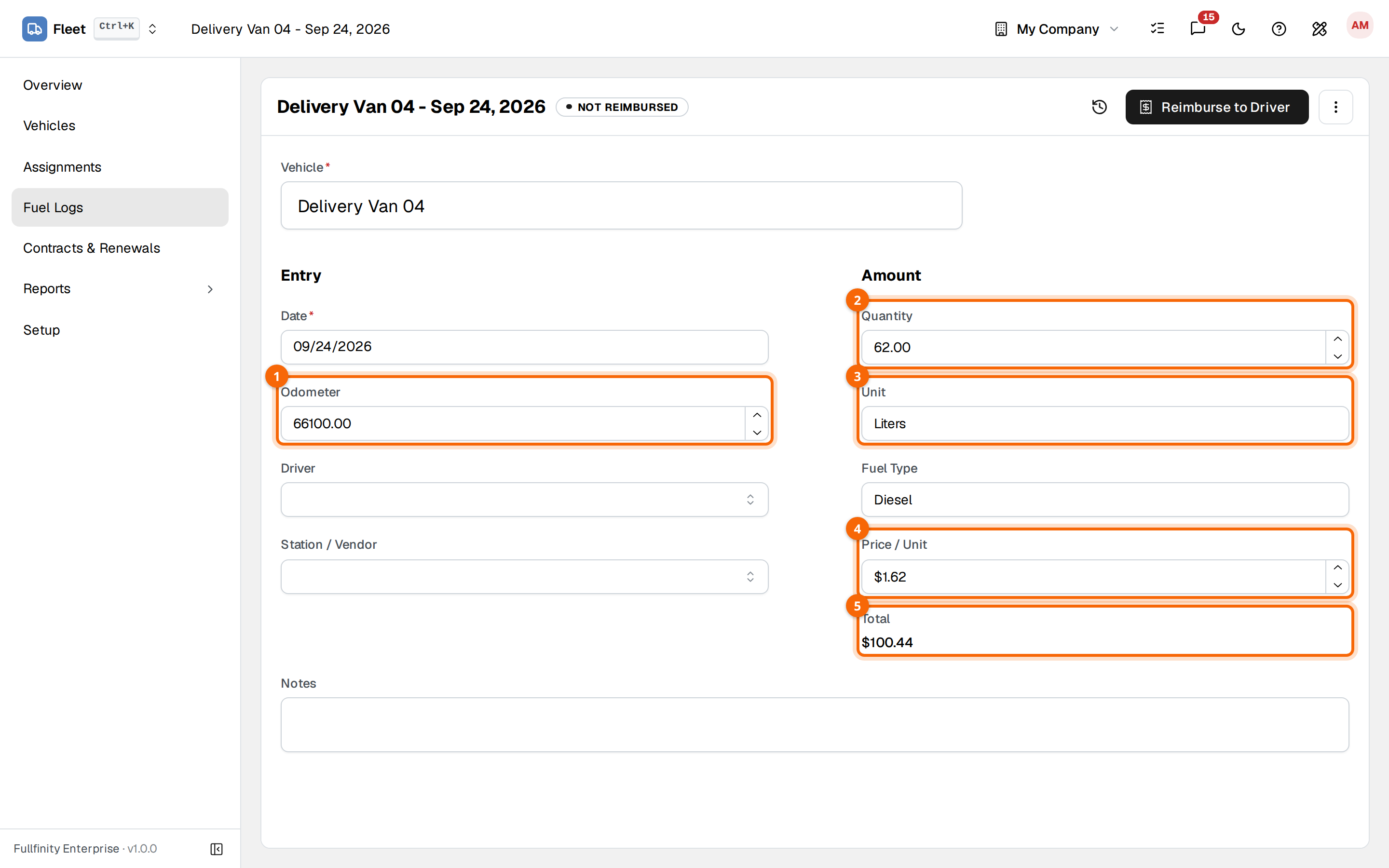
- Choose the Vehicle, the Date and the Driver, and the Station / Vendor if you want it on record.
- Enter the Odometer reading at the pump.
- Enter the Quantity and check the Unit (it starts as the default fuel unit from the settings).
- Enter the Price / Unit; the Total is worked out.
With Auto-log Odometer from Fuel on, the odometer reading is added to the vehicle's Odometer history too, so services planned by distance know how far it has gone. Fuel entries with an odometer also give the vehicle's distance covered and its fuel cost per distance.
Pay a driver back
When the driver paid at the pump, click Reimburse to Driver. The fuel is added to the driver's draft expense report (a new one if they have none), to be submitted and reimbursed like any expense. The entry is then marked Reimbursed. This needs Employees and Expenses, and the vehicle's Driver (Employee) set. See How do I submit an expense report?