How do I turn an RFQ into a purchase order?
Confirm the RFQ to commit to the purchase; Fullfinity then expects the goods and tracks what is still to receive and to bill.
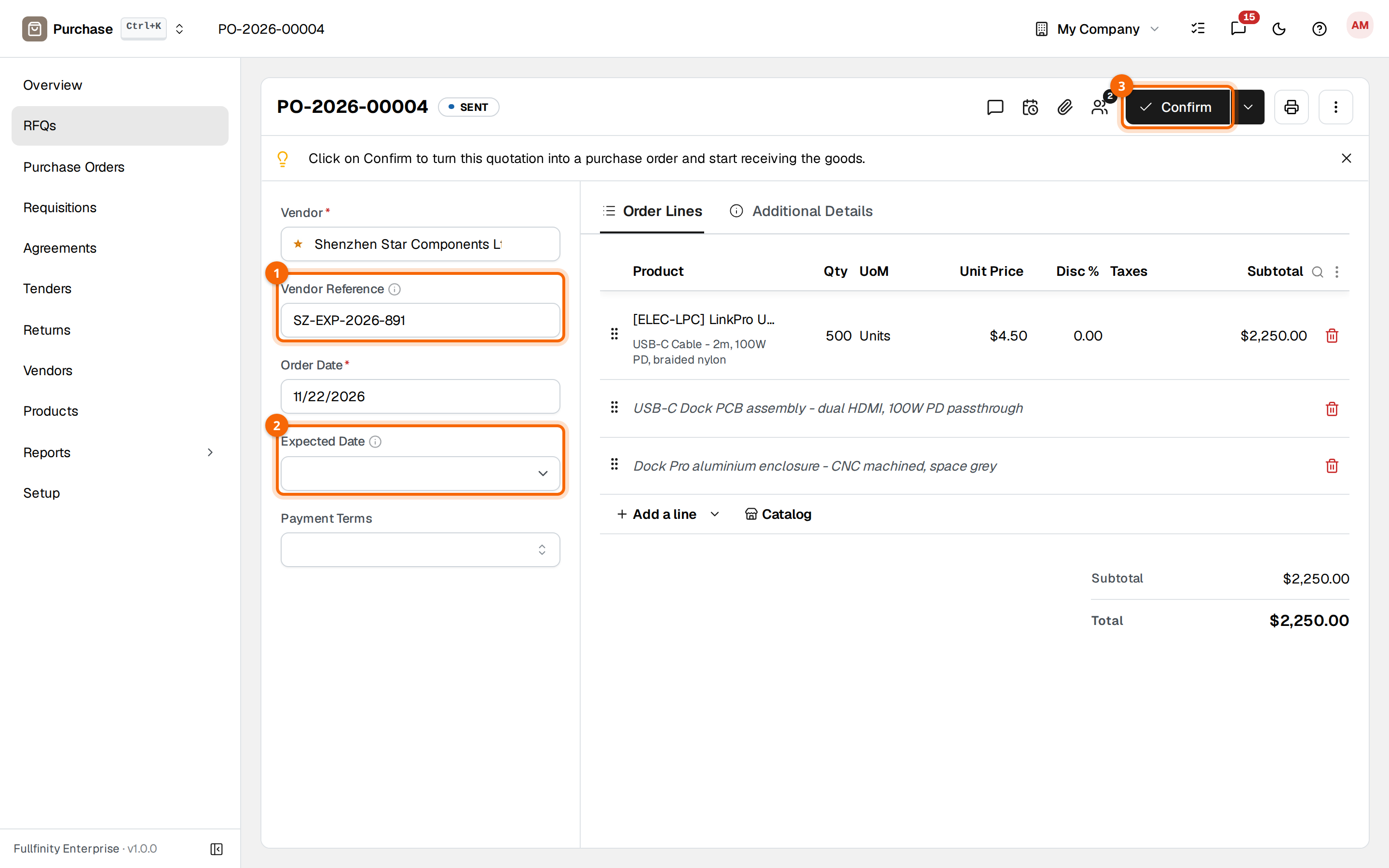
Confirming an RFQ is the moment you commit to buy. Do it once the vendor has agreed the prices and quantities.
Confirm the RFQ
Open the RFQ from Purchase → RFQs and click Confirm at the top. It works on an RFQ in either RFQ or Sent status.
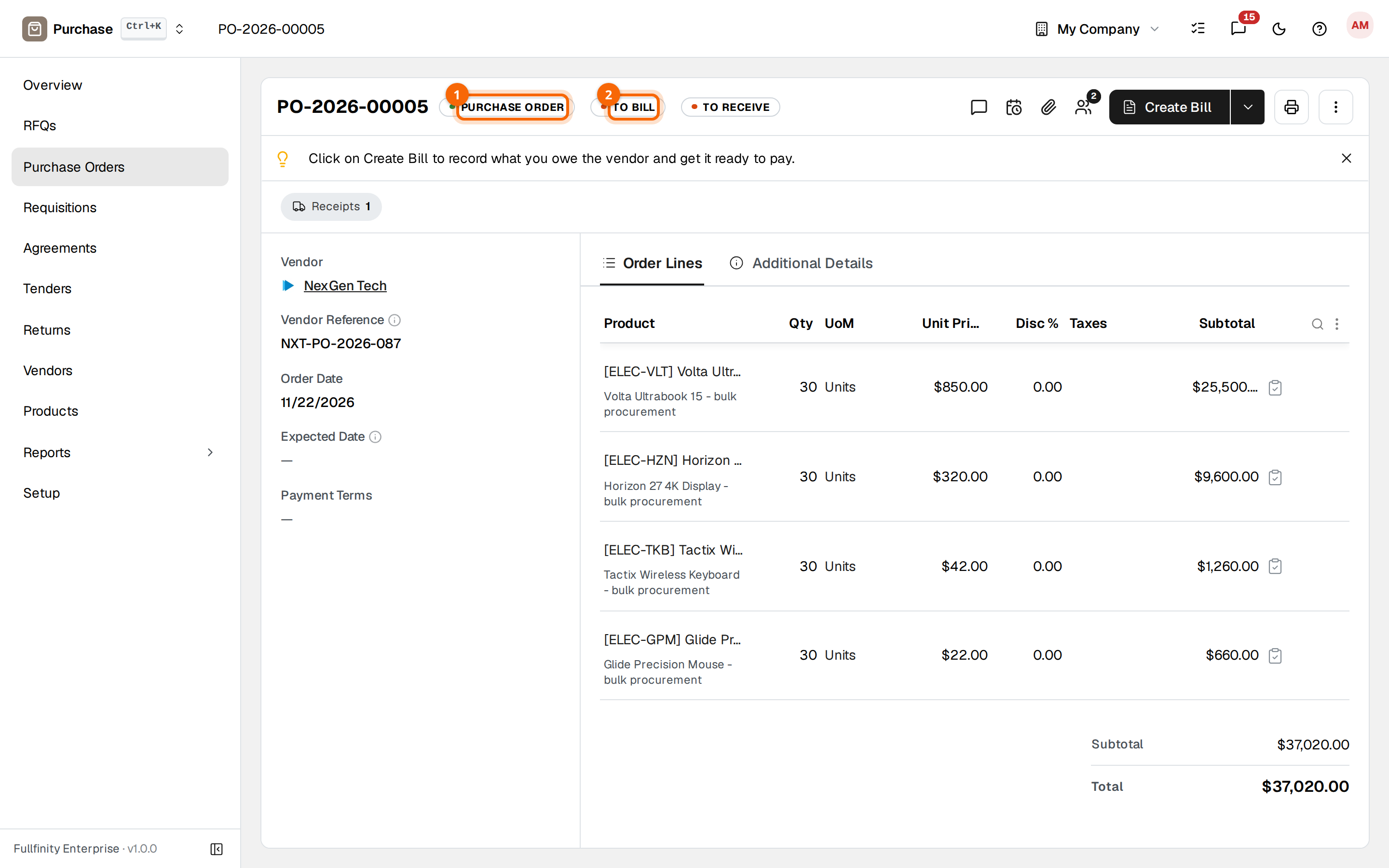
The document keeps its number, moves to Purchase Orders, and its status becomes Purchase Order. A second badge shows its Bill Status.
What confirming does
- Expects the goods. With Inventory installed, a receipt is created for the stocked products, and a Receipts button on the order opens it. In the Purchase Orders list, the Receipt column follows the receipt: To Receive, Partially Received, Fully Received.
- Starts billing. Bill Status shows To Bill once there is something to bill, and Fully Billed when it has all been billed. See How do I create a bill from a purchase order?
- Locks the order. Lines, prices, dates and the billing policy can no longer be edited.
- Shows progress per line. A small indicator at the end of each line opens the ordered, received and billed quantities.
Why confirming can be refused
| Message says… | What to do |
|---|---|
| The vendor does not supply these quantities | A line is below the vendor's minimum order quantity. Raise the quantity, or change the minimum on the vendor line in the product's Purchase tab. |
| Cannot confirm an order without lines | Add at least one product line. |
| The agreement does not cover this order's date, or the order takes more than the agreement has left | The order is drawn against a purchase agreement. The same check stops the vendor confirming it from the portal. See How do I use purchase agreements? |
Was this article helpful?