How do I set up Purchase?
Choose how vendor bills are counted, how late you expect deliveries, whether to use requisitions, and the terms printed on your orders.
A few company-wide settings decide how every new purchase order behaves. Set them once before you place your first order; each order can still be adjusted where noted.
In the Purchase app, click Setup in the left menu. The Purchase tab opens.
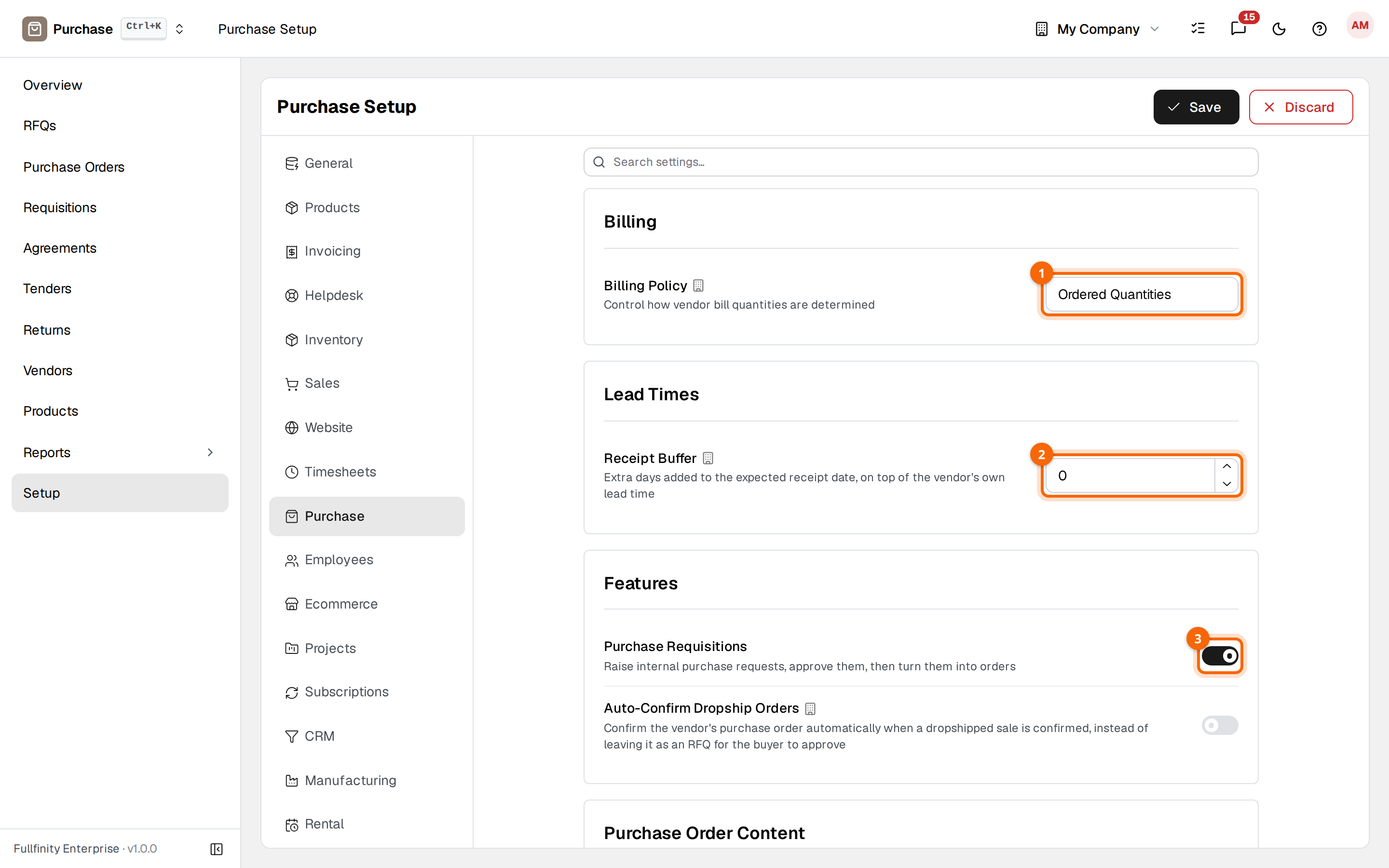
1. Billing Policy
Decides which quantity a vendor bill is made for:
| Option | What gets billed | Use it when |
|---|---|---|
| Ordered Quantities | Everything on the order, as soon as it is confirmed. | Vendors bill up front, or you buy services and subscriptions. |
| Received Quantities | Only what has actually arrived in your warehouse. | You want to pay for goods only once they are in stock. |
This is the default for new orders. Each order shows its own Billing Policy on its Additional Details tab, where you can change it before you confirm the order. A product can also override it: on the product's Purchase tab, Billing Policy is Follow the Purchase Order unless you pick one of the other two, which then applies to that product's lines on every order.
2. Receipt Buffer
The number of extra days added to an order's Expected Date, on top of the delivery lead time the vendor quotes for the products. Leave it at 0 to expect deliveries exactly on the vendor's lead time; set 3 if your vendors usually arrive a few days late and you'd rather plan for that.
3. Purchase Requisitions
Switch this on to let your team raise internal purchase requests that a buyer later turns into orders. It adds Requisitions to the Purchase menu. Leave it off if your buyers create RFQs directly. See How do I request purchases internally?
Terms & Conditions
Under Purchase Order Content, the Terms & Conditions you type here are copied onto every new order and printed on it. Each order keeps its own copy on its Additional Details tab, so you can change them for one vendor without touching the default.
Click Save when you're done.
➡️ Ready to buy? See How do I create and send a request for quotation?