How do I use purchase agreements for repeat buying?
Fix prices and quantities with a vendor for a period, then order against the agreement and watch how much is left.
A purchase agreement (sometimes called a blanket order) records a deal with one vendor: these products, this much of each, at these prices, until this date. You then place ordinary orders against it as you need stock, and Fullfinity draws each one down from the agreed quantity.
1. Set up the agreement
Go to Purchase → Agreements and click New.
- Reference — the agreement's name or the vendor's contract number.
- Vendor — who the deal is with.
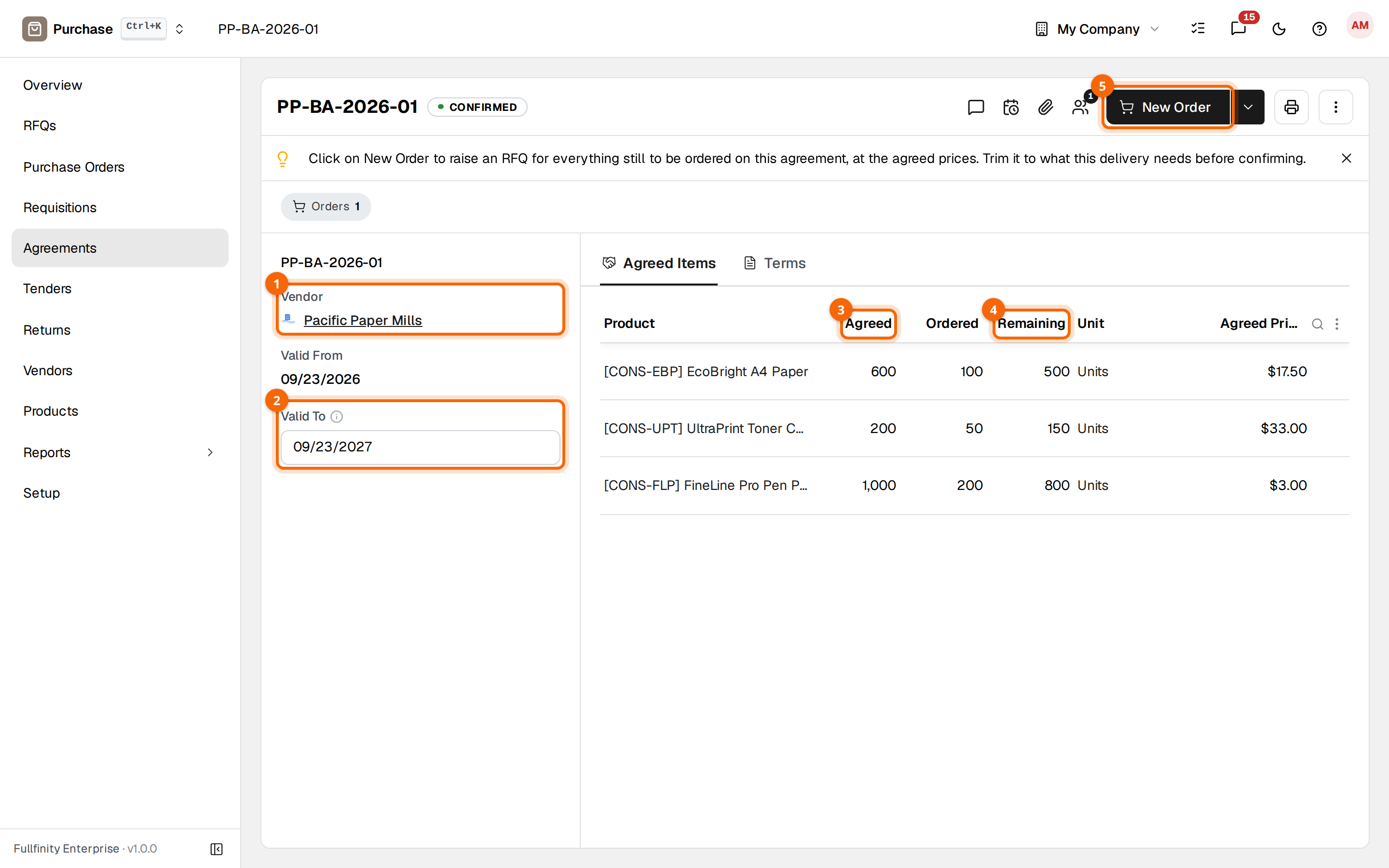
- Valid From and Valid To — when it runs. Leave Valid To blank for an open-ended agreement.
- On the Agreed Items tab, add each product with its Agreed quantity and Agreed Price (per the product's own unit).
- The Terms tab holds any notes on the deal.
Click Confirm. Only a confirmed agreement prices orders. Its status becomes Confirmed, and its items, quantities and prices are locked; Valid To and the Terms can still be changed.
2. Order against it
There are two ways, and both count against the agreement:
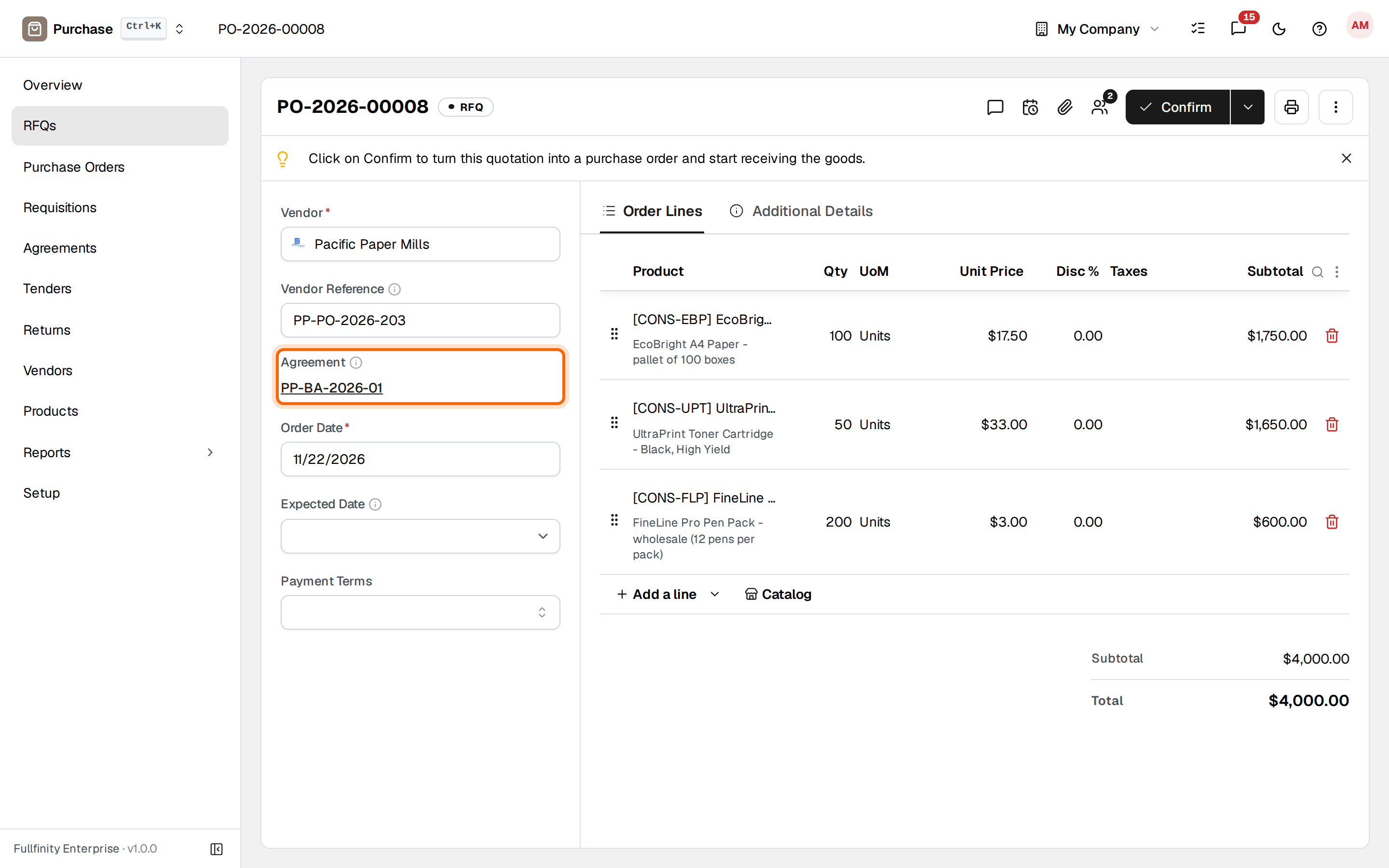
- On the agreement, click New Order. An RFQ opens with every item still to be ordered, at the agreed prices. Lower the quantities to what this delivery needs, then send and confirm it as usual.
- Or create an RFQ for the same vendor as normal. Picking a product the agreement covers fills in the agreed price automatically.
Either way, the RFQ shows which Agreement it is drawn against.
3. Keep track of what's left
On the agreement's Agreed Items tab, Ordered shows what has been ordered so far (open RFQs included) and Remaining what is left to call off. The Orders button lists every order placed against it.
4. When it ends
The day after Valid To, the agreement closes itself and its status becomes Closed. To end it early, click Close. A closed agreement no longer prices orders; Reset to Draft reopens it for revision.