How do I request purchases internally (requisitions)?
Let colleagues list what they need on a requisition, then have a buyer turn it into purchase orders — one per vendor.
A requisition is an internal request to buy something: a colleague lists what they need and why, and a buyer decides where to buy it. Converting a requisition creates the RFQs, grouped by vendor, so nobody retypes the list.
1. Raise a requisition
Go to Purchase → Requisitions and click New.
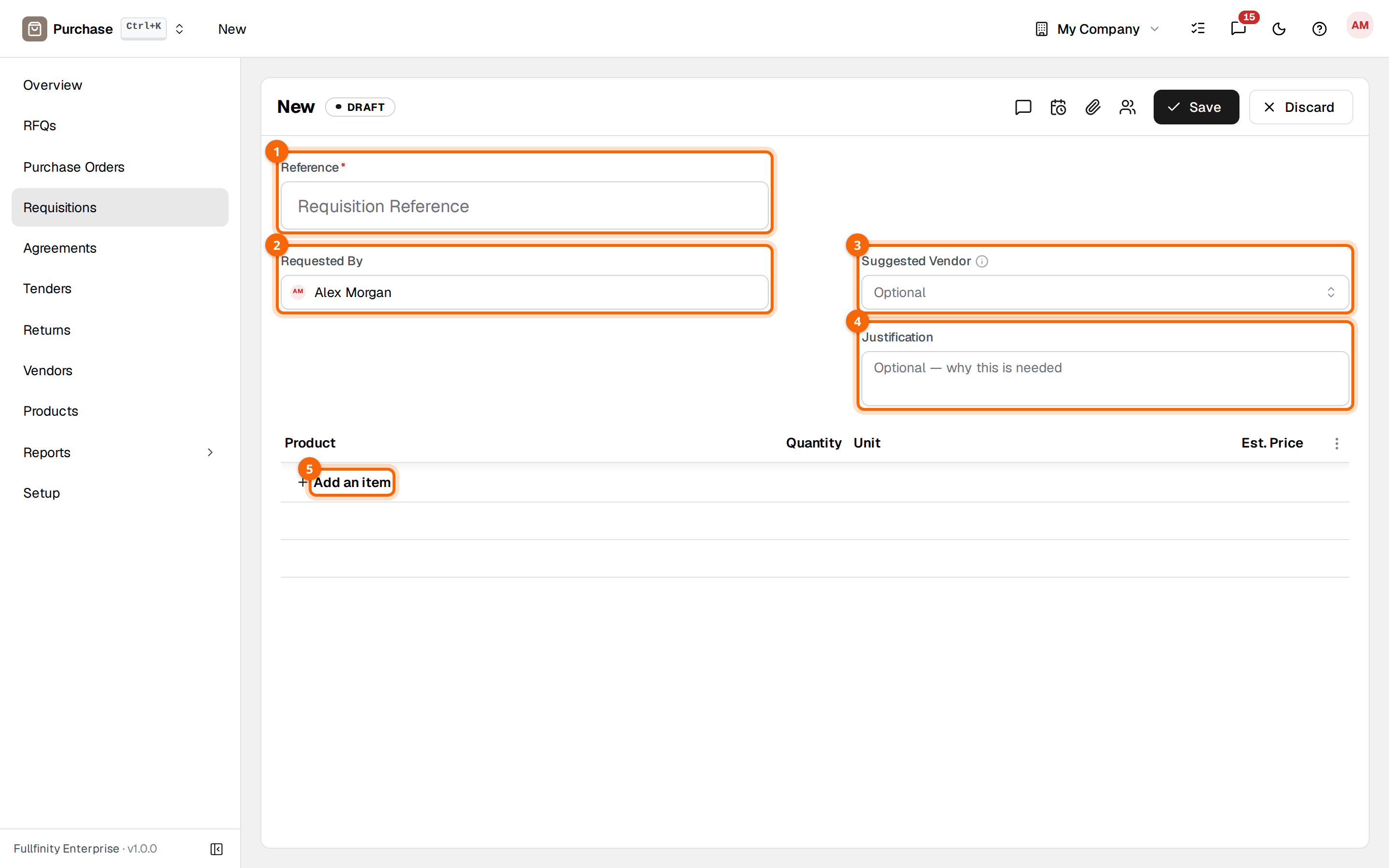
- Reference — a short name for the request, such as Laptops for new starters. Required.
- Requested By — defaults to you.
- Suggested Vendor — optional. A hint for the buyer; it is used if that vendor supplies the products.
- Justification — optional; why this is needed.
- Click Add an item for each product, with its Quantity and, if you know it, an Est. Price.
Click Save. The requisition stays in Draft until a buyer acts on it.
2. Turn it into orders
The buyer opens the requisition and clicks Create Order. A Create Orders panel lists each item with a proposed Vendor and Unit Price, taken from the suggested vendor, a running purchase agreement or the product's vendor price list. Change either where needed — an item with no known vendor must be given one — then click Create Orders.
Fullfinity creates one RFQ per vendor, and the requisition becomes Done. From there, send and confirm the RFQs as usual — see How do I create and send a request for quotation?
If it's no longer needed
Click Cancel on a draft requisition. Its status becomes Cancelled. Needed it after all? Click Reset to Draft on the cancelled requisition to reopen it.