How do I work with more than one company?
Add another company, choose who can work in it, and switch between companies — or see several at once.
Run several businesses — subsidiaries, branches in other countries — in one Fullfinity. Each company keeps its own documents, books and settings, while customers and products can be shared by all of them.
1. Add the company
Go to Settings → Companies and click New.
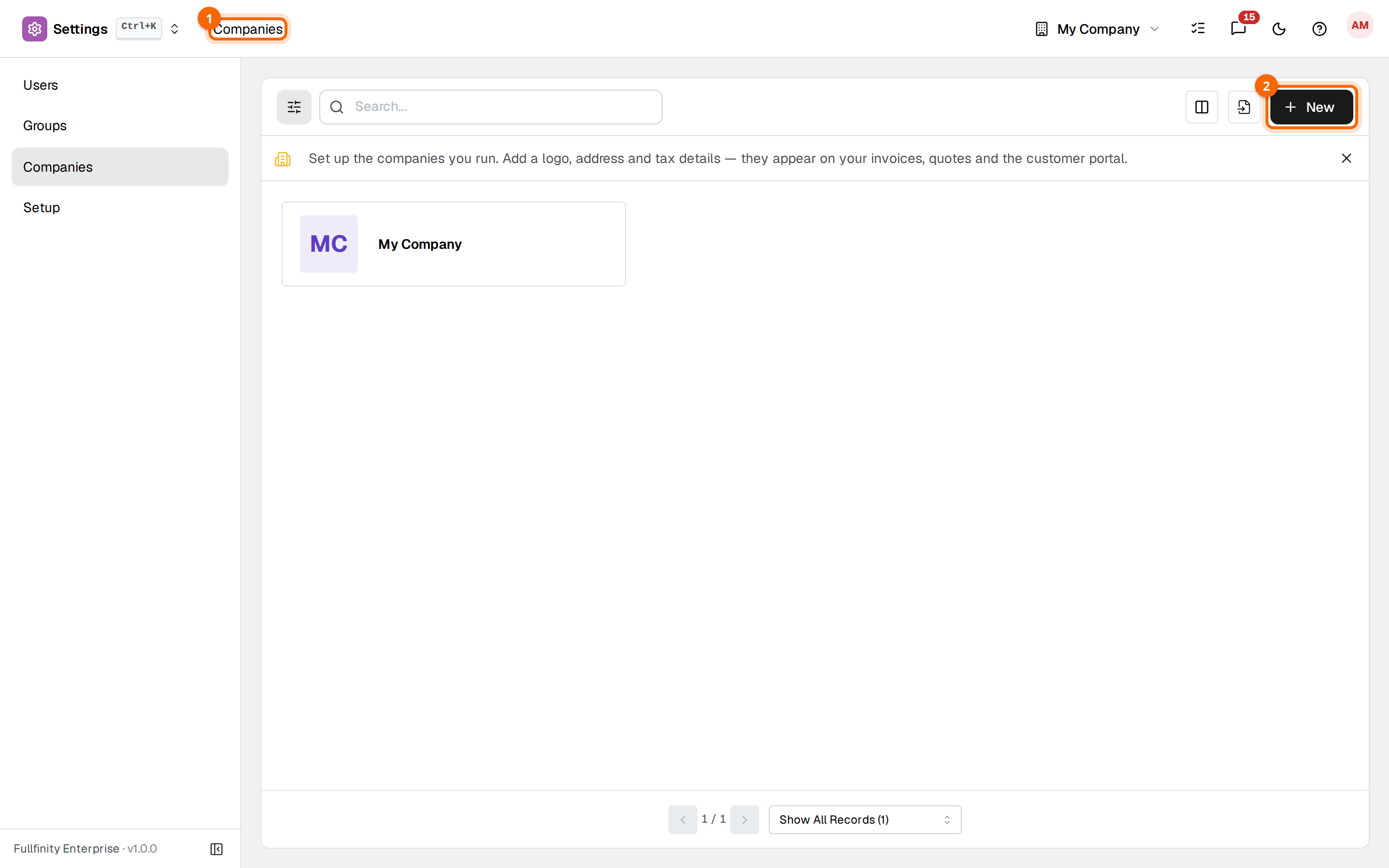
Fill in its name, address, tax details and Currency as described in How do I set my company's name, logo and address? — a company abroad can keep its books in its own currency. Save it. You are given access to the new company straight away.
2. Choose who can work in it
Open a user under Settings → Users, click Manage Access and switch on Multi Company.
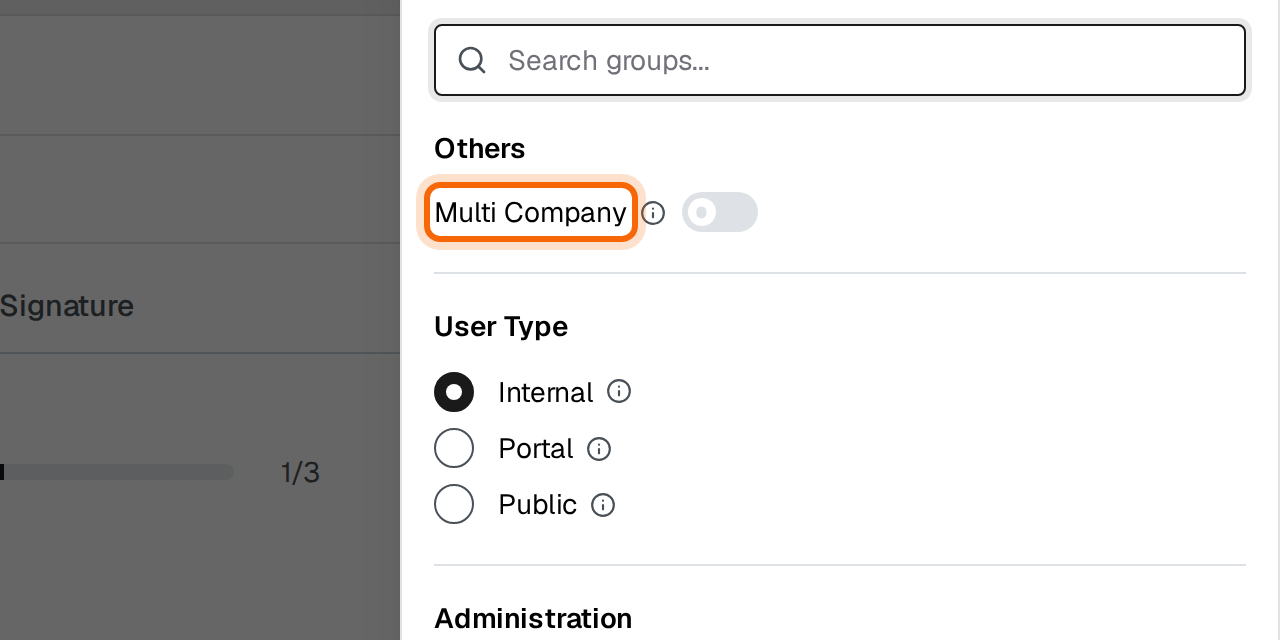
Save, and the user's form shows a Companies section:
- Allowed Companies — every company they may work in.
- Default Company — the company they work in when they sign in.
Administrators (Settings under Administration) have Multi Company already.
3. Switch between companies
The company you are working in is shown in the top bar. Click it to open the switcher.
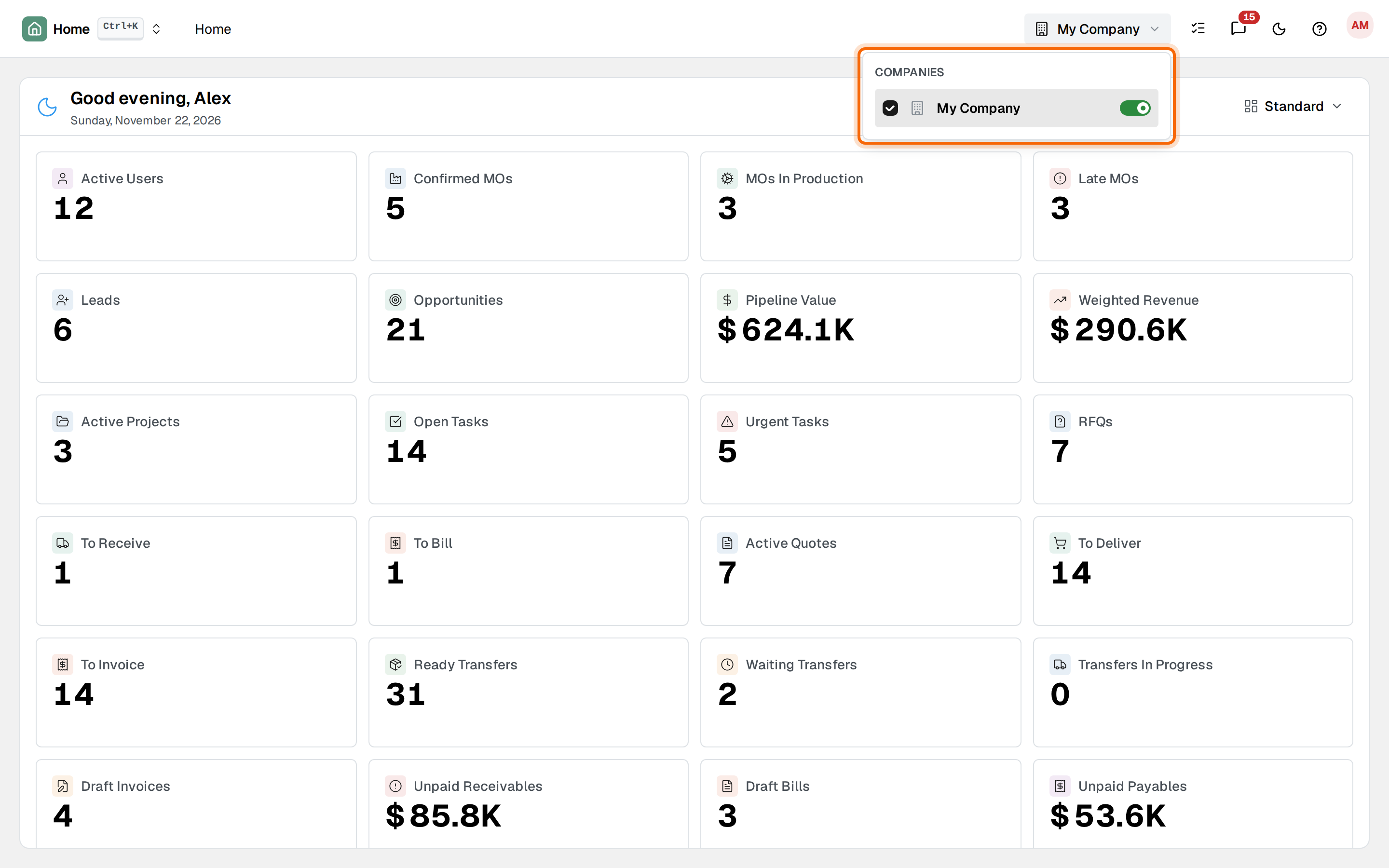
- The switch at the end of a row makes that company your current one. New quotes, invoices and other documents you create belong to it, and its settings apply.
- The checkboxes choose whose records you see. Tick several to see their records together in one list — handy for comparing — while new documents still go to your current company.
What is shared and what is not
Documents — quotes, orders, invoices, payments — belong to the company that raised them. Master data such as customers, vendors and products is shared by every company as long as its Company field is left blank; fill it in only to keep a record to one company. The Company field appears on forms once you work with more than one company.
Some settings, such as the look of printed documents, are kept per company: switch to a company before changing them.