How do I set my company's name, logo and address?
Enter the name, logo, address, tax ID and currency that appear on your quotes, invoices and emails.
Your company's details are printed on every quote, order and invoice you send, and on the emails Fullfinity sends for you. Set them before you send your first document.
Open your company
Go to Settings → Companies and click your company.
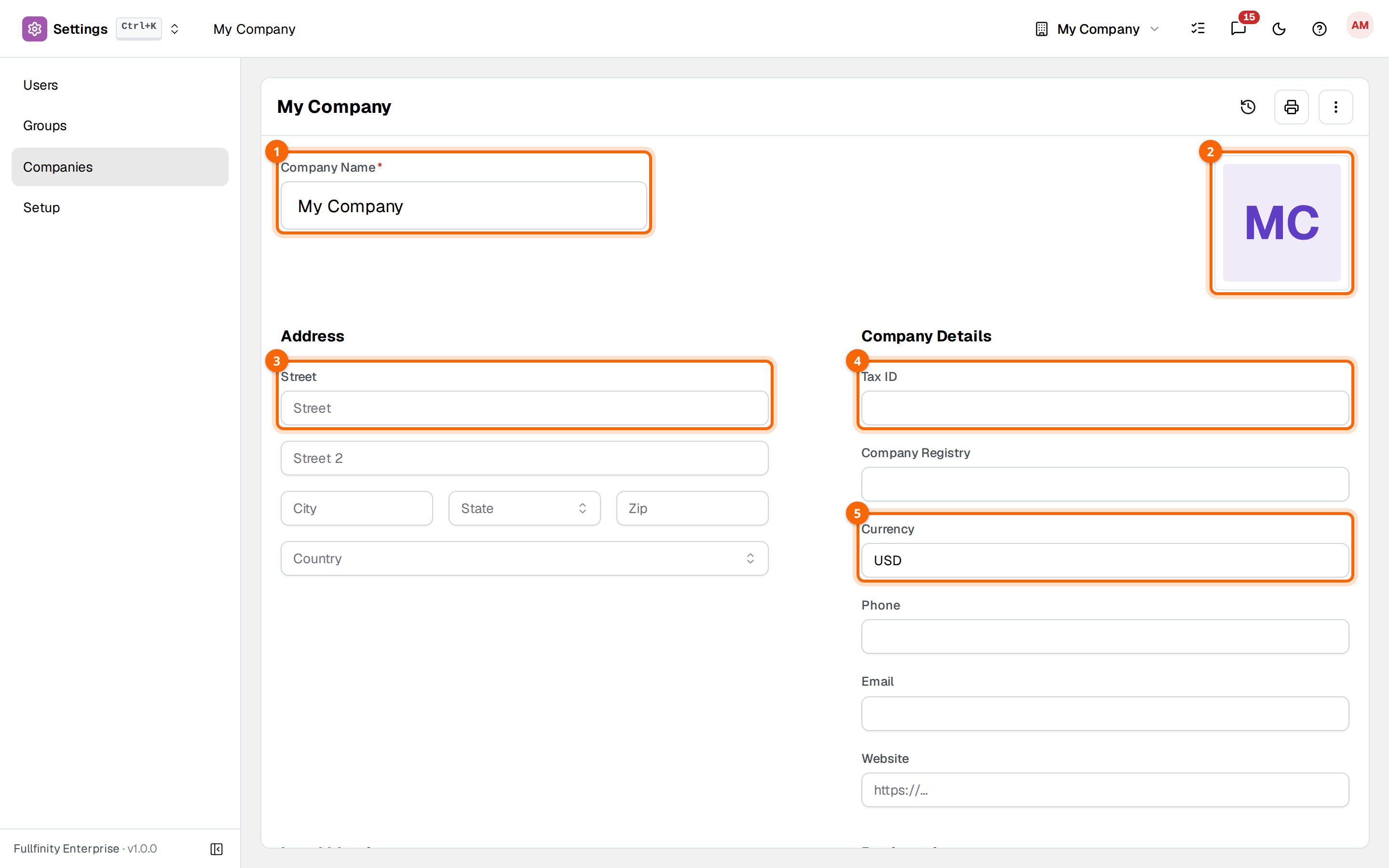
- Company Name — your business name as it should appear on documents.
- Logo — click the image to upload your logo. Until you do, your initials are shown.
- Address — Street, Street 2, City, State, Zip and Country.
- Tax ID and Company Registry — your tax and company registration numbers.
- Currency — the currency your books are kept in. Choosing one switches that currency on for you.
Add your Phone, Email and Website, then save.
Where these details appear
- The header and footer of printed documents — choose their look in How do I change how printed documents look?
- Emails sent from your company's documents, such as a quote or an invoice.
Was this article helpful?