How do I plan follow-ups with activities?
Schedule a call, meeting or to-do on any record, assign it to a colleague, and work through your list of what is due.
An activity is a to-do attached to a record: call this customer on Friday, send that quote a reminder, upload a signed contract. It is assigned to one person, has a due date, and stays on the record until it is done.
1. Open the record's activities
Open the record — a quote, a lead, a contact. The buttons at the top right of the record open its side panel:
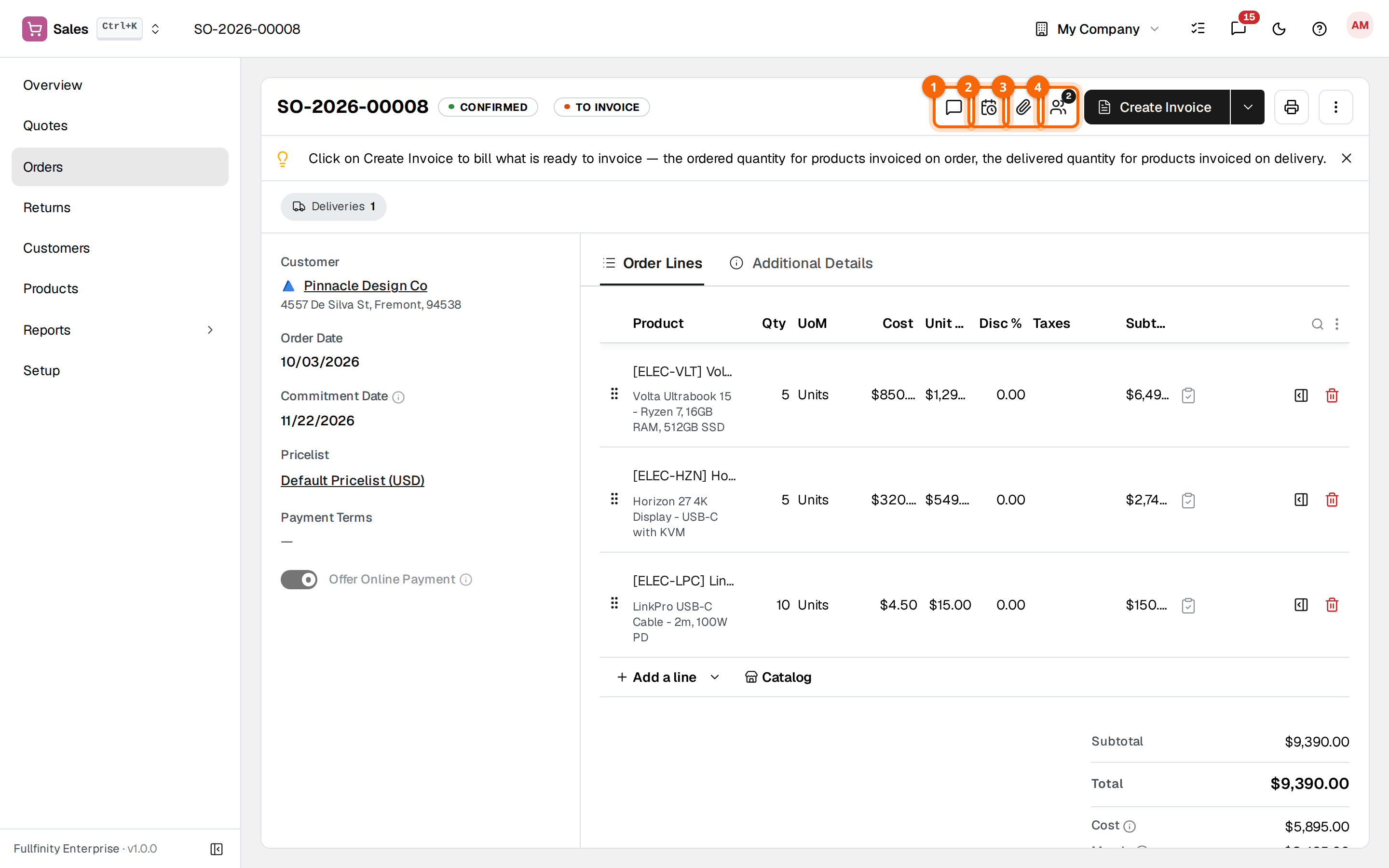
- Messages — its conversation and history.
- Activities — its planned to-dos.
- Files — its attachments.
- People — who follows it.
Click Activities, then Schedule an activity.
2. Describe the activity
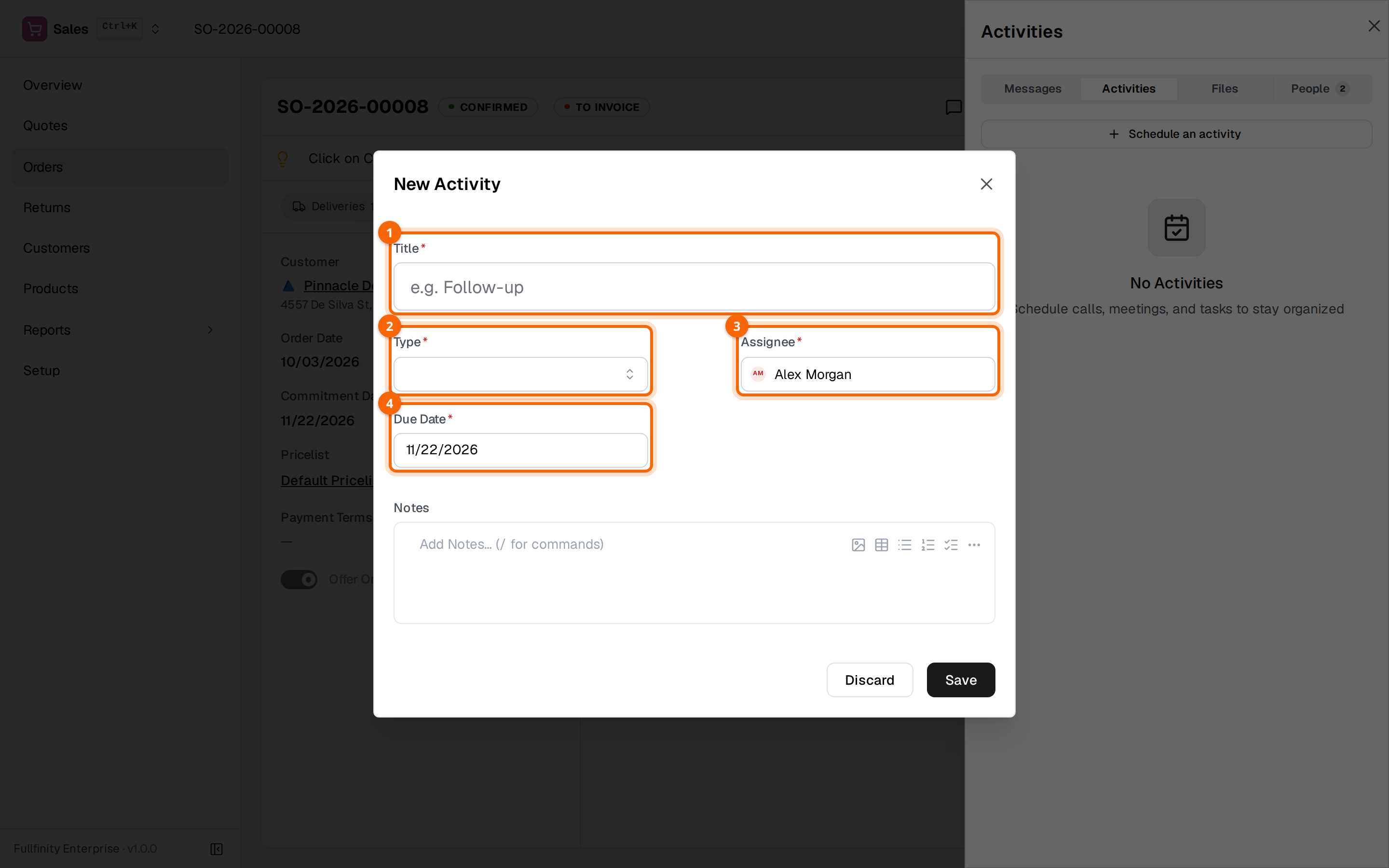
- Title — what needs doing (Follow-up call).
- Type — Call, Meeting, Email, To Do or Upload Document.
- Assignee — who will do it. It starts as you; pick a colleague to hand it to them.
- Due Date — when it is due. It starts at today.
Add any detail in Notes, then click Save.
3. Work through what is due
The Activities button in the top bar counts the activities assigned to you. Click it to see them, and click one to open its record.
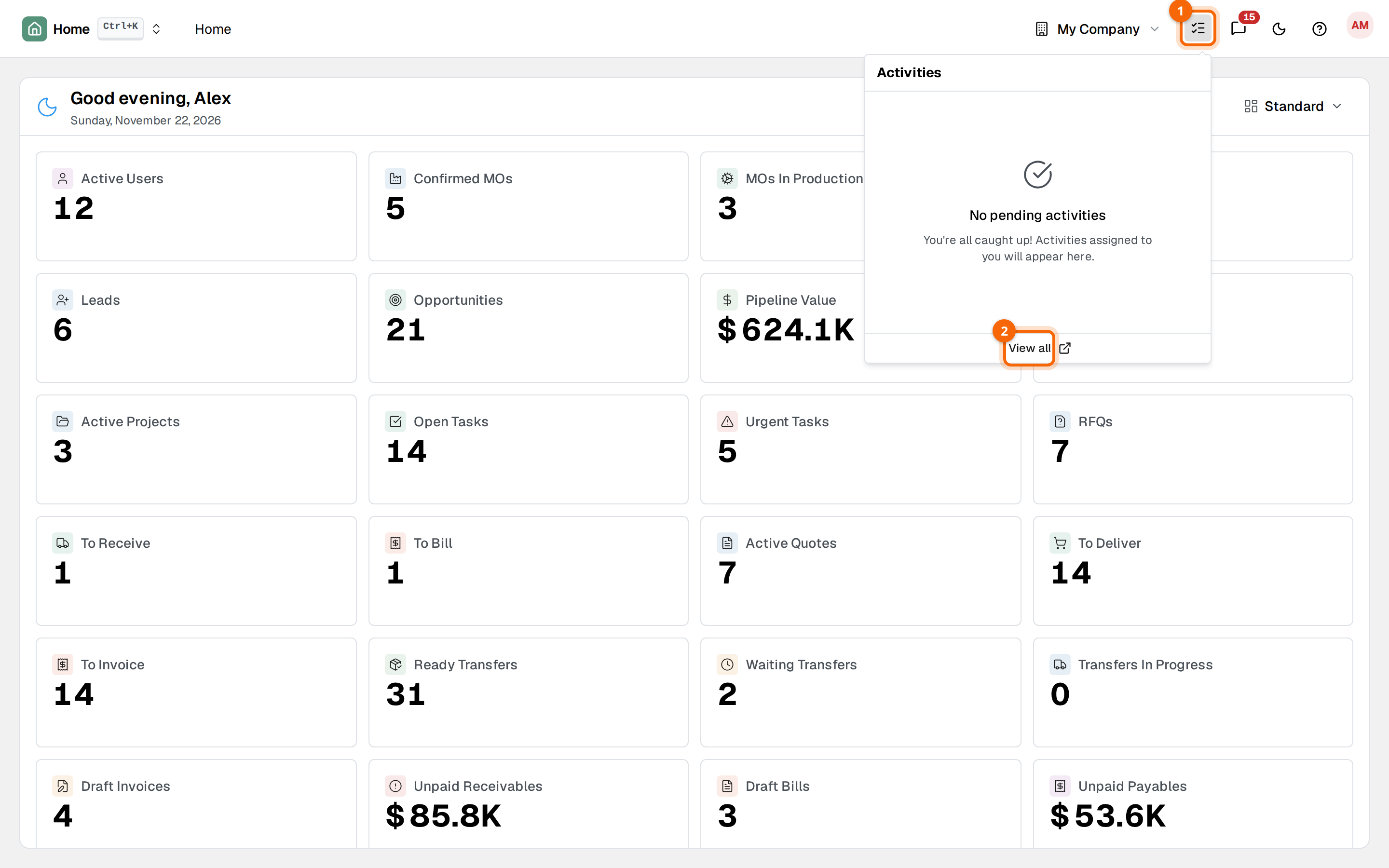
View all opens Collaborate on its Activities list, with everything assigned to you in one place.
4. Mark it done
In the record's Activities panel, each activity has Mark as Done, Edit and Cancel. Marking it done records when it was completed and takes it off your list.