How do I take payments online?
Connect a payment provider such as Stripe or PayPal so customers can pay at checkout and from their quotes and invoices.
To take card and bank payments in your online store — and on quotes and invoices your customers open online — connect a payment provider. Fullfinity works with Stripe, PayPal, Adyen, Mollie, Square, Razorpay and Authorize.Net. Customers pay on the provider's secure page and the payment is recorded for you.
1. Install the provider
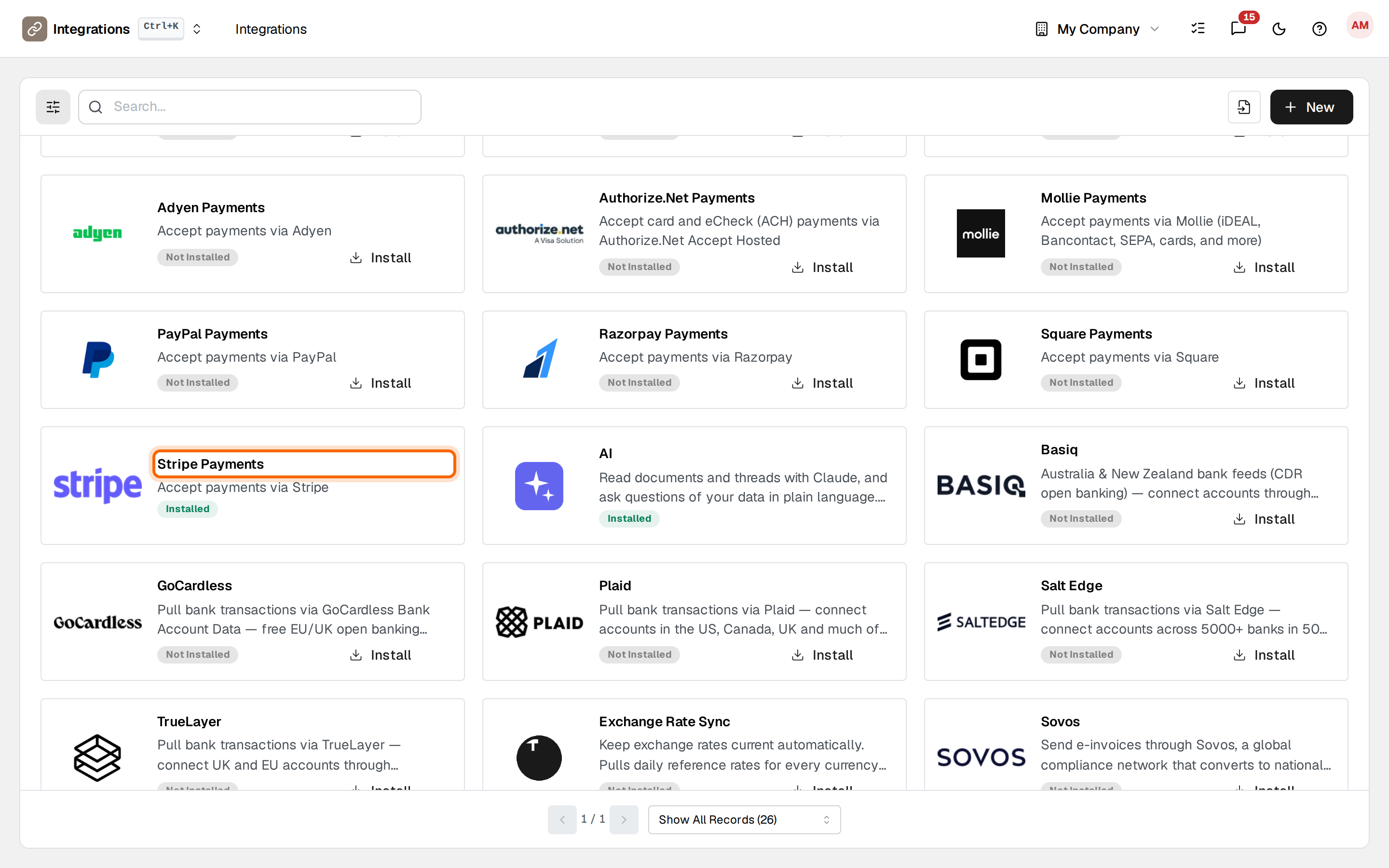
Open Integrations from the app menu. Payment providers are listed with the rest; find yours and click Install on its card. Once installed, the card reads Installed.
2. Enter your keys and settings
Click the provider's card to open it. The fields depend on the provider; for Stripe:
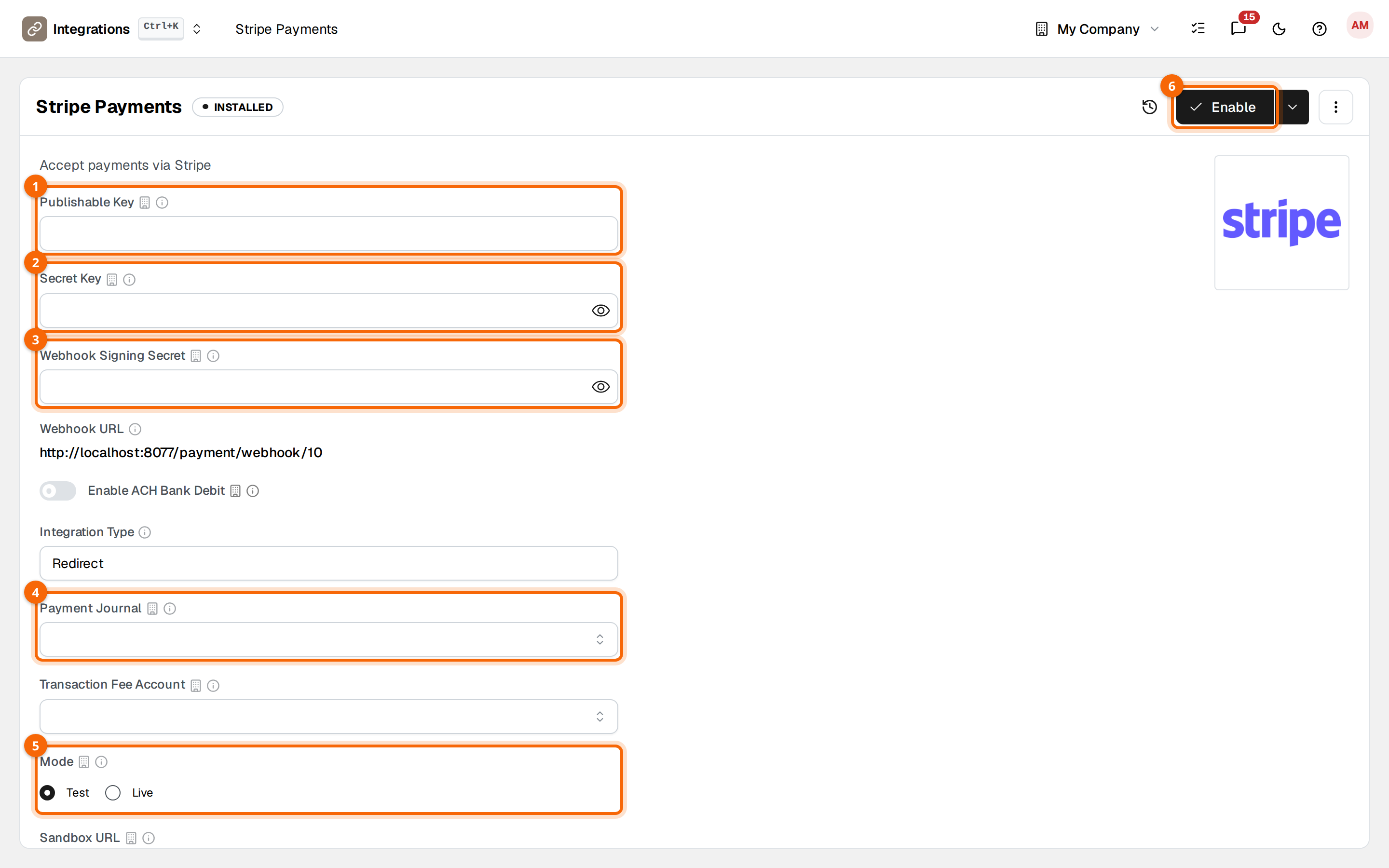
- Publishable Key — starts with pk_test_ or pk_live_.
- Secret Key — starts with sk_test_ or sk_live_.
- Webhook Signing Secret — starts with whsec_. It lets Stripe tell Fullfinity when a payment succeeds, fails or is refunded. In Stripe, add a webhook endpoint with the address shown in Webhook URL on this form, then paste the signing secret Stripe gives you.
- Payment Journal — the bank journal payments from this provider are recorded in. Empty, your company's first bank journal is used. Set Transaction Fee Account to record the provider's fees as an expense.
- Mode — Test uses the provider's test environment, so you can try a checkout with test cards. Switch to Live with your live keys when you're ready to take real money.
- Enable — makes the provider available to customers.
For Stripe you can also switch on Enable ACH Bank Debit to accept US bank account payments (US dollar charges only; ACH must be active on your Stripe account).
3. Check it's working
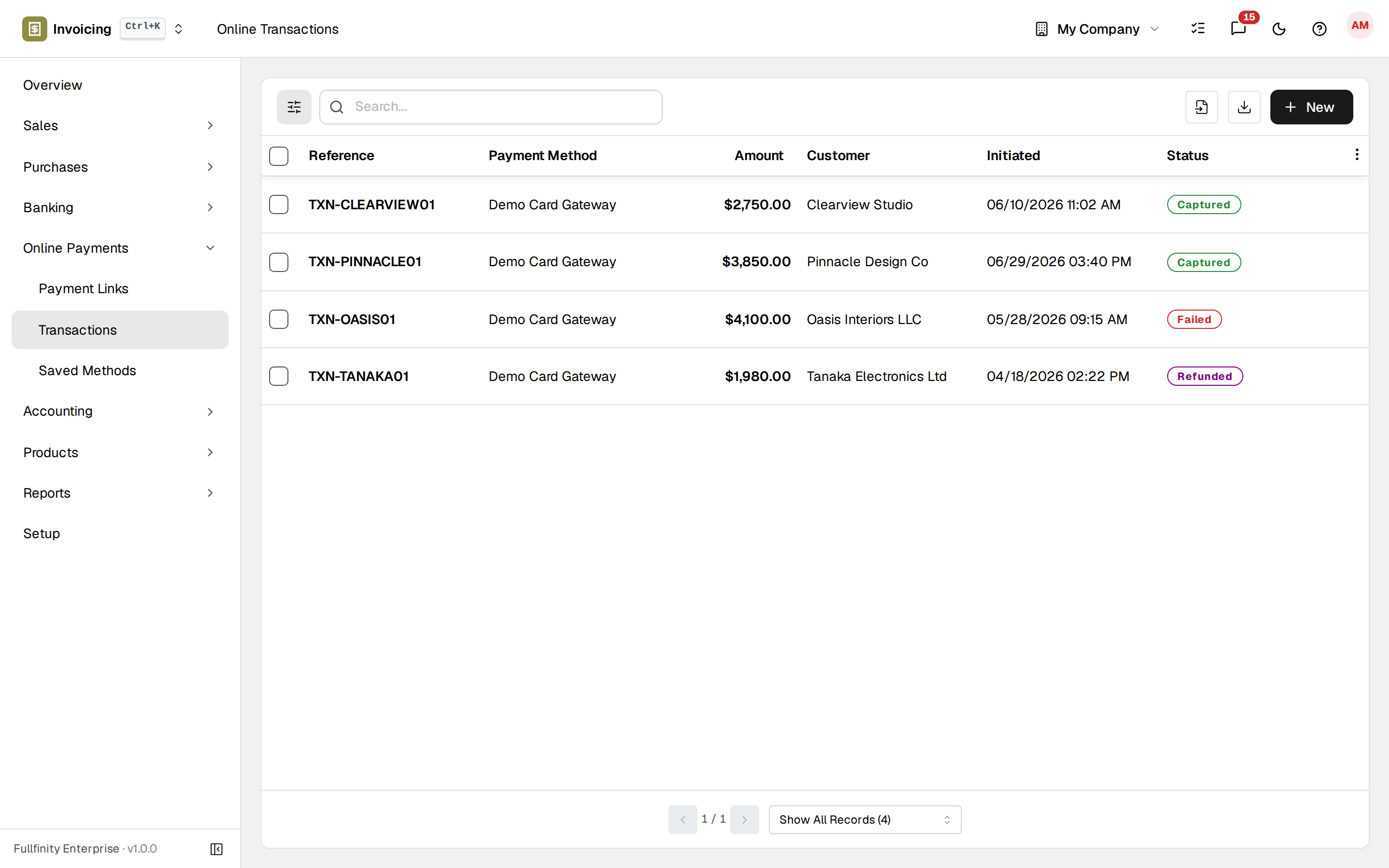
Place a test order in your shop. Every payment attempt is listed under Invoicing → Online Payments → Transactions with its status — Captured when the money is taken.
If you enable more than one provider, shoppers choose how to pay at checkout.
Related: What happens after a customer orders on my website?