How do I set up expenses?
Create the expense categories employees choose from, each booked to an expense account, and check which journals expenses post to.
Expenses work out of the box: the accounts and journals they post to are found automatically. What you decide is the list of categories your employees choose from, and — if you want — which journals to use.
Go to Expenses → Setup. The Expenses tab opens. (Setup is for HR Managers.)
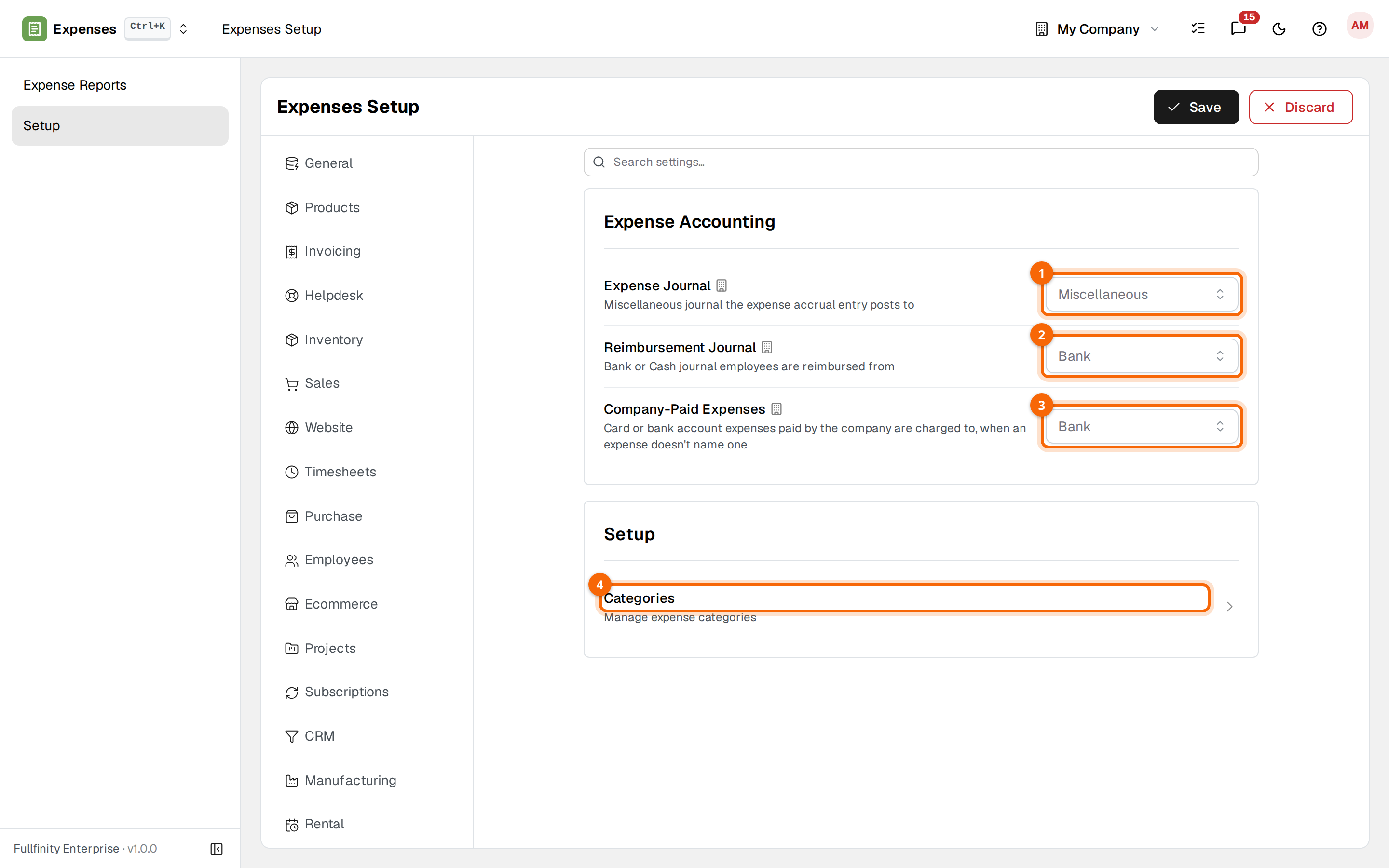
- Expense Journal — the miscellaneous journal approved expenses are booked in.
- Reimbursement Journal — the bank or cash account you pay employees back from.
- Company-Paid Expenses — the company card or bank account that expenses paid by the company are charged to, unless the expense names one. See How do I record expenses paid with a company card?
- Categories — the kinds of expense employees pick from.
Leave a journal empty to use your company's first journal of that kind; the field shows which one it will be.
Expense categories
Click Categories. Each category has a name and the Expense Account its amounts are booked to, so Travel and Meals & Entertainment land on the right lines of your profit and loss.
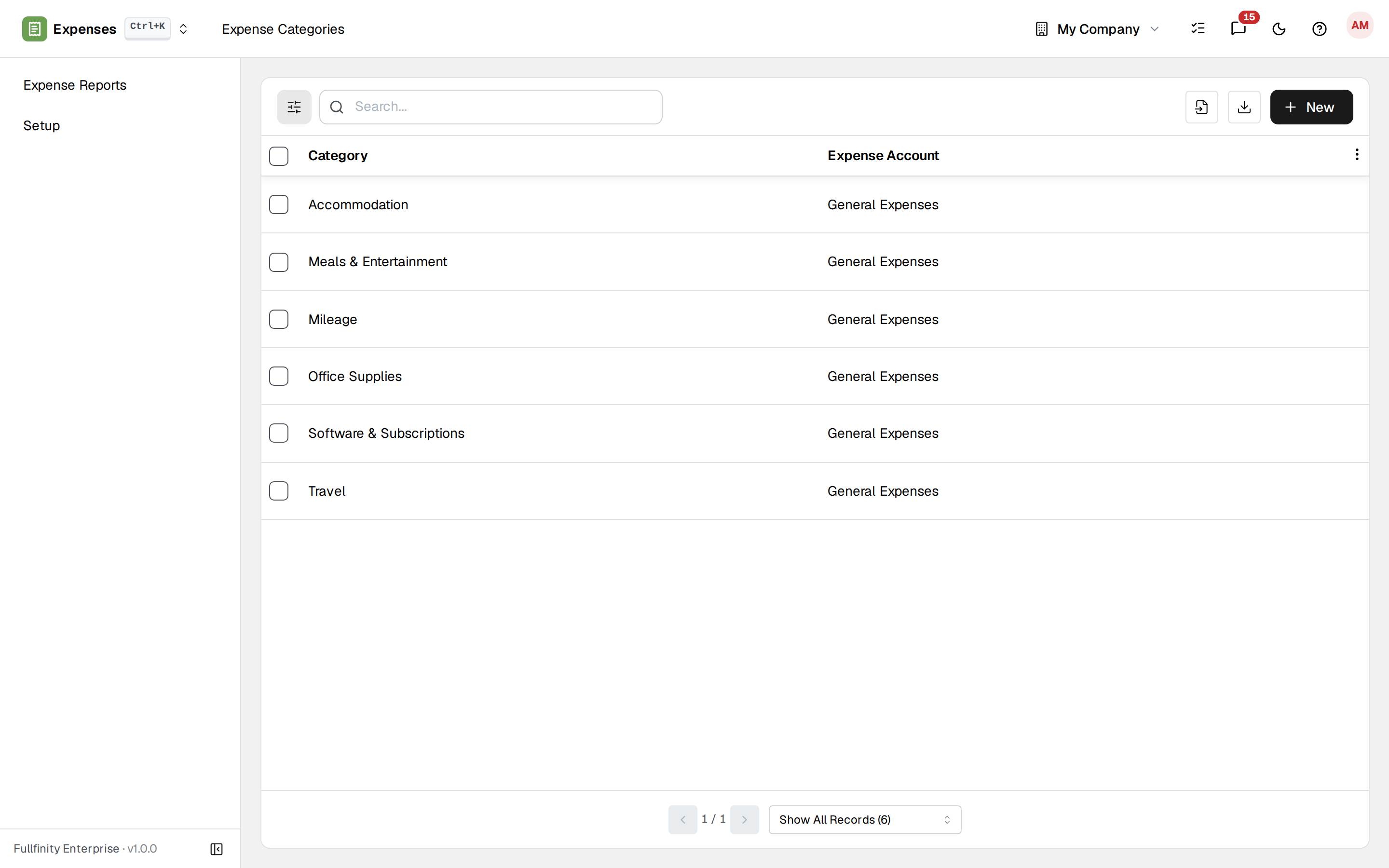
Click New, type the Category and choose the account (a new category starts with your default expense account). Archive a category you no longer use; expenses already claimed against it keep it.
➡️ Next: How do I record my expenses?