How do I record my expenses?
Create an expense report and add each expense with its category, amount, tax and a photo of the receipt.
Expenses are claimed on an expense report: one report per trip, event or month, with a line for each thing you paid for.
1. Create the report
Go to Expenses → Expense Reports and click New.
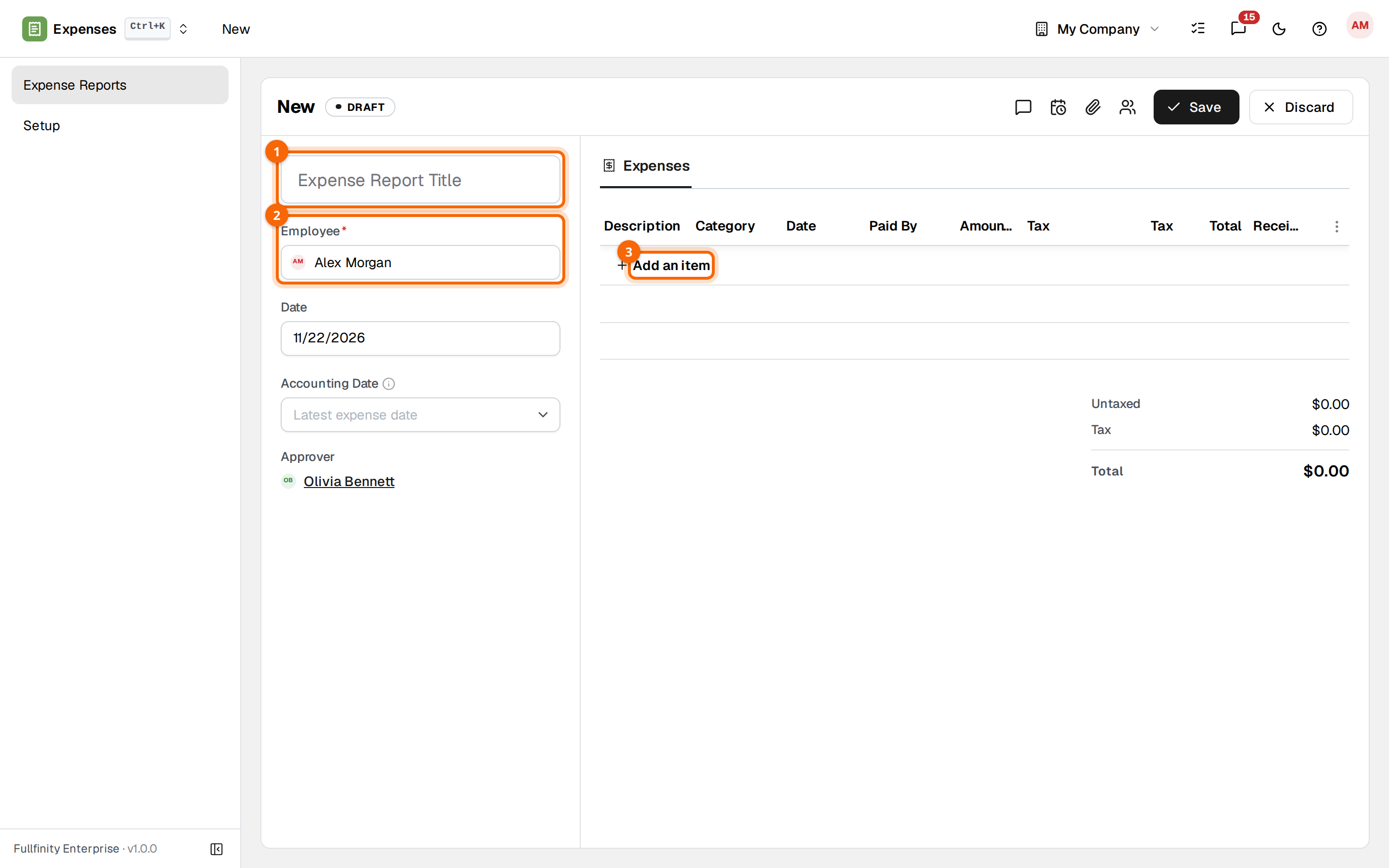
- The title — what the claim is for, such as November client visit.
- Employee — already you. A manager can file for someone on their team.
- Click Add an item for each expense.
2. Add each expense
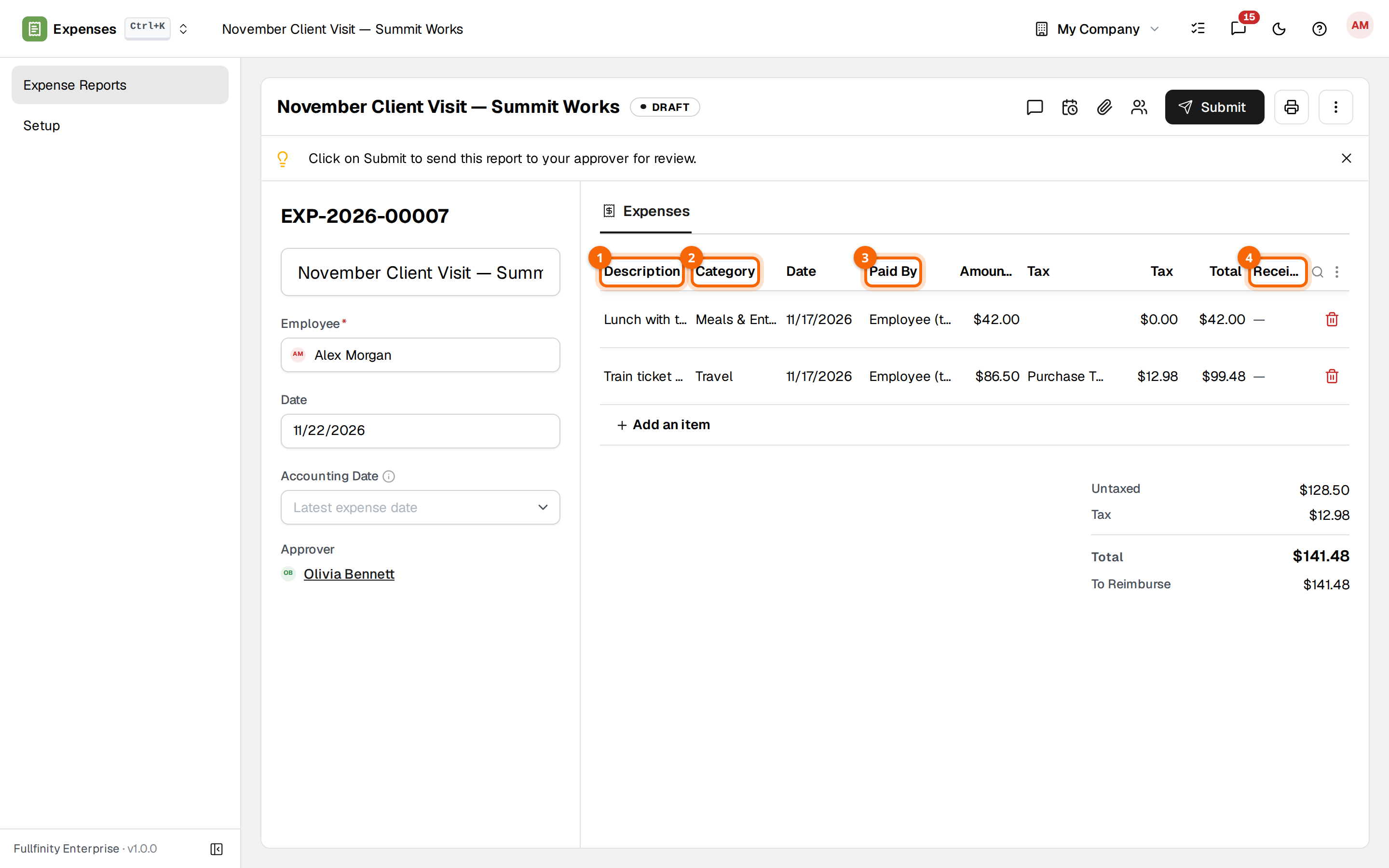
- Description — what you bought, such as Train ticket — return.
- Category — the kind of expense. Then the Date you spent it.
- Paid By — Employee (to reimburse) if you paid with your own money, Company if you used a company card.
- Receipt — click to attach a photo or PDF of the receipt.
Enter the Amount (net) before tax, and choose the Tax on the receipt if there was one: the tax and the Total are worked out for you, and the tax can be reclaimed. Spent in another currency? Show the hidden Currency column from the column menu at the end of the header and pick it: the expense is converted at that day's exchange rate.
The totals under the lines show the Untaxed amount, the Tax, the Total and what is To Reimburse — the part you paid yourself. Click Save. You can keep adding expenses to a draft report until you're ready.
➡️ Next: How do I submit an expense report?