How do I record expenses paid with a company card?
Mark an expense as paid by the company so it is charged to the card or bank account it was paid from, not owed to the employee.
When an employee pays with a company card, the company has already paid. The expense still needs a report — for the receipt, the category and the approval — but nobody is owed anything.
Mark the expense as company-paid
On the expense line, set Paid By to Company.
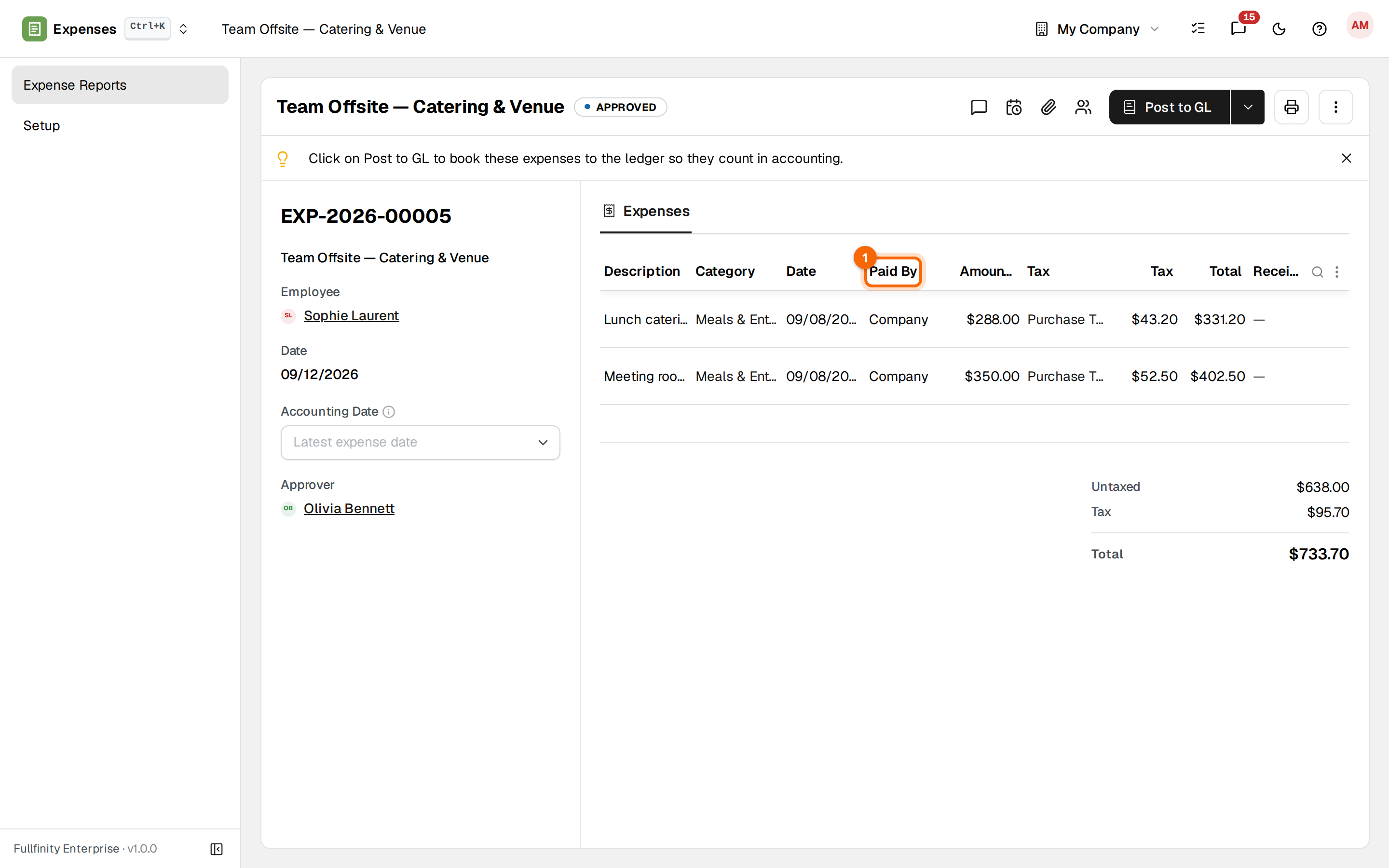
To say which card or account it was charged to, show the Paid From column from the column menu at the end of the header and pick the account. Leave it empty to use the Company-Paid Expenses account from Expenses → Setup.
What changes
- The line doesn't count in To Reimburse. A report where every line is company-paid shows only its Total.
- When the report is posted, the expense is booked against the card or bank account instead of a debt to the employee — so the card's statement line can later be matched to it like any other payment.
- There is no reimbursement: once posted, the report is done.
A report can mix both: the employee is reimbursed only for the lines they paid themselves.
➡️ Related: How do I post expenses and pay employees back?
Was this article helpful?