How do I send e-invoices?
Generate a Peppol BIS e-invoice from a posted invoice, fix what it flags, and send it through your e-invoicing provider.
An e-invoice is the structured version of your invoice that the customer's system reads directly — required for public-sector customers and, in more and more countries, for every business. Fullfinity produces it in the Peppol BIS Billing 3.0 format (EN 16931) and sends it through a certified access point provider.
1. Generate and check
- Open a posted customer invoice or credit note.
- Click Generate E-Invoice. Fullfinity checks the invoice against the e-invoicing rules first.
- If something is missing, it says what. The full list is on the E-Invoicing tab under Errors. Fix it on the customer, the tax or your company, and generate again.
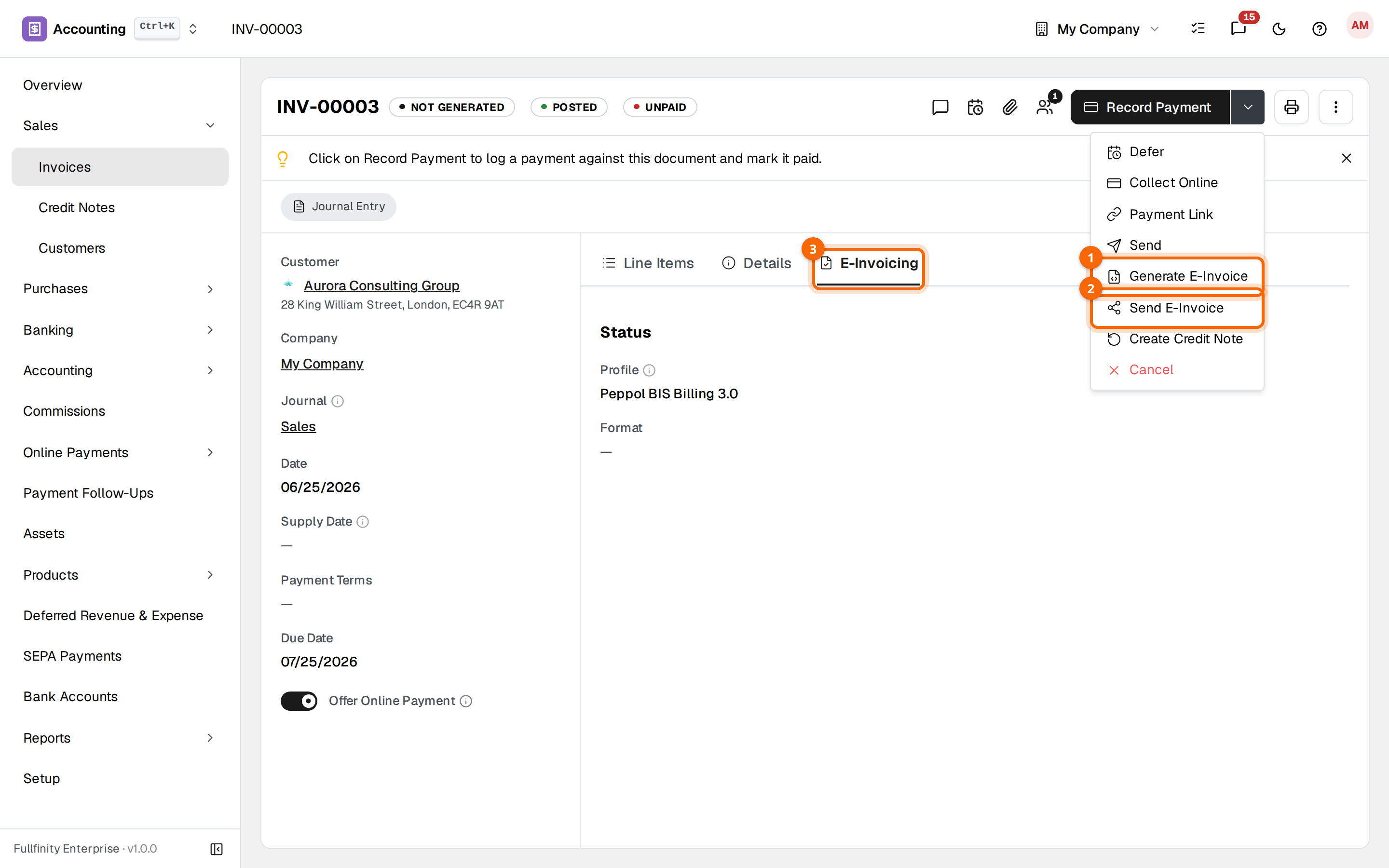
Once it's valid, the e-invoice status is Generated and the E-Invoicing tab holds the Peppol BIS XML.
2. Send it
Click Send E-Invoice. The e-invoice is rebuilt from the invoice as it is now and sent through your provider. The status moves to Sent, then Delivered once the customer's access point confirms it — Fullfinity checks regularly — or Rejected if it was refused, in which case you correct it and send again. Sent On and the provider's message reference are on the tab.