How do I set up Rental?
Choose where deposits are held, the default late fee and rental length, and whether to allow overbooking, require deposits before handover, and rent from warehouse stock.
Rental lets you hire out equipment for a period — tools, cameras, marquees — with prices by the hour, day, week or month, refundable deposits, and charges for late, damaged or lost items. A few settings apply to every rental.
Go to Rental → Setup. The Setup screen opens on the Rental tab.
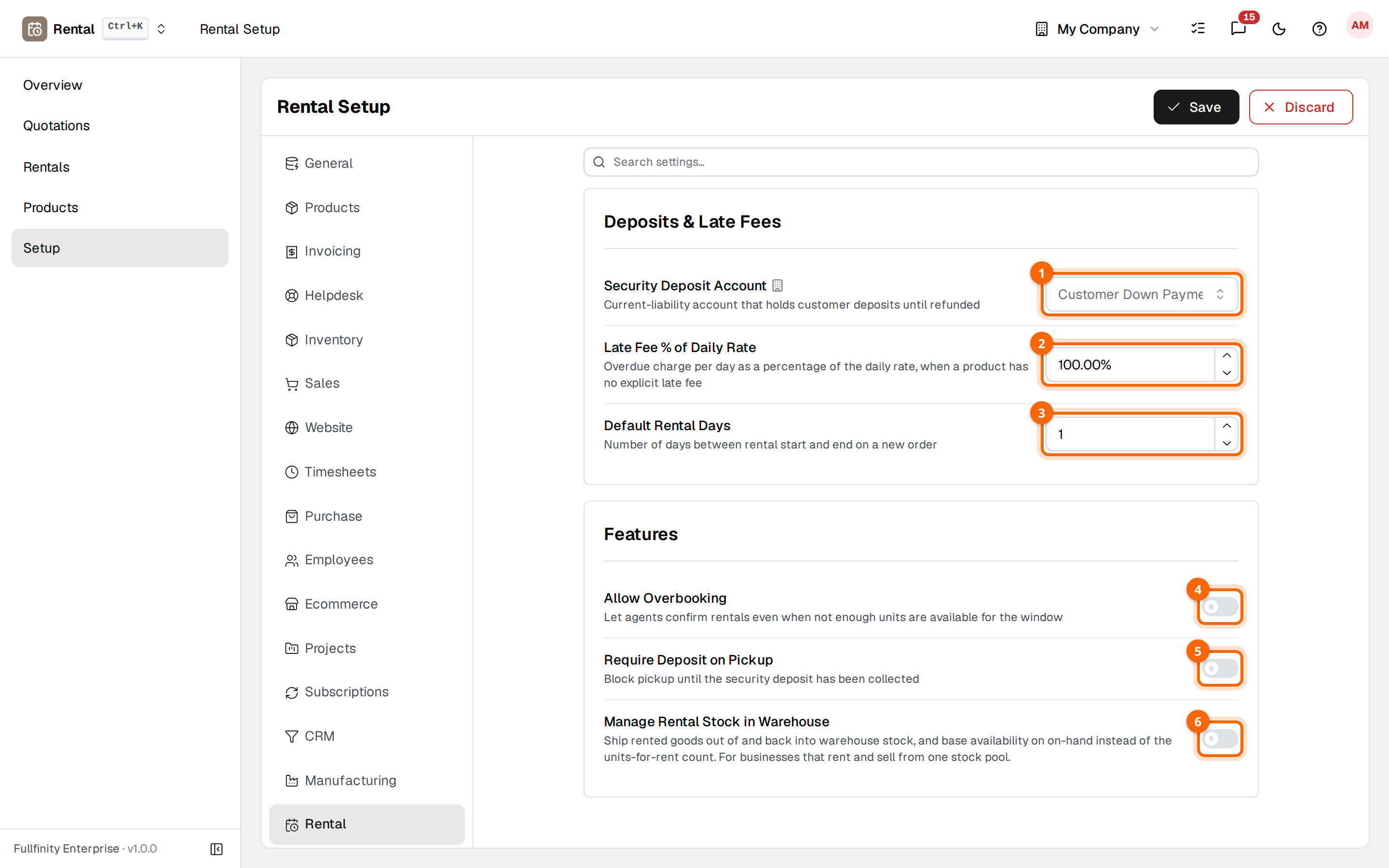
Deposits & Late Fees
- Security Deposit Account — the account customer deposits are held in until you give them back. A deposit is the customer's money, not income, so it belongs in a liability account. Leave it blank to use your Customer Down Payments account.
- Late Fee % of Daily Rate — what each overdue day costs, as a percentage of the product's daily rental price. It applies only to products that don't have their own Late Fee / Day. 100 charges a full extra day for every day late.
- Default Rental Days — how long a new rental runs: its Rental End starts this many days after its Rental Start.
Features
- Allow Overbooking — let rentals be confirmed even when not enough units are free for the dates. Leave it off and Fullfinity refuses a rental you can't supply.
- Require Deposit on Pickup — items can't be handed over until the security deposit has been collected.
- Manage Rental Stock in Warehouse — work out what is free to rent from the stock in your warehouse instead of each product's Units for Rent. Use it when you rent and sell from the same stock. See How does Rental work with my warehouse stock?
Click Save.
➡️ Next: How do I set up a product for rent?
Was this article helpful?