How do I invoice a rental?
Bill the rental charges, damage and late fees — up front or after the return — and close the rental with Mark as Done.
You can invoice a rental as soon as it is Confirmed — to be paid up front — or after it comes back, when you know about any damage or late fees. Anything not yet billed can be billed on a later invoice.
Open the rental and click Create Invoice.
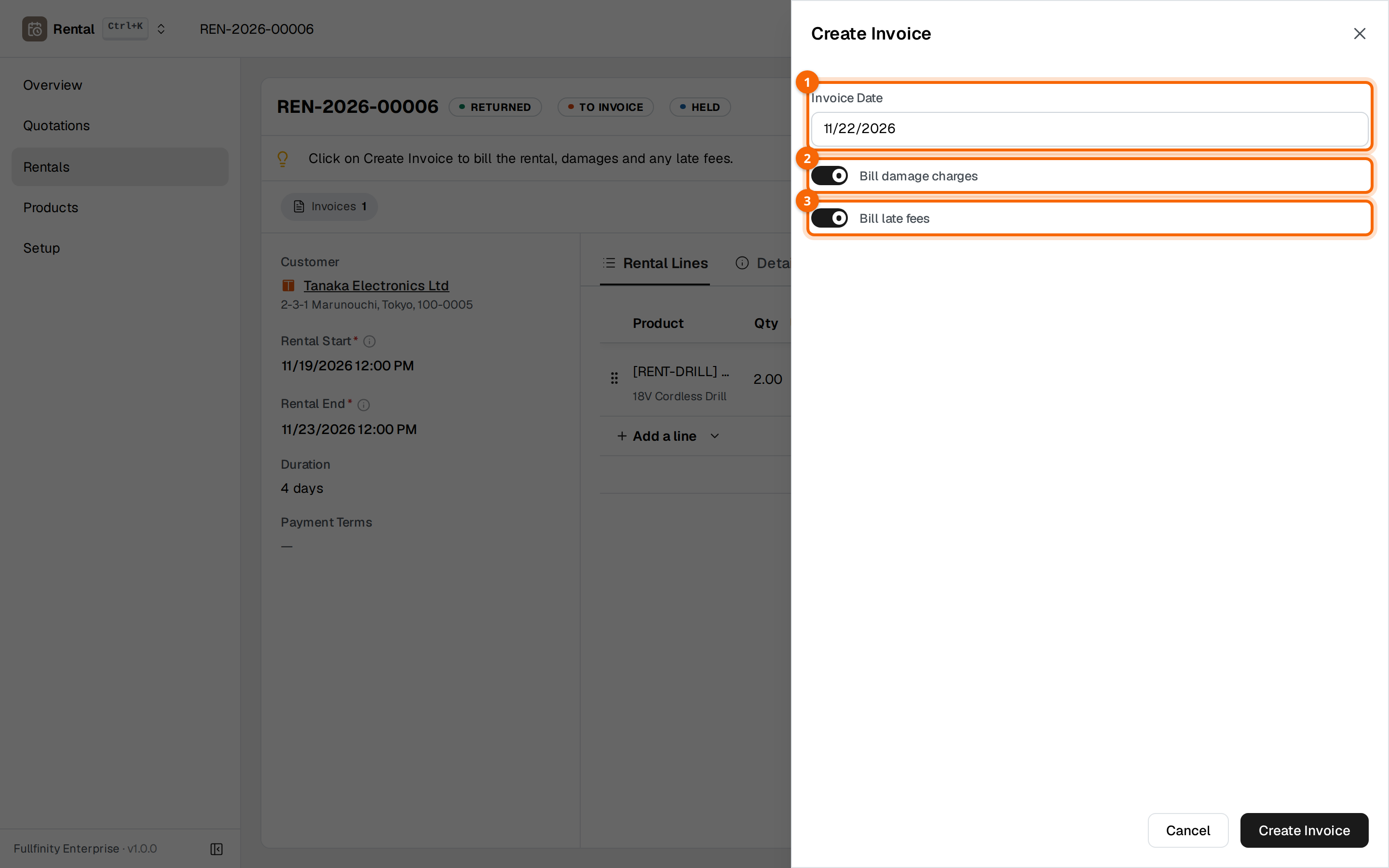
- Invoice Date — the date of the invoice.
- Bill damage charges — add the damage and loss charges recorded at return.
- Bill late fees — add the late fees not yet billed.
Click Create Invoice. The invoice opens in Draft with:
- one line per product for the rental itself, with the rental's length in its description;
- a line for each damage or loss charge, taxed like the product;
- one line for the late fees, untaxed.
The period the items were out is printed on the invoice. Post and send it as usual — see How do I send a customer invoice?
The Invoice status on the rental shows To Invoice while something is left to bill and Fully Invoiced once everything is. The Invoices button opens every invoice for the rental, the deposit's included.
Close the rental
When the rental is Returned and Fully Invoiced, click Mark as Done. It becomes Done. If it had a deposit, refund it — see How do I collect and refund a security deposit?