How do I send an invoice to a customer?
Email a posted invoice with its PDF attached, give the customer a payment link, or print it.
Once an invoice is Posted, you can email it to your customer with the PDF attached, share a link to pay it online, or print it yourself.
Email the invoice
- Open the posted invoice.
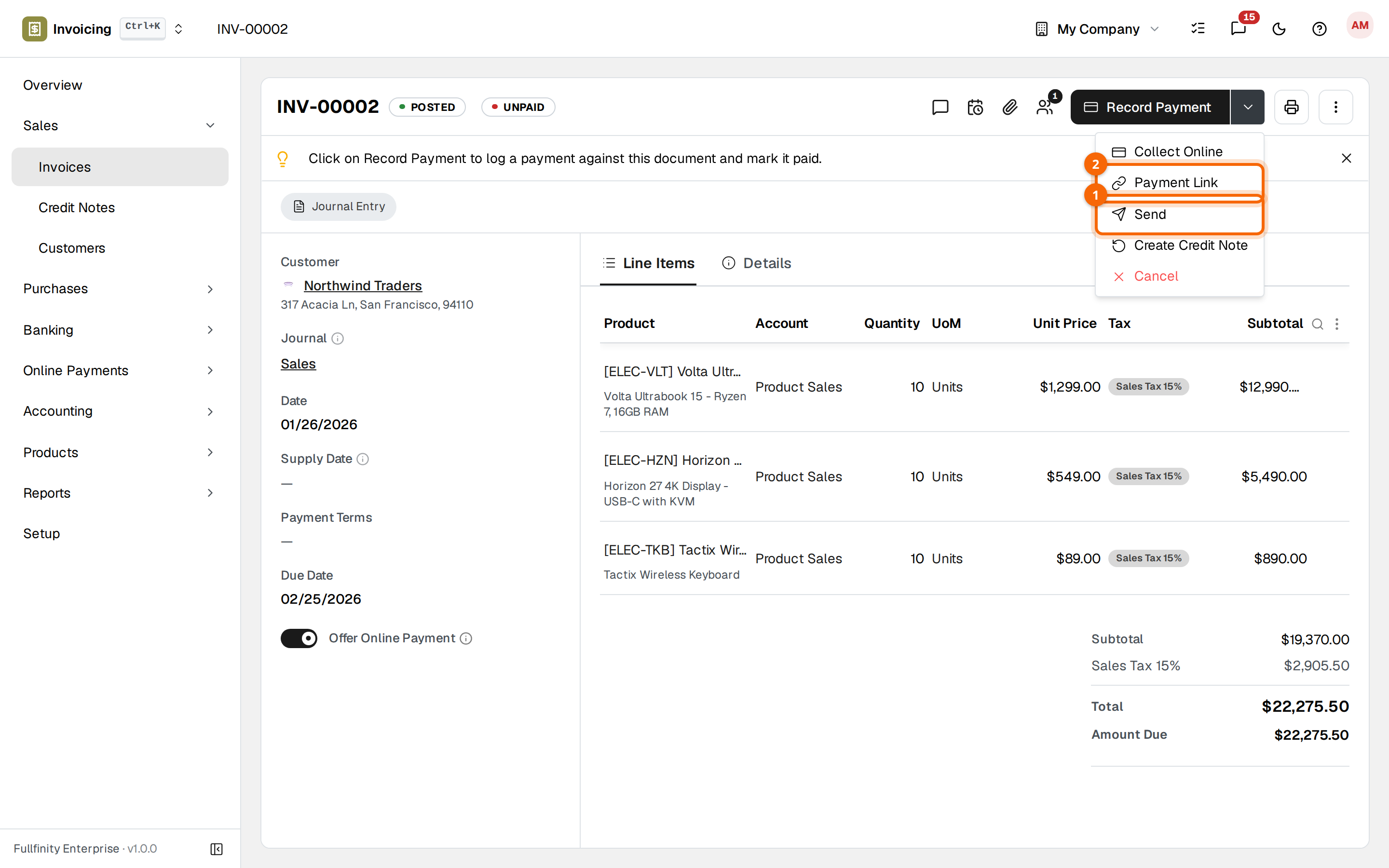
- Click the arrow beside the main button at the top and choose Send.
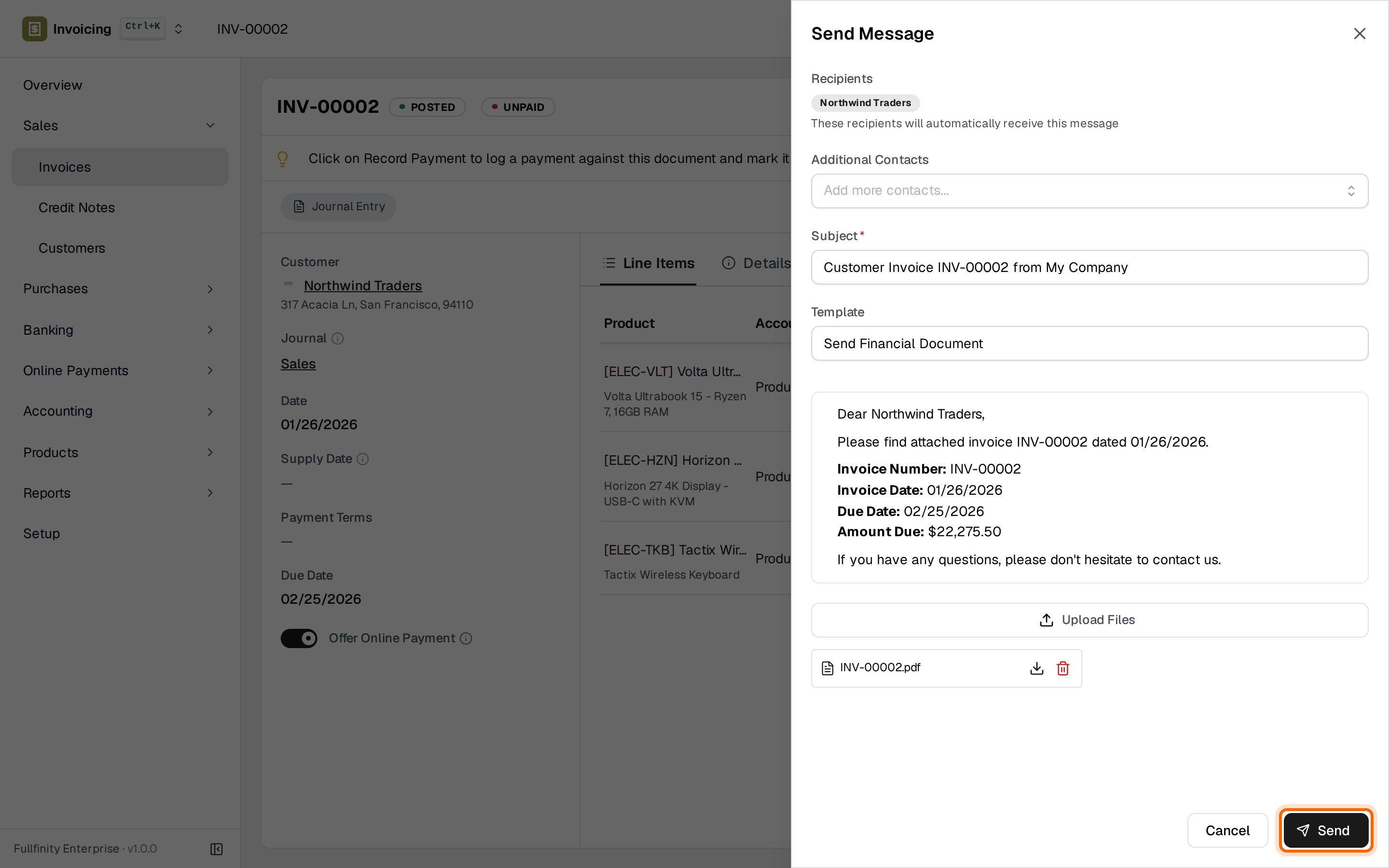
A message opens, addressed to the customer and filled in from the Send Financial Document template: the invoice number, date, due date and amount due, with the invoice PDF attached. Add other recipients under Additional Contacts, change the subject or text if you need to, then click Send.
The email is kept in the invoice's messages, so you can see later what was sent and when.
Let the customer pay online
When Offer Online Payment is on for the invoice, the customer can pay it by card or wallet from the invoice in their portal. From the same menu:
- Payment Link creates a link to pay this invoice that you can copy or email.
- Collect Online takes the payment from the customer through your payment provider.
A payment made online is recorded against the invoice for you.
Print or download it
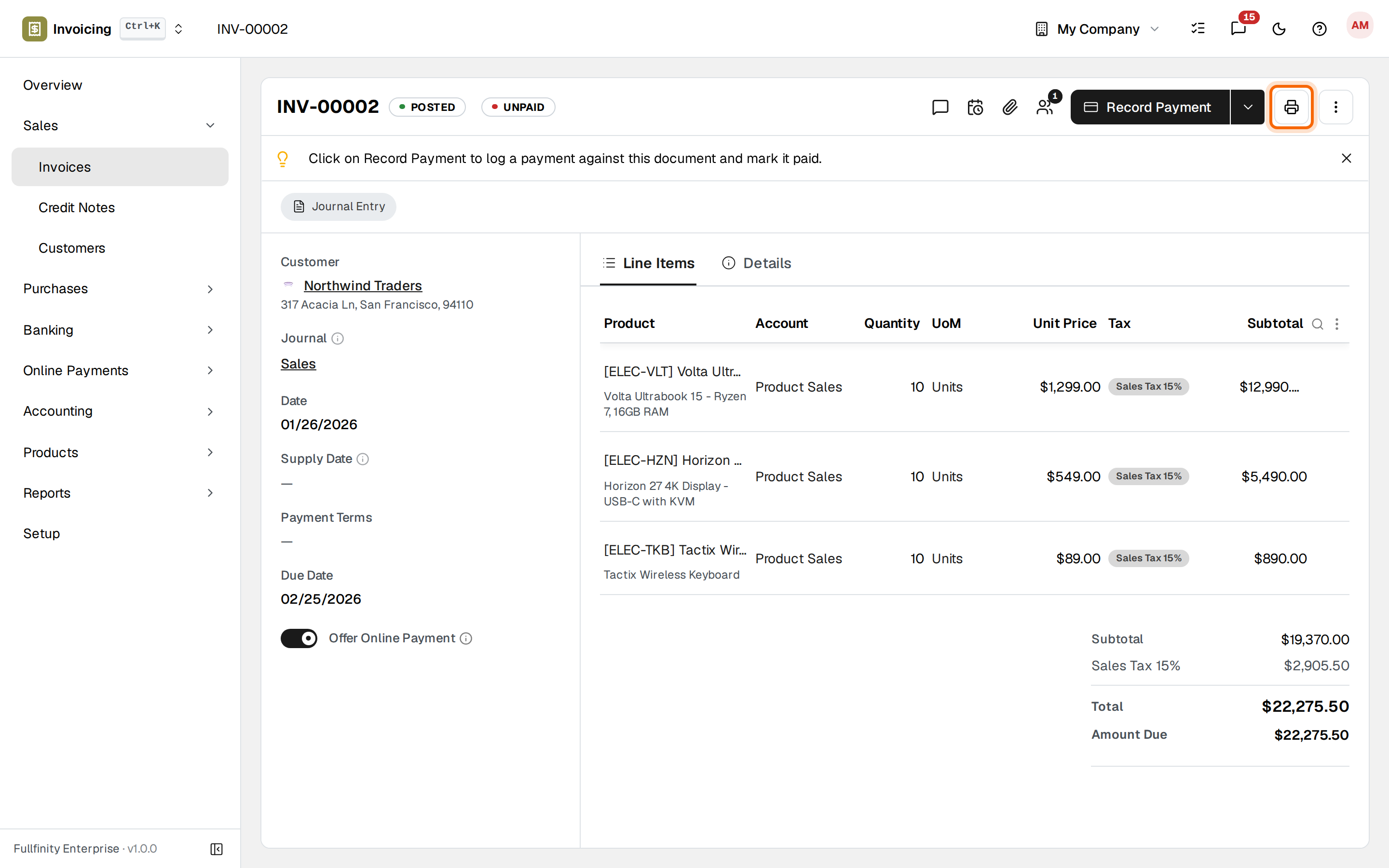
Click the printer button at the top of the invoice to get the PDF.